TTS Pintar 2018 - Teka Teki Silang Offline
Updated
Current Version
4.5.5
Offered By

With your passion for TTS Pintar 2018 - Teka Teki Silang Offline, you shouldn’t have to limit yourself to the small screen of a phone. Play like a pro and take full control of the game using a keyboard and mouse. MEmu gives you everything you’re looking for. Download and play TTS Pintar 2018 - Teka Teki Silang Offline on PC. Play as long as you want — no more worries about battery life, mobile data, or unexpected calls. The all-new MEmu 9 is the best way to play TTS Pintar 2018 - Teka Teki Silang Offline on PC. With our expertly designed keymapping system, TTS Pintar 2018 - Teka Teki Silang Offline feels just like a real PC game. The MEmu multi-instance manager lets you run two or more accounts on the same device at the same time. Most importantly, our exclusive emulation engine unlocks your PC’s full potential, delivering smooth and seamless performance.
Show more
Download TTS Pintar 2018 - Teka Teki Silang Offline on PC with MEmu Android Emulator. Enjoy playing on big screen. Smart TTS - Crossword Puzzle 2025 Offline.
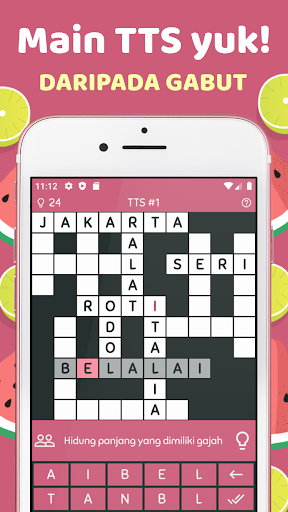
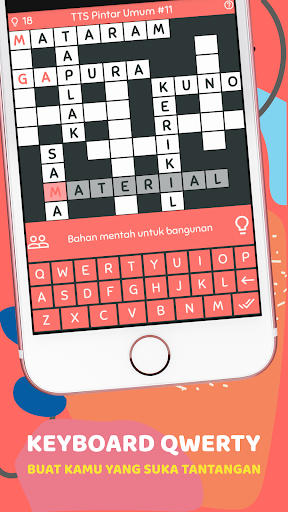
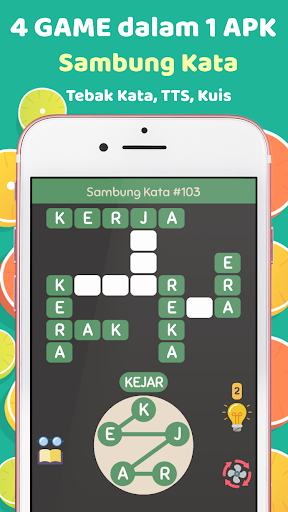
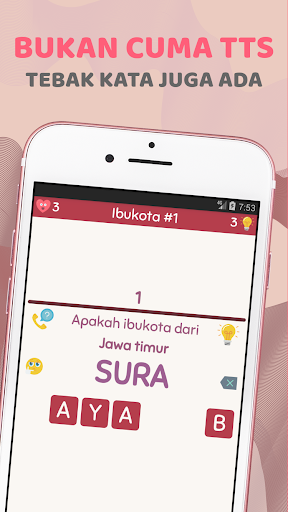
Smart TTS - Crossword Puzzle 2025 Offline
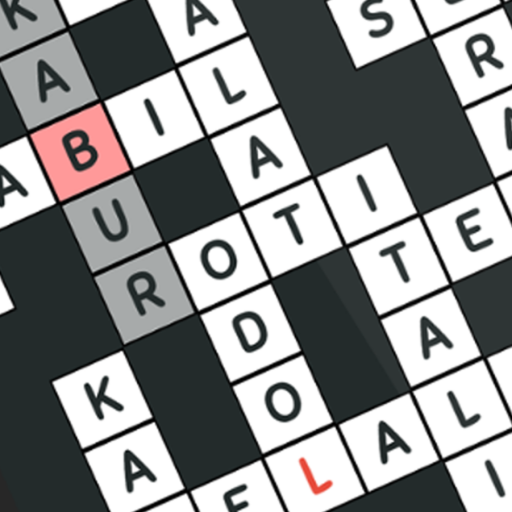
Welcome to TTS Pintar, a fun and challenging crossword puzzle application! Ready to test your language and brain skills? Get ready to enter a colorful and fun puzzle world, even without an internet connection!
Great Features You'll Enjoy:
✅ Offline, like playing TTS in old magazines
You can enjoy Crossword Puzzles without having to be connected to the internet. Because Smart TTS is Offline, you can still play anytime and anywhere, even when you are in a place without a signal or internet network. No more boredom when waiting or traveling. Enjoy nostalgic moments like when you filled in TTS magazine in the 2000s!
✅ TTS 3 Languages
Challenge yourself by playing Crosswords in three different languages: Indonesian, English and Sundanese. Not only is it fun, but it can also be a good opportunity to improve your English skills. So, while playing, you can learn too! (Oh yes, we also made a Javanese TTS application too!)
✅ Various Types of TTS Games
We understand that everyone has different tastes and interests. Therefore, we provide various types of TTS. There are General TTS which tests general knowledge, World TTS which takes you on an adventure across countries and cultures, Mini TTS for fast and exciting challenges. There is also Anagram TTS which hones the ability to form words from existing letters.
✅ Simple and cool design, choose your favorite color!
Smart TTS has a simple and charming appearance that makes you feel at home. What's interesting, we also provide a theme color change feature. You can choose the color you like, from red, blue, purple, pink, orange, black, and many more! Choose a theme color that suits your taste and mood so that your playing experience is more enjoyable!
✅ Choice of TTS Box Styles
You can adjust the style of the crossword puzzle box according to your taste and mood. Do you prefer a classic look with a regular square box, or do you want to try a modern look with a unique round box? It's all up to you!
✅ QWERTY and CLASSIC keyboard
The keyboard choices are also adjusted to the level of difficulty you want. For beginners, we recommend using the CLASSIC type or the simpler 10 AID LETTERS to make it easier to fill in the TTS. But if you are already good at it, test your skills by using the more challenging QWERTY keyboard!
✅ Help Available for Every Challenge
Don't worry if there are questions that make you confused, because Smart TTS provides a help feature. Just click the light icon to get one letter correct, so you can complete the answer more easily. Still having trouble? ask your friends questions via WhatsApp, Facebook, Instagram, or other applications. Help is always at your fingertips!
✅ Original, Unique, and Manually Created TTS
What makes Smart TTS special is that the TTS composition was created manually by us and not by copying and pasting. We didn't take the arrangement from a magazine, let alone from another TTS. So, every time you play, you will definitely enjoy fresh and challenging puzzles!
✅ Continuously update questions
We know you like challenges, that's why these TTS questions will continue to be updated regularly. So, after solving all the puzzles, you always have a new challenge waiting for you in Smart TTS!
✅ Exciting Word Guessing Game
Apart from Crossword Puzzles, we also provide Guess Word games which are no less exciting. Continue to hone your brain skills by guessing the names of national capitals, names of animals, plants, and more!
✅ Smart Quiz Game (Multiple Choice)
The newest game from Smart TTS! Apart from playing TTS and Guess the Words, you can now also play quizzes. The form is a multiple choice question. More fun, right?
What are you waiting for? Come on, download Smart TTS now and face endless exciting puzzle challenges!
Show more

1. Download MEmu installer and finish the setup

2. Start MEmu then open Google Play on the desktop

3. Search TTS Pintar 2018 - Teka Teki Silang Offline in Google Play
Install
4. Download and Install TTS Pintar 2018 - Teka Teki Silang Offline
5. On install completion click the icon to start

6. Enjoy playing TTS Pintar 2018 - Teka Teki Silang Offline on PC with MEmu
MEmu Play is the best Android emulator and 100 million people already enjoy its superb Android gaming experience. The MEmu virtualization technology empowers you to play thousands of Android games smoothly on your PC, even the most graphic-intensive ones.
Bigger screen with better graphics; Long duration, without limitation of battery or mobile data.
Full Keymapping support for precise control of keyboard and mouse or gamepad.
Multiple game accounts or tasks on single PC at one time with Multi-Instance manager.
Play TTS Pintar 2018 - Teka Teki Silang Offline on PC by following steps: