
Thế Giới Hoa Viên Của Tôi
Updated
Current Version
1.1.3
Offered By

With your passion for Thế Giới Hoa Viên Của Tôi, you shouldn’t have to limit yourself to the small screen of a phone. Play like a pro and take full control of the game using a keyboard and mouse. MEmu gives you everything you’re looking for. Download and play Thế Giới Hoa Viên Của Tôi on PC. Play as long as you want — no more worries about battery life, mobile data, or unexpected calls. The all-new MEmu 9 is the best way to play Thế Giới Hoa Viên Của Tôi on PC. With our expertly designed keymapping system, Thế Giới Hoa Viên Của Tôi feels just like a real PC game. The MEmu multi-instance manager lets you run two or more accounts on the same device at the same time. Most importantly, our exclusive emulation engine unlocks your PC’s full potential, delivering smooth and seamless performance.
Show more
Download Thế Giới Hoa Viên Của Tôi on PC with MEmu Android Emulator. Enjoy playing on big screen. Decision approving the content of the online video game G1, number: 83/QD-PTTH&TTĐT, issued by the Department of Broadcasting, Television and Electronic Information on February 12, 2026.

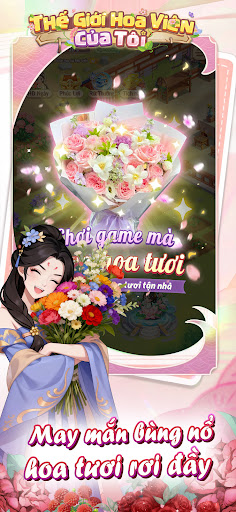
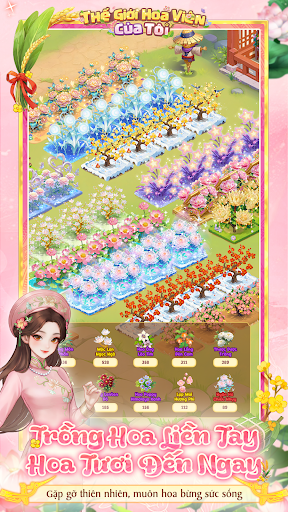
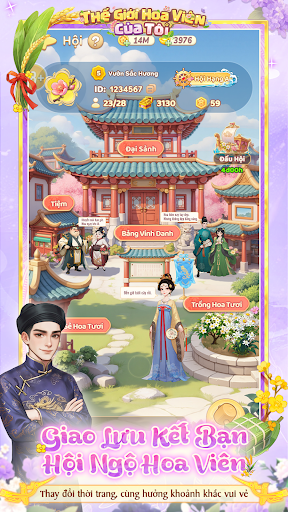
Decision approving the content of the online video game G1, number: 83/QD-PTTH&TTĐT, issued by the Department of Broadcasting, Television and Electronic Information on February 12, 2026
Link: https://giayphep.abei.gov.vn/g1/131888
【Plant Flowers Instantly - Fresh Flowers Delivered!】
Welcome to the world of flowers! Have you ever thought that the effort you put into caring for your virtual garden could bring you beautiful fresh flowers?
Unmissable Highlights:
Relaxing Flower Planting - Receive Flowers Instantly: This is the most romantic gift just for you! Simply collect "Fresh Flower Cards," and you'll have the chance to receive the most beautiful fresh flowers.
Healing Paradise: With exquisite cartoon graphics and realistic ASMR nature sounds, this is the ideal private space for those who want to shake off daily stress, whether you're a working woman or a stay-at-home mom.
Endless Creativity: Hundreds of flower varieties (including native Vietnamese flowers) and thousands of decorations await you. Transform this monotonous garden into your own work of art in just 3 seconds!
Fun Social Interaction: Beyond just planting flowers, you can join guilds, compete on leaderboards, or visit friends and "steal flowers" from your neighbors' gardens for added excitement.
Pet System: Adorable cats will always be by your side, helping you care for your flowers and bringing back surprise gifts from your adventures.
New Player Benefits: Download the game today and complete the missions to receive the Startup Gift Pack, which includes rare seeds and super limited edition outfits available only in My Garden World.
Show more

1. Download MEmu installer and finish the setup

2. Start MEmu then open Google Play on the desktop

3. Search Thế Giới Hoa Viên Của Tôi in Google Play
Install
4. Download and Install Thế Giới Hoa Viên Của Tôi
5. On install completion click the icon to start

6. Enjoy playing Thế Giới Hoa Viên Của Tôi on PC with MEmu
MEmu Play is the best Android emulator and 100 million people already enjoy its superb Android gaming experience. The MEmu virtualization technology empowers you to play thousands of Android games smoothly on your PC, even the most graphic-intensive ones.
Bigger screen with better graphics; Long duration, without limitation of battery or mobile data.
Full Keymapping support for precise control of keyboard and mouse or gamepad.
Multiple game accounts or tasks on single PC at one time with Multi-Instance manager.
Play Thế Giới Hoa Viên Của Tôi on PC by following steps:















































