荒野行動-NARUTO聯動開啟中!
Updated
Current Version
1.460.750104
Offered By

With your passion for 荒野行動-NARUTO聯動開啟中!, you shouldn’t have to limit yourself to the small screen of a phone. Play like a pro and take full control of the game using a keyboard and mouse. MEmu gives you everything you’re looking for. Download and play 荒野行動-NARUTO聯動開啟中! on PC. Play as long as you want — no more worries about battery life, mobile data, or unexpected calls. The all-new MEmu 9 is the best way to play 荒野行動-NARUTO聯動開啟中! on PC. With our expertly designed keymapping system, 荒野行動-NARUTO聯動開啟中! feels just like a real PC game. The MEmu multi-instance manager lets you run two or more accounts on the same device at the same time. Most importantly, our exclusive emulation engine unlocks your PC’s full potential, delivering smooth and seamless performance.
Show more
Download 荒野行動-NARUTO聯動開啟中! on PC with MEmu Android Emulator. Enjoy playing on big screen. 【火影忍者聯動殿堂軍需】.
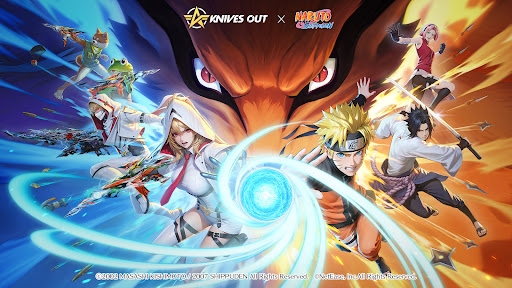
【火影忍者聯動殿堂軍需】
震撼忍界的聯動殿堂——終於出陣!一起上,九喇嘛!
透過【火影忍者聯動殿堂軍需】,可獲得【漩渦鳴人】和【九喇嘛】系列殿堂道具
【火影忍者聯動超凡載具軍需】
透過【火影忍者聯動超凡載具軍需】,可獲得首個超凡萬向車【萬向:宇智波佐助】、全新載具【便攜車:蛞蝓】、全新金裝【漩渦鳴人「疾風傳」】、【宇智波佐助「疾風傳」】、【春野櫻 「疾風傳」】等聯動人氣道具,以及【LSR-8:旗木卡卡西】、【Dual TMP:漩渦鳴人】、【MK5:宇智波佐助】、【煙霧彈:多重影分身之術】、【破片手榴彈:螺旋手裏劍】等聯動特色道具!
【出生島限時互動】
聯動期間,颶風半島限時開放出生島互動玩法,學習忍術,與火影角色合照,大家一起忍者跑!
【木葉村忍術對決】
聯動期間,跳傘進入巨型卷軸,可以前往木葉村進行探索與戰鬥
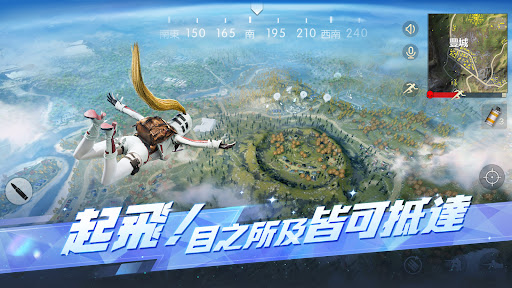
【起飛!目之所及皆可抵達】
百人超大地圖,躍入荒野世界裡自由探索屬於你的求生之路
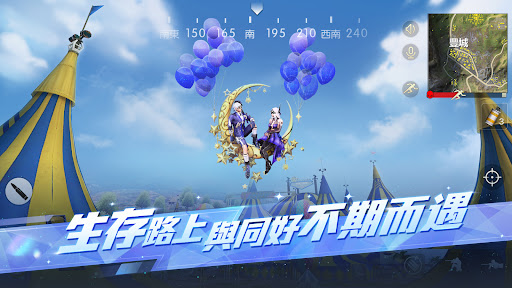
【生存路上 與同好不期而遇】
玩得開心聊得更開心
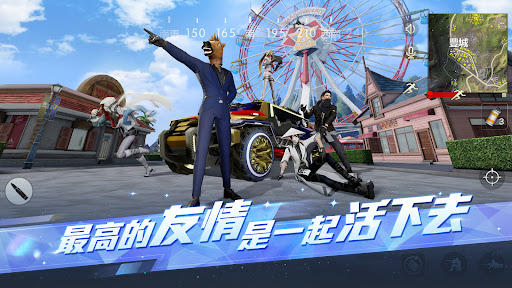
【最高的友情 是一起活下去】
與知心好友在荒野默契配合,共享戰鬥快感
【超酷跑車 帶上隊友一起飆】
開啟全隊的極致速度
【用個性穿搭 遇見特別的人】
潮流單品風格多變,隨心搭配
臺灣官方粉絲團:https://www.facebook.com/knivesouttw/
更多問題請咨詢客服:
https://game.longeplay.com.tw/service_quick?site=long_e¶m_game_id=g83tw
《荒野行動》依遊戲軟體分級管理辦法分類為輔15級。本應用遊戲情節涉及性、暴力。
本應用遊戲為免費使用,內另有提供購買虛擬遊戲幣、物品等付費服務。
請依個人興趣、能力、進行體驗,請注意遊戲時間,避免沉迷。
Show more

1. Download MEmu installer and finish the setup

2. Start MEmu then open Google Play on the desktop

3. Search 荒野行動-NARUTO聯動開啟中! in Google Play
Install
4. Download and Install 荒野行動-NARUTO聯動開啟中!
5. On install completion click the icon to start

6. Enjoy playing 荒野行動-NARUTO聯動開啟中! on PC with MEmu
MEmu Play is the best Android emulator and 100 million people already enjoy its superb Android gaming experience. The MEmu virtualization technology empowers you to play thousands of Android games smoothly on your PC, even the most graphic-intensive ones.
Bigger screen with better graphics; Long duration, without limitation of battery or mobile data.
Full Keymapping support for precise control of keyboard and mouse or gamepad.
Multiple game accounts or tasks on single PC at one time with Multi-Instance manager.
Play 荒野行動-NARUTO聯動開啟中! on PC by following steps: