Emulaitor – Retro emulator
Updated
Current Version
v297
Offered By

With your passion for Emulaitor – Retro emulator, you shouldn’t have to limit yourself to the small screen of a phone. Play like a pro and take full control of the game using a keyboard and mouse. MEmu gives you everything you’re looking for. Download and play Emulaitor – Retro emulator on PC. Play as long as you want — no more worries about battery life, mobile data, or unexpected calls. The all-new MEmu 9 is the best way to play Emulaitor – Retro emulator on PC. With our expertly designed keymapping system, Emulaitor – Retro emulator feels just like a real PC game. The MEmu multi-instance manager lets you run two or more accounts on the same device at the same time. Most importantly, our exclusive emulation engine unlocks your PC’s full potential, delivering smooth and seamless performance.
Show more
Download Emulaitor – Retro emulator on PC with MEmu Android Emulator. Enjoy playing on big screen. Relive the golden age of video games with Emulaitor!
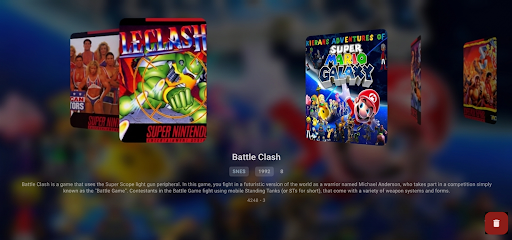
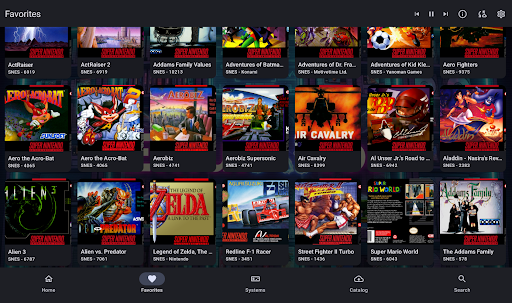
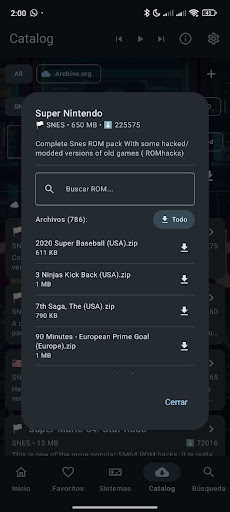
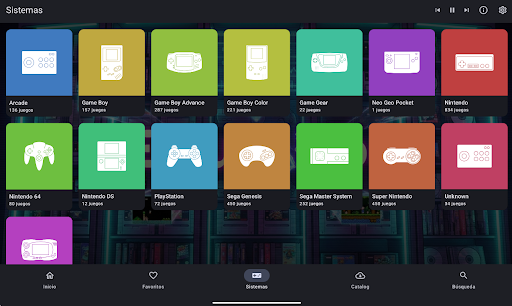
Relive the golden age of video games with Emulaitor!
Turn your Android device into the ultimate console, whether it's an Android TV, tablet, or smartphone. Emulaitor is not just another emulator; it's a polished, powerful retro entertainment hub designed with you in mind.
WHY CHOOSE EMULAITOR?
A Truly Premium Experience: Enjoy your games without interruptions. Zero ads. Zero hidden purchases. A one-time payment for a professional experience.
Cloud Synchronization (Cloud Save): Playing on the bus? Continue at home on your Android TV. Automatically sync your saved games via Google Drive.
Multi-Device Support: Different user interfaces (UIs) to adapt to each type of device: tablets, smartphones, or Android TVs. Forget about awkward touch interfaces on your television. Our interface is 100% optimized for controller navigation.
If you prefer to use it on a smartphone or tablet, you will enjoy an optimal touch experience with a completely different and adapted UI.
Controller Compatibility: Compatible with almost any Bluetooth controller (PS4/5, Xbox, 8BitDo) and USB, including generic controllers.
NAS and SMB Support: Have your collection on a server? Don't fill up your phone's memory. Play directly over your local Wi-Fi network at maximum speed.
Access to Digital Preservation: Connect directly to public libraries (archive.org) to legally download homebrew and public domain titles. Your history, preserved.
MAIN FEATURES:
Multi-System: Compatible with NES, SNES, GBA, PSX, PSP, N64, Genesis, Arcade, and many more.
Smart Library: Scans your device and automatically identifies your games, downloading cover art and information.
Rewind: Died in that tricky jump? Rewind time and try again.
Nostalgic Shaders: Simulate vintage CRT screens, portable LCDs, and enhance the image with high-quality (HQ) filters.
Local Multiplayer: Connect several controllers and play with friends on the same device.
PRIVACY AND SECURITY Open source (GPLv3) and transparent. We do not collect your data.
---Note: Emulaitor does not include games or BIOS files. The user must provide their own backup copies of legally purchased games.
Show more

1. Download MEmu installer and finish the setup

2. Start MEmu then open Google Play on the desktop

3. Search Emulaitor – Retro emulator in Google Play
Install
4. Download and Install Emulaitor – Retro emulator
5. On install completion click the icon to start

6. Enjoy playing Emulaitor – Retro emulator on PC with MEmu
MEmu Play is the best Android emulator and 100 million people already enjoy its superb Android gaming experience. The MEmu virtualization technology empowers you to play thousands of Android games smoothly on your PC, even the most graphic-intensive ones.
Bigger screen with better graphics; Long duration, without limitation of battery or mobile data.
Full Keymapping support for precise control of keyboard and mouse or gamepad.
Multiple game accounts or tasks on single PC at one time with Multi-Instance manager.
Play Emulaitor – Retro emulator on PC by following steps: