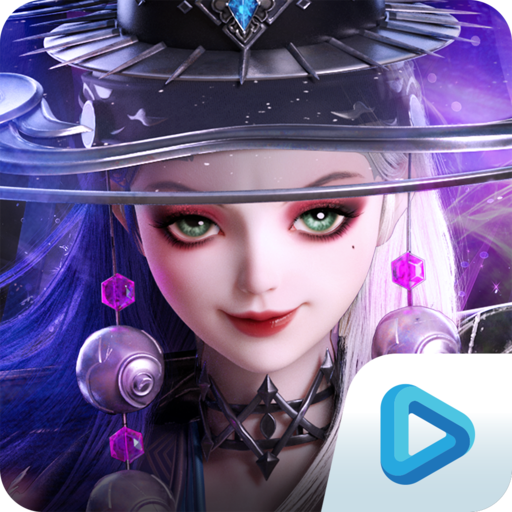
天外星原:魔女覺醒
Updated
Current Version
1.34
Offered By

With your passion for 天外星原:魔女覺醒, you shouldn’t have to limit yourself to the small screen of a phone. Play like a pro and take full control of the game using a keyboard and mouse. MEmu gives you everything you’re looking for. Download and play 天外星原:魔女覺醒 on PC. Play as long as you want — no more worries about battery life, mobile data, or unexpected calls. The all-new MEmu 9 is the best way to play 天外星原:魔女覺醒 on PC. With our expertly designed keymapping system, 天外星原:魔女覺醒 feels just like a real PC game. The MEmu multi-instance manager lets you run two or more accounts on the same device at the same time. Most importantly, our exclusive emulation engine unlocks your PC’s full potential, delivering smooth and seamless performance.
Show more
Download 天外星原:魔女覺醒 on PC with MEmu Android Emulator. Enjoy playing on big screen. 周曉涵代言|異星魔幻大世界 MMO!
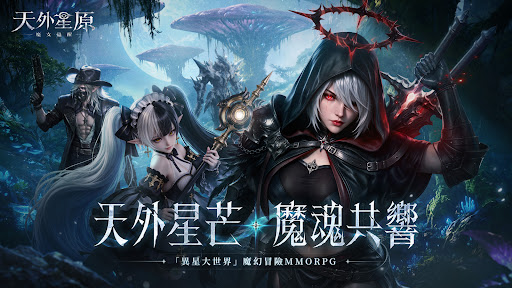
周曉涵代言|異星魔幻大世界 MMO!
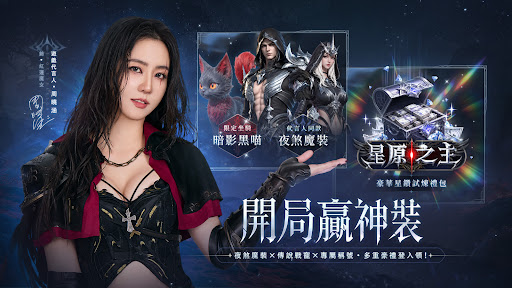
預約領限定坐騎暗影黑喵、代言人同款夜煞魔裝!
在潘朵拉魔星,你既是獵人、也是獵物!
我們曾是掌控世界的主人,揮手間星辰傾倒、法則俯首。
然而,天外文明降臨,他們破壞我們的家園、踐踏地上的生命,我們的魔力也憑空消失。
為了找回失去的力量,我們漂泊潘朵拉魔星,在異域遺跡間搜索線索。
終有一天,我們將回歸家園,然後,向傲慢的天外文明復仇。
【選擇你的星原】
「在潘朵拉,星空從不固定。厚重的星霧會隨季節飄移,有時整片天空會同時懸掛三顆殘月。」
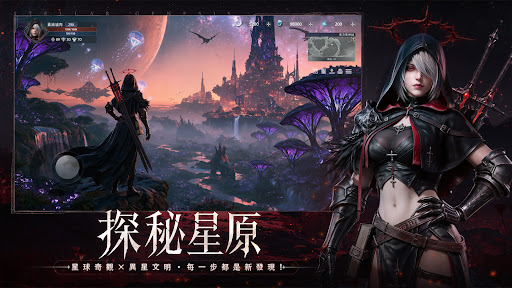
這顆魔星佈滿流動岩地、星能古跡與異域叢林。
遠古遺跡深埋地底,殘留著兩個文明交戰的痕跡。
穿越詭變地貌,探尋天外文明留下的秘密。
【選擇你的角色】
「在潘朵拉,力量從不只有一種樣貌。有人馭龍衝鋒,有人喚起星界黑暗,每個人都有屬於自己的戰法。」
武裝龍騎:馭龍從天而降的勇武騎士,可以召喚、驅動潘朵拉原生生物一同馳騁戰場。
紅蓮魔女:手握承載星球脈動能量的華麗雙刀,但請注意,雙刀不斷吞噬星核之力,能量過載之時,持有者將墜入魔化。
送葬魔法使:外表宛若少女,手中魔杖「無盡黑暗之心」蘊藏行星級能量,一旦全力釋放,足以送葬一整個星球的生靈。
死神遊俠:千萬不要與他比拔槍速度,雙槍「荷魯斯」可直接轉化潘朵拉星能作為彈藥,子彈永不枯竭。
【選擇你的異獸】
「在潘朵拉,有很多奇特的生物,但要說到最獵奇的,那就是安娜的時間巨獸,它能讓獵物在幾秒鐘內快速老去。」
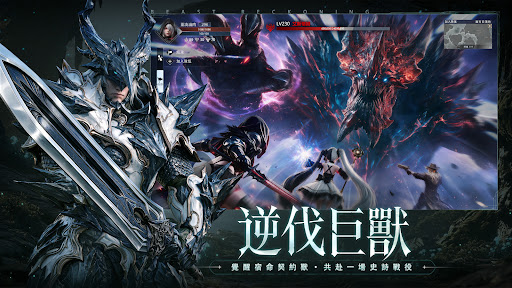
捕獲天外異獸,締結靈魂契約。
異獸各具獨特超能,可攻可守;更能與你合體,解放終極形態。
它們是並肩作戰的夥伴,亦是解鎖力量的鑰匙。
【選擇你的陣營】
「在潘朵拉,古城的城磚會吸收戰鬥的星能。傳說每逢大戰過後,城牆縫隙就會長出會發光的戰爭孢子。」
效忠「光明議會」,或是投身「暗影血盟」,在雄偉主城之中開啟史詩攻防大戰。
攻破敵方據點,豎起屬於你的旗幟。
你的利刃,將為誰揮舞?
【選擇你的節奏】
「在潘朵拉,星能不會因為冒險者休息而停滯流轉。當你回到營地休整,遠處的礦脈與異獸巢穴仍在累積資源。」
離線收益搭配自動戰鬥,重返遊戲之時,經驗、材料滿載而歸。
每日只需短暫操作,就能輕鬆累積戰力。
把時間留下來,和公會好友一起異星冒險,酣暢淋漓。
※ 本軟體因涉及暴力、戀愛交友 、性(遊戲角色穿著凸顯性特徵之服飾),依遊戲軟體分級管理辦法分類為輔15級。
※ 本遊戲為免費使用,遊戲內另提供購買虛擬遊戲幣、物品等付費服務。
※ 長時間進行遊戲,請注意使用時間,避免沉迷於遊戲。
代理商資訊:易亨數位行銷有限公司
Show more

1. Download MEmu installer and finish the setup

2. Start MEmu then open Google Play on the desktop

3. Search 天外星原:魔女覺醒 in Google Play
Install
4. Download and Install 天外星原:魔女覺醒
5. On install completion click the icon to start

6. Enjoy playing 天外星原:魔女覺醒 on PC with MEmu
MEmu Play is the best Android emulator and 100 million people already enjoy its superb Android gaming experience. The MEmu virtualization technology empowers you to play thousands of Android games smoothly on your PC, even the most graphic-intensive ones.
Bigger screen with better graphics; Long duration, without limitation of battery or mobile data.
Full Keymapping support for precise control of keyboard and mouse or gamepad.
Multiple game accounts or tasks on single PC at one time with Multi-Instance manager.
Play 天外星原:魔女覺醒 on PC by following steps: