REPLACED
Updated
Current Version
Offered By

With your passion for REPLACED, you shouldn’t have to limit yourself to the small screen of a phone. Play like a pro and take full control of the game using a keyboard and mouse. MEmu gives you everything you’re looking for. Download and play REPLACED on PC. Play as long as you want — no more worries about battery life, mobile data, or unexpected calls. The all-new MEmu 9 is the best way to play REPLACED on PC. With our expertly designed keymapping system, REPLACED feels just like a real PC game. The MEmu multi-instance manager lets you run two or more accounts on the same device at the same time. Most importantly, our exclusive emulation engine unlocks your PC’s full potential, delivering smooth and seamless performance.
Show more
Download REPLACED on PC with MEmu Android Emulator. Enjoy playing on big screen. REPLACED is a captivating 2.
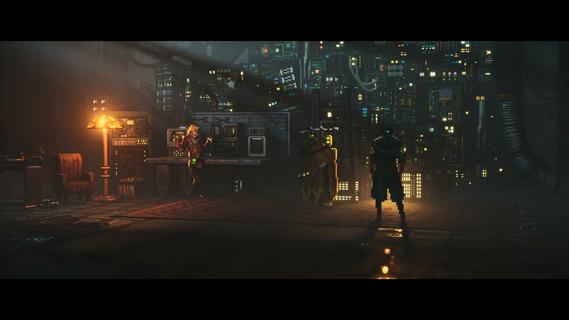
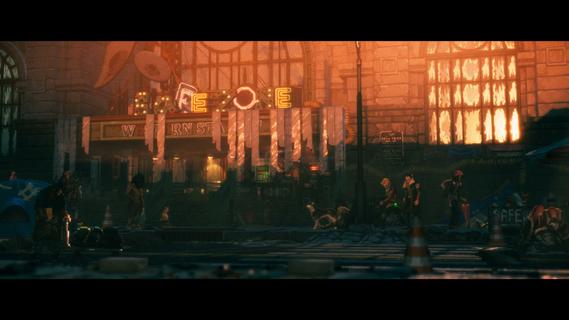
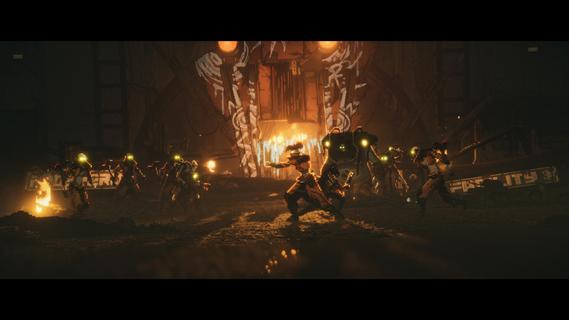
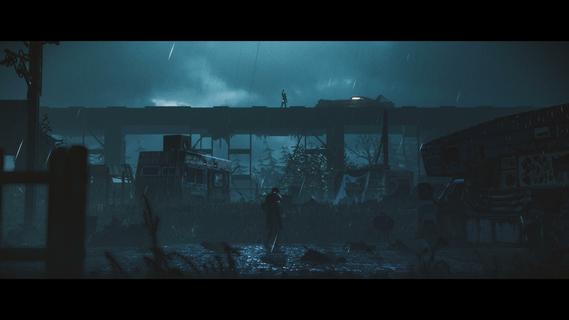
REPLACED is a captivating 2.5D sci-fi action platformer set in an alternative 1980s dystopian world, blending retro-futuristic pixel art with cinematic platforming and fluid combat. Players take on the role of R.E.A.C.H., an advanced artificial intelligence forcibly trapped inside a human body, struggling to adapt to humanity while navigating the gritty streets of Phoenix City—a place rife with corruption, greed, and social decay following a catastrophic nuclear event. The game’s world is richly detailed, featuring hand-crafted environments where every element—from trees to debris—is carefully composed to enhance the cinematic experience. The dynamic camera work reacts seamlessly to gameplay, shifting focus during exploration, combat, and narrative moments to immerse players fully in the story and setting. Gameplay in REPLACED centers around a blend of exploration, stealth, and fast-paced combat inspired by titles like the Batman Arkham series. Players face a variety of enemies with distinct behaviors and armor types, requiring strategic use of light and heavy melee attacks, dodges, and parries. Combat animations are smooth and fluid, making each encounter feel impactful and satisfying. As the story progresses, players unlock new abilities that deepen combat complexity and open up fresh tactical options. Beyond combat, REPLACED offers narrative-driven free-roam segments where players explore evolving open-ended locations filled with side quests, hidden items, and diverse characters. These areas change visually with the passing seasons, adding atmospheric variety and encouraging players to revisit and uncover new story layers. The game’s story explores themes of identity, humanity, and survival through R.E.A.C.H.’s journey to understand what it means to be human in a fractured society. The dystopian backdrop highlights stark social inequalities, where those in power exploit the lower classes and treat human organs as mere currency, creating a tense and oppressive atmosphere. With its unique fusion of pixel art and 3D voxels, REPLACED delivers a visually striking experience that honors classic retro aesthetics while pushing technical boundaries. The developers have placed great emphasis on seamless transitions between gameplay and cutscenes, ensuring the narrative flows naturally without breaking immersion. Overall, REPLACED stands out as a thoughtfully crafted action platformer that combines deep storytelling, engaging combat, and atmospheric exploration. Its retro-futuristic setting and complex protagonist offer a fresh take on the sci-fi genre, making it a must-play for fans of cinematic, story-rich games with challenging gameplay.
Show more

1. Download MEmu installer and finish the setup

2. Start MEmu then open Google Play on the desktop

3. Search REPLACED in Google Play
Install
4. Download and Install REPLACED
5. On install completion click the icon to start

6. Enjoy playing REPLACED on PC with MEmu
MEmu Play is the best Android emulator and 100 million people already enjoy its superb Android gaming experience. The MEmu virtualization technology empowers you to play thousands of Android games smoothly on your PC, even the most graphic-intensive ones.
Bigger screen with better graphics; Long duration, without limitation of battery or mobile data.
Full Keymapping support for precise control of keyboard and mouse or gamepad.
Multiple game accounts or tasks on single PC at one time with Multi-Instance manager.
Play REPLACED on PC by following steps:

















































