Stickman Battle
Updated
Current Version
1.0.37
Offered By

With your passion for Stickman Battle, you shouldn’t have to limit yourself to the small screen of a phone. Play like a pro and take full control of the game using a keyboard and mouse. MEmu gives you everything you’re looking for. Download and play Stickman Battle on PC. Play as long as you want — no more worries about battery life, mobile data, or unexpected calls. The all-new MEmu 9 is the best way to play Stickman Battle on PC. With our expertly designed keymapping system, Stickman Battle feels just like a real PC game. The MEmu multi-instance manager lets you run two or more accounts on the same device at the same time. Most importantly, our exclusive emulation engine unlocks your PC’s full potential, delivering smooth and seamless performance.
Show more
Download Stickman Battle on PC with MEmu Android Emulator. Enjoy playing on big screen. Game Stickman Battle is an extremely good fighting game - engaging and funny.
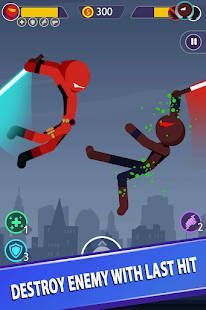
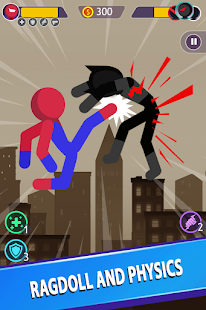
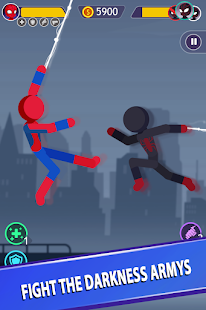
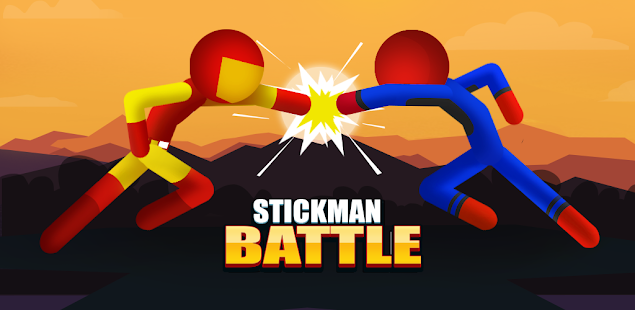
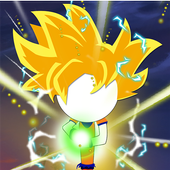
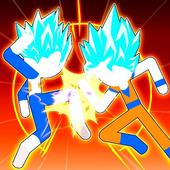
Game Stickman Battle is an extremely good fighting game - engaging and funny. Players will play the role of stickman superhero, fighting against the legions of darkness.
Stickman Battle will return with a new look, new Stickman character, new Stickman skills, new stickman pets. Get ready to wipe out your enemies - evil monsters and their obstacles with unprecedented features. Stickman Battle deserves to be one of the most rewarding stickman games ever.
⚔️⚔️⚔️The visuals have been updated to a new level in this Stickman game, the new version of Stickman Battle will impress you with sheer contrast, impressive colors and engaging players with each type Stickman warriors, pet system and each type of stick war.
The maps in Stickman are constantly updated, the graphics on different maps are only available in Stickman Battle.
⚔️⚔️⚔️ The hero system is upgraded, diversified and engaging as never before
Hero system in different styles.
Each Stickman warrior has its own combat feature and uses different weapons to bring a whole new experience to the player.
▼ HOW TO PLAY:
+ How to play is extremely simple
+ The player controls Hero with Joystick to move and attack the enemy with extremely realistic physics.
+ The system will randomly drop weapons, quickly control the hero to get that weapon and fight the enemy to become the champion.
+ When the enemy has a weapon, drop their weapon before they attack you.
+ When the enemy has a weapon, control the hero skillfully drop the weapon before they attack you.
+ Avoid enemy attacks and attack them properly will lead you to victory.
+ Hit enemies in the head to deal fatal damage.
In addition, the player can hit the body parts that were attacked previously to deal more damage.
+ You can upgrade and buy new heroes to increase power to have ultimate power become the champion.
▼ FEATURES:
+ Game free and completely free.
+ Offline game, no network, no mobile data required.
+ You can play all continents anywhere.
+ The combat system is completely different from other fighting games.
+ Experience countless familiar supreme superheroes
+ 2 player stick player hero fighting game combined with extremely realistic physics.
+ Thousands of powerful and unique weapons.
+ Get rewarded every day when entering the game.
+ Vertical screen easy to operate.
Why not download Stickman Battle now and become the best League of Stickman player to continue the journey of revenge for Stickman and his family, destroying bloodthirsty monsters in the dark world. This is one of the Ninja fighting action games that you cannot ignore.
DOWNLOAD STICKMAN BATTLE GAME FOR FREE - FIGHT STICKMAN GAMES NOW FOR FUN WITH FAMILIES AND FRIENDS.
Our products are constantly improving for users We would like to have more comments from you or make mistakes, please contact us:
Email: Publisher@onesoft.com.vn
Show more

1. Download MEmu installer and finish the setup

2. Start MEmu then open Google Play on the desktop

3. Search Stickman Battle in Google Play
Install
4. Download and Install Stickman Battle
5. On install completion click the icon to start

6. Enjoy playing Stickman Battle on PC with MEmu
MEmu Play is the best Android emulator and 100 million people already enjoy its superb Android gaming experience. The MEmu virtualization technology empowers you to play thousands of Android games smoothly on your PC, even the most graphic-intensive ones.
Bigger screen with better graphics; Long duration, without limitation of battery or mobile data.
Full Keymapping support for precise control of keyboard and mouse or gamepad.
Multiple game accounts or tasks on single PC at one time with Multi-Instance manager.
Play Stickman Battle on PC by following steps: