L.O.L. Surprise! Disco House – Collect Cute Dolls
Updated
Current Version
2.5.359
Offered By

With your passion for L.O.L. Surprise! Disco House – Collect Cute Dolls, you shouldn’t have to limit yourself to the small screen of a phone. Play like a pro and take full control of the game using a keyboard and mouse. MEmu gives you everything you’re looking for. Download and play L.O.L. Surprise! Disco House – Collect Cute Dolls on PC. Play as long as you want — no more worries about battery life, mobile data, or unexpected calls. The all-new MEmu 9 is the best way to play L.O.L. Surprise! Disco House – Collect Cute Dolls on PC. With our expertly designed keymapping system, L.O.L. Surprise! Disco House – Collect Cute Dolls feels just like a real PC game. The MEmu multi-instance manager lets you run two or more accounts on the same device at the same time. Most importantly, our exclusive emulation engine unlocks your PC’s full potential, delivering smooth and seamless performance.
Show more
Download L.O.L. Surprise! Disco House – Collect Cute Dolls on PC with MEmu Android Emulator. Enjoy playing on big screen. Calling all BBs to play!
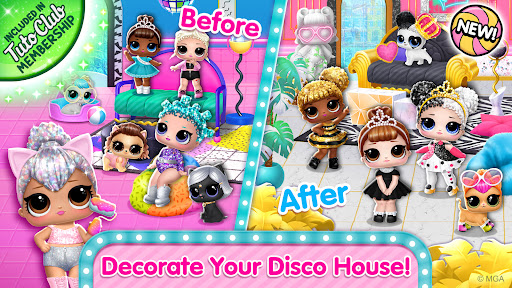
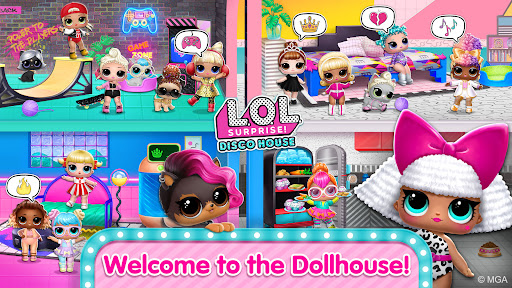
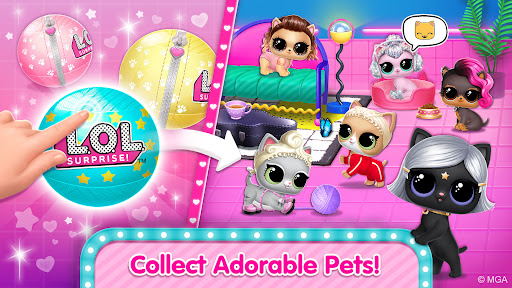
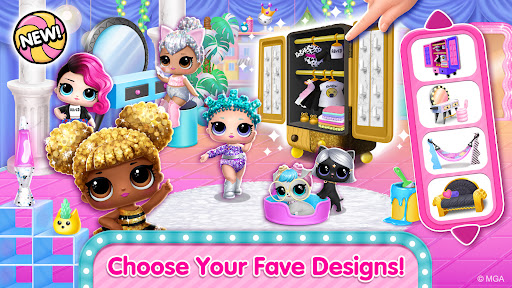
Calling all BBs to play! L.O.L. Surprise! Disco House is full of games and surprises! Unbox L.O.L. Surprise! dolls, grow your collection of virtual dolls and play with pets!
COLLECT L.O.L. SURPRISE! DOLLS
Collect and unbox all L.O.L. Surprise! dolls - each of them unique and fabulous, cute but fierce! Find clues, play cool mini games, collect diamonds and get new L.O.L. Surprise! balls to unbox - expand your collection and have fun with BBs in the dollhouse!
DRESS UP AND TAKE CUTE PICTURES
Pick from BB's favorite themes and dress up your L.O.L. Surprise! dolls! Choose cute hairstyles and totally awesome outfits to surprise friends! Strike a pose to take a picture, decorate with cool stickers, and pop into the Super Star photo album. Fun!
PLAY WITH PETS
Adorable pets are ready to join the party. Unbox all the dolls, collect all the stylish puppies and kitties and let's take a selfie!
CREATE YOUR STORY
L.O.L. Surprise! dolls love to dance, chat, and take cool selfies. They speak in emojis so you can interpret what they say - imagine the story and choose what the dolls will do next! Have fun and shine together with BBs!
PLAY FUN MINI GAMES
How well do you know the L.O.L. Surprise! world? Test your knowledge with B.B. Wood Squares! Explore cool mini games - look for stylish clothes, dance at a fun disco party, jump with pets, dress up BBs, and color cute pictures to decorate the house with!
L.O.L. Surprise! is a registered trademark of MGA Entertainment, Inc. and is used under license. TutoTOONS Limited is solely responsible for all liability associated with the use of this app. Contact TutoTOONS Limited if you have any questions or complaints.
- - - - - - - - - - - - - - - - - - - - - - - -
About TutoTOONS Games for Kids
Crafted and play-tested with kids and toddlers, TutoTOONS games foster kids’ creativity and help them learn while playing the games they love. Fun and educational TutoTOONS games strive to bring meaningful and safe mobile experiences to millions of children worldwide.
Important Message to Parents
This app is free to download and play, but there may be certain in-game items that can be purchased for real money. By downloading this app you agree to TutoTOONS Privacy Policy and Terms of Use.
Want to report an issue or share suggestions? Contact us at support@tutotoons.com
Discover More Fun with TutoTOONS!
· Subscribe to our YouTube channel: https://www.youtube.com/@TutoTOONS
· Learn more about us: https://tutotoons.com
· Read our blog: https://blog.tutotoons.com
· Like us on Facebook: https://www.facebook.com/tutotoons
· Follow us on Instagram: https://www.instagram.com/tutotoons/
Show more

1. Download MEmu installer and finish the setup

2. Start MEmu then open Google Play on the desktop

3. Search L.O.L. Surprise! Disco House – Collect Cute Dolls in Google Play
Install
4. Download and Install L.O.L. Surprise! Disco House – Collect Cute Dolls
5. On install completion click the icon to start

6. Enjoy playing L.O.L. Surprise! Disco House – Collect Cute Dolls on PC with MEmu
MEmu Play is the best Android emulator and 100 million people already enjoy its superb Android gaming experience. The MEmu virtualization technology empowers you to play thousands of Android games smoothly on your PC, even the most graphic-intensive ones.
Bigger screen with better graphics; Long duration, without limitation of battery or mobile data.
Full Keymapping support for precise control of keyboard and mouse or gamepad.
Multiple game accounts or tasks on single PC at one time with Multi-Instance manager.
Play L.O.L. Surprise! Disco House – Collect Cute Dolls on PC by following steps: