Country Balls: World Clash
Updated
Current Version
2.29
Offered By

With your passion for Country Balls: World Clash, you shouldn’t have to limit yourself to the small screen of a phone. Play like a pro and take full control of the game using a keyboard and mouse. MEmu gives you everything you’re looking for. Download and play Country Balls: World Clash on PC. Play as long as you want — no more worries about battery life, mobile data, or unexpected calls. The all-new MEmu 9 is the best way to play Country Balls: World Clash on PC. With our expertly designed keymapping system, Country Balls: World Clash feels just like a real PC game. The MEmu multi-instance manager lets you run two or more accounts on the same device at the same time. Most importantly, our exclusive emulation engine unlocks your PC’s full potential, delivering smooth and seamless performance.
Show more
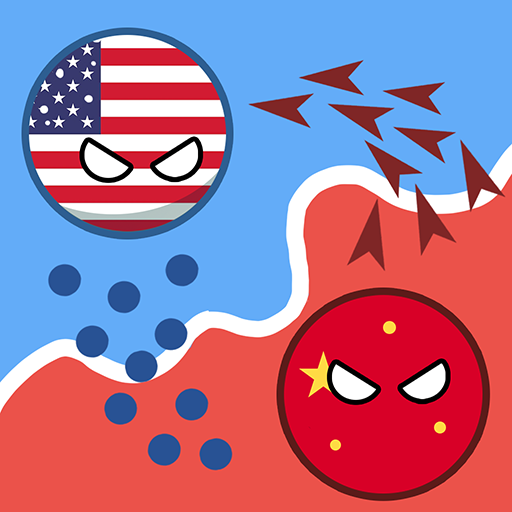
Download Country Balls: World Clash on PC with MEmu Android Emulator. Enjoy playing on big screen. Choose your strategy to conquer new territories, engage in battles with other Country Balls, and win by taking possession of their states to earn more money and upgrade your army to conquer new territories.


Choose your strategy to conquer new territories, engage in battles with other Country Balls, and win by taking possession of their states to earn more money and upgrade your army to conquer new territories. Choose your style of play and show off your skills! But keep in mind - the difficulty level will increase with each new level.
Country Balls: World Clash is a strategy game that is easy to learn, but hard to master. Each new epic fight is a fun and interesting challenge that will take you to a new level of mastery. Before each battle, you can prepare and improve your stats and choose different equipment for your County Ball (as well as the flag you will be fighting for). To start with more units in your territory, you have to improve your army. To make your army grow faster, you should upgrade the speed at which units appear. Other stats will influence the course of the battle, so choose your strategy wisely.
Rule the world with style! After intense battles in which you conquer every cell and drive your opponent out of their territory, you can relax and customize your Country Ball. The game features many cosmetic items that will leave no one indifferent. From historical flags of different empires to meme hats to wear on your head! There is something for everyone. Country Balls: World Clash is not only a serious and exciting RTS game but also a funny and entertaining adventure!
GAME FEATURES:
- Advanced economic system - every move must be well thought out
- Use all your wits and skills to win the game.
- Fight epic battles and conquer new territories
- Variable customization of your Country Ball! Choose the style of your choice
- Modern and stylish graphics
- Simple controls and clear gameplay
Your country is under attack! Can you crush the enemy army and show that you are the best commander on the battlefield? Gather an army, pump up your territory, and win a resounding victory over the enemy. Download the game now and build your invincible empire!
Show more

1. Download MEmu installer and finish the setup

2. Start MEmu then open Google Play on the desktop

3. Search Country Balls: World Clash in Google Play
Install
4. Download and Install Country Balls: World Clash
5. On install completion click the icon to start

6. Enjoy playing Country Balls: World Clash on PC with MEmu
MEmu Play is the best Android emulator and 100 million people already enjoy its superb Android gaming experience. The MEmu virtualization technology empowers you to play thousands of Android games smoothly on your PC, even the most graphic-intensive ones.
Bigger screen with better graphics; Long duration, without limitation of battery or mobile data.
Full Keymapping support for precise control of keyboard and mouse or gamepad.
Multiple game accounts or tasks on single PC at one time with Multi-Instance manager.
Play Country Balls: World Clash on PC by following steps: