Crazy Odyssey
Updated
Current Version
1.2.2
Offered By

With your passion for Crazy Odyssey, you shouldn’t have to limit yourself to the small screen of a phone. Play like a pro and take full control of the game using a keyboard and mouse. MEmu gives you everything you’re looking for. Download and play Crazy Odyssey on PC. Play as long as you want — no more worries about battery life, mobile data, or unexpected calls. The all-new MEmu 9 is the best way to play Crazy Odyssey on PC. With our expertly designed keymapping system, Crazy Odyssey feels just like a real PC game. The MEmu multi-instance manager lets you run two or more accounts on the same device at the same time. Most importantly, our exclusive emulation engine unlocks your PC’s full potential, delivering smooth and seamless performance.
Show more
Download Crazy Odyssey on PC with MEmu Android Emulator. Enjoy playing on big screen. Welcome to "Crazy Odyssey".



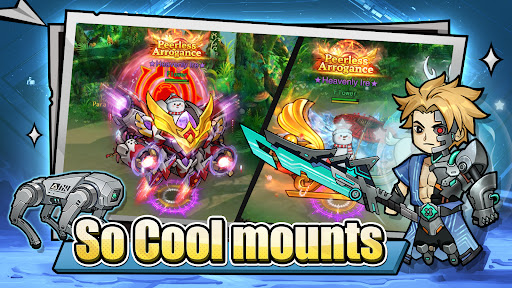
Welcome to "Crazy Odyssey".
Get ready for the funniest, most chaotic adventure of your life! Dive into a vibrant Q-style world where laughter and lunacy are around every corner.
In this hilarious comedy adventure, you'll play as a clumsy yet courageous hero (or maybe a hero by accident?) on a mission to save the world—in the most absurd ways possible! From battling giggling goblins to outsmarting talking cabbages, every moment is packed with surprises, gags, and good old-fashioned mischief.
Game Features:
Hilarious Physics & Shenanigans: Watch everything bounce, wobble, and explode in the most ridiculously fun ways!
Quirky Story & Characters: Meet a cast of unforgettable weirdos, from sassy sidekicks to villains who can’t stop cracking jokes.
Creative Puzzle-Solving: Think outside the box—or just break the box and see what happens!
Mini-Games & Side Quests: Take a break from saving the world to enjoy some utterly pointless but incredibly fun challenges.
Colorful, Cartoonish Worlds: Explore vibrant landscapes that look good enough to eat (but please don’t).
Whether you’re in for a quick laugh or a longer goofy journey, Quirky Quest is the perfect escape into a world where nothing makes sense and everything is hilarious!
SUPPORT
If you encounter any issues during the game, you can send us feedback via the in-game Customer Service Center.
Facebook:https://www.facebook.com/profile.php?id=61587313024613
Discord:https://discord.gg/kvtqPJSKFE
Show more

1. Download MEmu installer and finish the setup

2. Start MEmu then open Google Play on the desktop

3. Search Crazy Odyssey in Google Play
Install
4. Download and Install Crazy Odyssey
5. On install completion click the icon to start

6. Enjoy playing Crazy Odyssey on PC with MEmu
MEmu Play is the best Android emulator and 100 million people already enjoy its superb Android gaming experience. The MEmu virtualization technology empowers you to play thousands of Android games smoothly on your PC, even the most graphic-intensive ones.
Bigger screen with better graphics; Long duration, without limitation of battery or mobile data.
Full Keymapping support for precise control of keyboard and mouse or gamepad.
Multiple game accounts or tasks on single PC at one time with Multi-Instance manager.
Play Crazy Odyssey on PC by following steps:












































