Dark Divinity RPG: Evil Abyss
Updated
Current Version
1749646019
Offered By

With your passion for Dark Divinity RPG: Evil Abyss, you shouldn’t have to limit yourself to the small screen of a phone. Play like a pro and take full control of the game using a keyboard and mouse. MEmu gives you everything you’re looking for. Download and play Dark Divinity RPG: Evil Abyss on PC. Play as long as you want — no more worries about battery life, mobile data, or unexpected calls. The all-new MEmu 9 is the best way to play Dark Divinity RPG: Evil Abyss on PC. With our expertly designed keymapping system, Dark Divinity RPG: Evil Abyss feels just like a real PC game. The MEmu multi-instance manager lets you run two or more accounts on the same device at the same time. Most importantly, our exclusive emulation engine unlocks your PC’s full potential, delivering smooth and seamless performance.
Show more
Download Dark Divinity RPG: Evil Abyss on PC with MEmu Android Emulator. Enjoy playing on big screen. [Dark fantasy ARPG experience].
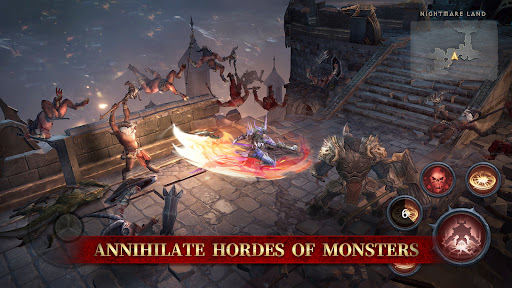
[Dark fantasy ARPG experience]
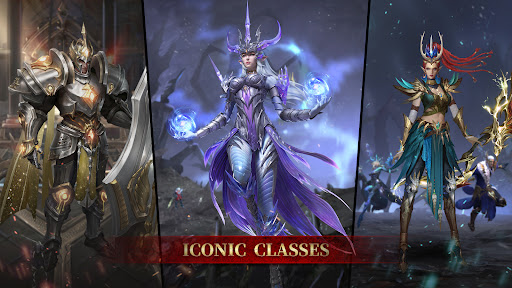
The new Gladiator and Mage classes are here - With versatile builds and in-depth content! Face untold evils from the depths, defend the remaining energy of the barrier, and become the strongest hero of the season!
Unstoppable Combos and Endless Hack Slashing
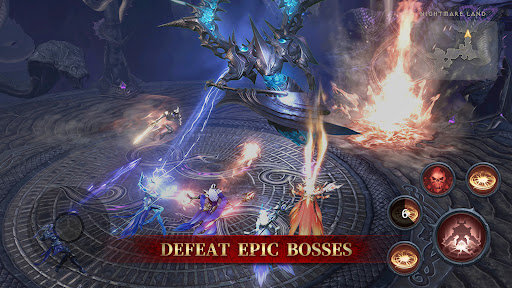
Face off against waves of enemies with dual joystick controls and no stamina limit. Use a variety of skills to hack and slash your way through the horde. Simple controls make it easy to jump in anytime, but you'll need exceptional skills to get the speedrun rewards!
Infinite Builds and Limitless Customization
Tailor your character's Skill Tree to unlock infinite build possibilities and swiftly complete your hero's creation. Freely fine-tune gear and upgrade specialized abilities. Craft a distinctive, formidable hero that embodies your individual playstyle, and immerse yourself in the dynamic, constantly evolving combat experience.
Dungeon Crawling with Exciting Drops
Embark on an exhilarating dungeon crawl, tackling unique levels and vanquishing hordes of foes. Revel in the thrill of random Gear and Chest drops, simplifying your path to a Legendary Gear set—no more pay-to-win! Delve deep into dungeons to obtain powerful equipment and become unstoppable.
Unique Classes and Seasons
Discover ever-evolving gameplay with each season, featuring unique classes, stylish costumes, and divine reforging opportunities. In this era of turmoil, the fight against evil is unending. Rise as the ultimate adventurer and reign supreme throughout the season!
Challenge Epic Bosses and Banish the Darkness
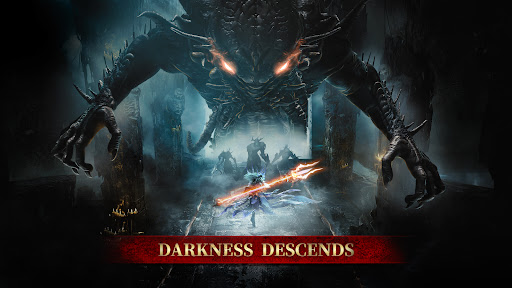
As evil forces devastate the realm, confront colossal bosses to eliminate the dangers that jeopardize the world. Embark on tireless hunts through shadowy landscapes, forging a beacon of light and safeguarding the final bastion of hope!
Show more

1. Download MEmu installer and finish the setup

2. Start MEmu then open Google Play on the desktop

3. Search Dark Divinity RPG: Evil Abyss in Google Play
Install
4. Download and Install Dark Divinity RPG: Evil Abyss
5. On install completion click the icon to start

6. Enjoy playing Dark Divinity RPG: Evil Abyss on PC with MEmu
MEmu Play is the best Android emulator and 100 million people already enjoy its superb Android gaming experience. The MEmu virtualization technology empowers you to play thousands of Android games smoothly on your PC, even the most graphic-intensive ones.
Bigger screen with better graphics; Long duration, without limitation of battery or mobile data.
Full Keymapping support for precise control of keyboard and mouse or gamepad.
Multiple game accounts or tasks on single PC at one time with Multi-Instance manager.
Play Dark Divinity RPG: Evil Abyss on PC by following steps: