DC Worlds Collide
Updated
Current Version
1.1.10.0
Offered By

With your passion for DC Worlds Collide, you shouldn’t have to limit yourself to the small screen of a phone. Play like a pro and take full control of the game using a keyboard and mouse. MEmu gives you everything you’re looking for. Download and play DC Worlds Collide on PC. Play as long as you want — no more worries about battery life, mobile data, or unexpected calls. The all-new MEmu 9 is the best way to play DC Worlds Collide on PC. With our expertly designed keymapping system, DC Worlds Collide feels just like a real PC game. The MEmu multi-instance manager lets you run two or more accounts on the same device at the same time. Most importantly, our exclusive emulation engine unlocks your PC’s full potential, delivering smooth and seamless performance.
Show more
Download DC Worlds Collide on PC with MEmu Android Emulator. Enjoy playing on big screen. Crime Syndicate members have invaded Earth!
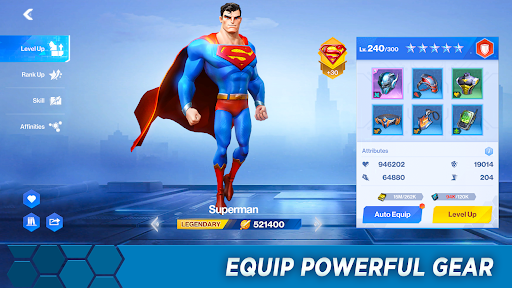
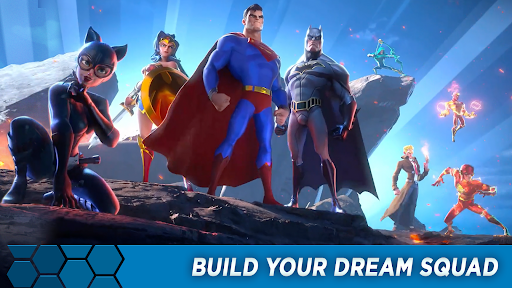
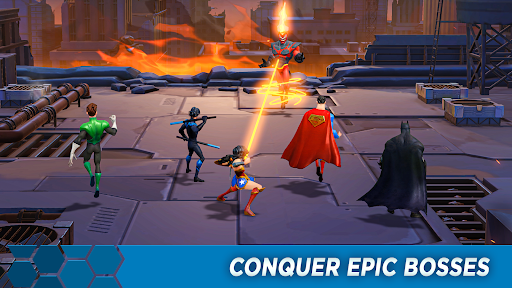
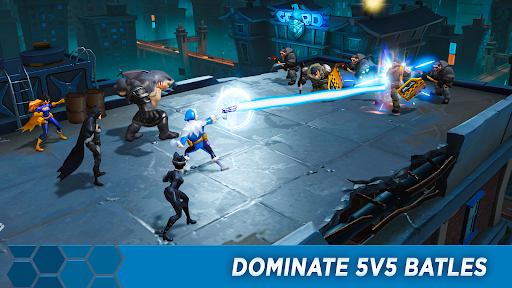
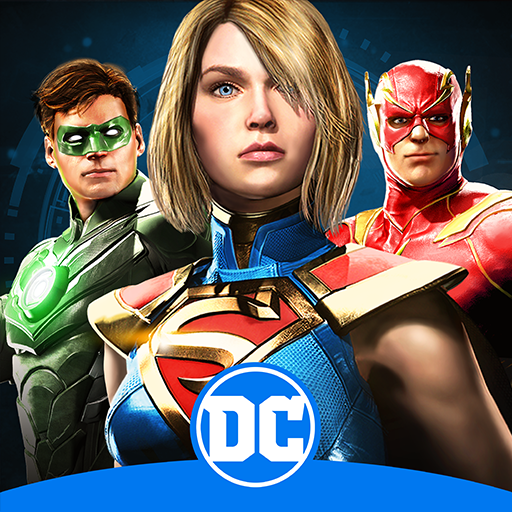
Crime Syndicate members have invaded Earth! Squad up and fight alongside DC Comics' most powerful characters in this fast-paced mobile RPG! Command iconic Super Heroes and Super-Villains like Batman, Superman, Wonder Woman, Harley Quinn, and more. Collect, upgrade, and strategize your way to victory in thrilling RPG battles! Unleash visually stunning hero ultimates, punish the Crime Syndicate, and restore peace and order on Earth! Enjoy idle elements that let you progress and earn rewards even when you're not actively playing!
COLLECT YOUR FAVORITE DC CHARACTERS
Build the ultimate squad of DC Super Heroes and Super-Villains to save Earth from the Crime Syndicate! Assemble iconic characters like Batman, Wonder Woman, and Lex Luthor, and create unexpected alliances to take on epic challenges. With over 50 characters to collect, the possibilities are endless.
TRAIN & LEVEL UP
Train your team to greatness by equipping them with upgradable gear, unlocking powerful skills, and increasing their combat strength. Whether you're progressing through the story campaign or tackling side quests, every upgrade brings your team closer to victory.
STRATEGY IS YOUR SUPERPOWER
Victory requires more than brute force—assemble your squad with precision. Pair characters with complementary abilities and traits to activate unique synergies. Choose carefully to counter enemies and dominate in 5v5 tactical battles. The right team composition can make all the difference.
EXPLORE MULTIPLE GAME MODES
From a gripping solo campaign to intense PvP arena battles and cooperative Guild challenges, there’s always a new way to test your squad. Dive into diverse game modes to earn rewards, rise through the ranks, and keep your team sharp for every battle.
STUNNING COMBAT IN 3D
Immerse yourself in breathtaking combat with fully 3D-rendered characters and hand-painted visuals. Watch as your favorite DC icons come to life in stunning detail, unleashing explosive moves in cinematic battles.
SHAPE THE DC UNIVERSE
Immerse yourself in gripping storylines where every battle brings you closer to defeating the Crime Syndicate. Join iconic DC heroes and villains in explosive campaigns, battling through high-stakes missions and relentless action! Your decisions shape the outcome—can you save Earth from the brink of chaos?
EARN EXCLUSIVE REWARDS
Rack up rewards as you crush your enemies and complete missions. Unlock exclusive gear, rare characters, and powerful upgrades to keep your squad at the top of their game. Play smart and watch your rewards pile up!
Show more

1. Download MEmu installer and finish the setup

2. Start MEmu then open Google Play on the desktop

3. Search DC Worlds Collide in Google Play
Install
4. Download and Install DC Worlds Collide
5. On install completion click the icon to start

6. Enjoy playing DC Worlds Collide on PC with MEmu
MEmu Play is the best Android emulator and 100 million people already enjoy its superb Android gaming experience. The MEmu virtualization technology empowers you to play thousands of Android games smoothly on your PC, even the most graphic-intensive ones.
Bigger screen with better graphics; Long duration, without limitation of battery or mobile data.
Full Keymapping support for precise control of keyboard and mouse or gamepad.
Multiple game accounts or tasks on single PC at one time with Multi-Instance manager.
Play DC Worlds Collide on PC by following steps: