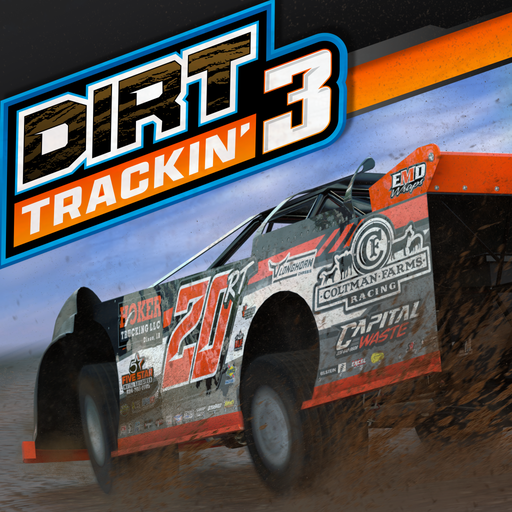
Dirt Trackin 3
Updated
Current Version
1.61
Offered By

With your passion for Dirt Trackin 3, you shouldn’t have to limit yourself to the small screen of a phone. Play like a pro and take full control of the game using a keyboard and mouse. MEmu gives you everything you’re looking for. Download and play Dirt Trackin 3 on PC. Play as long as you want — no more worries about battery life, mobile data, or unexpected calls. The all-new MEmu 9 is the best way to play Dirt Trackin 3 on PC. With our expertly designed keymapping system, Dirt Trackin 3 feels just like a real PC game. The MEmu multi-instance manager lets you run two or more accounts on the same device at the same time. Most importantly, our exclusive emulation engine unlocks your PC’s full potential, delivering smooth and seamless performance.
Show more
Download Dirt Trackin 3 on PC with MEmu Android Emulator. Enjoy playing on big screen. Dirt Trackin’ 3 redefines the standard for future iterations of the genre bringing you old school dirt racing fun mixed in with cutting edge tech!
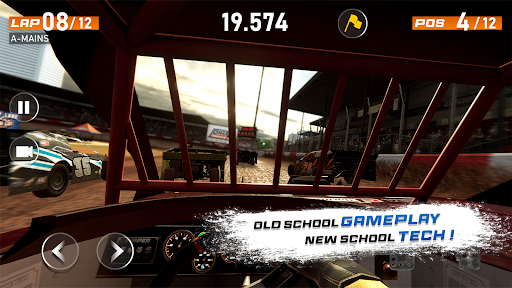
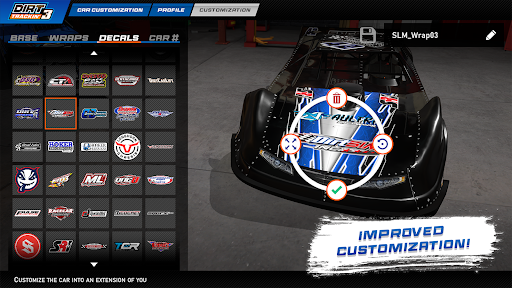
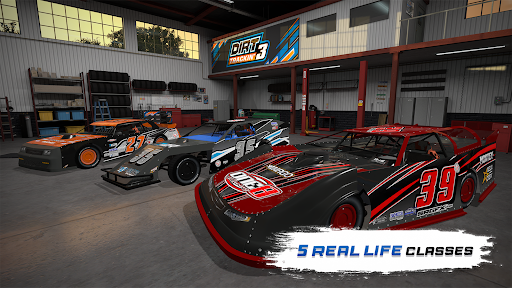
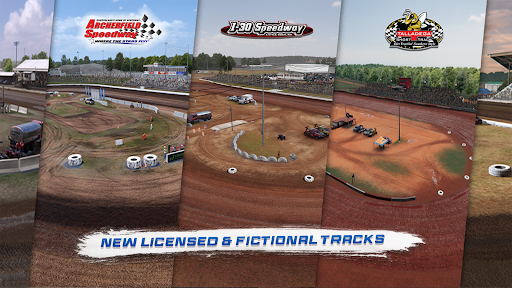
Dirt Trackin’ 3 redefines the standard for future iterations of the genre bringing you old school dirt racing fun mixed in with cutting edge tech!
Features:
- 27 meticulously crafted realistic tracks which include officially licensed tracks, re-imagined DT series favorites as well as completely brand new ones.
- 5 Real-World classes: Super Late Models, Crate Late Models, Modifieds, B-Mods and Street Stocks.
- Over 100 approved real-world drivers to choose from.
Improved Physics:
- Feel the track come alive as grip variations change with the day: best for Time Trials, moderate for Heat races, and slowest for Mains.
- Game modes including Hotlaps with Ghost support, Single Races and full-on Race Weekends.
Customisation:
- A free-ranged tool that allows you the design your car like never before.
- Huge selection of Real-World Sponsor logos, wraps and decals available.
- Paint any part you want, place any logo/number anywhere on the car.
- Wraps and decals from some of the most popular graphic designers in motorsports.
Fully-fledged Career Mode:
- Start with Street Stock and grow your team to make your way to the top SLM seasons.
- Use the cash from your race earnings to improve the performance of your car with various upgrades.
- Sign with different sponsors and complete their objectives to earn more money.
- Hire crew members to boost your team’s performance.
- Unlock cool customisations as you go.
- Fans love a driver who bangs the boards. Run the high side for a bonus on your merch sales!
Multiplayer:
- Up to 20 simultaneous players.
- Reworked framework for better stability.
Race Replays:
- Want to relive your races from different angles? The replay system’s got you covered!
- You can watch from inside the car, on the car, or even from static cameras to catch all the action.
- Use the director mode to sit back and watch all the action with curated highlights.
- If you’re feeling fancy, you can even watch from TV-style cameras!
Controls and car setups:
- Choose from various controls and assist levels to tune your car.
- Fine-tune your car's parameters and input methods to match your preferred driving style.
And much more!
We are committed to providing support, updates and new content - make sure you follow us on your social media platform of choice so you don’t miss out:
- Facebook: https://www.facebook.com/dirttrackinapp
- X: https://x.com/dirt_trackin
Having issues? Use the contact form in the game settings menu or email us on bennettracingsim@gmail.com and we'll assist you in any way we can.
Show more

1. Download MEmu installer and finish the setup

2. Start MEmu then open Google Play on the desktop

3. Search Dirt Trackin 3 in Google Play
Install
4. Download and Install Dirt Trackin 3
5. On install completion click the icon to start

6. Enjoy playing Dirt Trackin 3 on PC with MEmu
MEmu Play is the best Android emulator and 100 million people already enjoy its superb Android gaming experience. The MEmu virtualization technology empowers you to play thousands of Android games smoothly on your PC, even the most graphic-intensive ones.
Bigger screen with better graphics; Long duration, without limitation of battery or mobile data.
Full Keymapping support for precise control of keyboard and mouse or gamepad.
Multiple game accounts or tasks on single PC at one time with Multi-Instance manager.
Play Dirt Trackin 3 on PC by following steps: