Doom & Destiny Advanced
Updated
Current Version
3.8.2.01
Offered By

With your passion for Doom & Destiny Advanced, you shouldn’t have to limit yourself to the small screen of a phone. Play like a pro and take full control of the game using a keyboard and mouse. MEmu gives you everything you’re looking for. Download and play Doom & Destiny Advanced on PC. Play as long as you want — no more worries about battery life, mobile data, or unexpected calls. The all-new MEmu 9 is the best way to play Doom & Destiny Advanced on PC. With our expertly designed keymapping system, Doom & Destiny Advanced feels just like a real PC game. The MEmu multi-instance manager lets you run two or more accounts on the same device at the same time. Most importantly, our exclusive emulation engine unlocks your PC’s full potential, delivering smooth and seamless performance.
Show more
Download Doom & Destiny Advanced on PC with MEmu Android Emulator. Enjoy playing on big screen. .
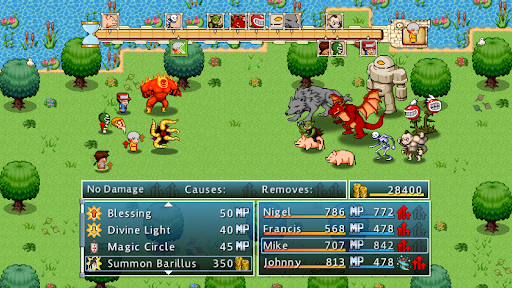
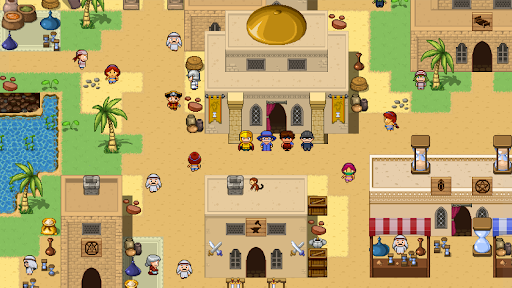
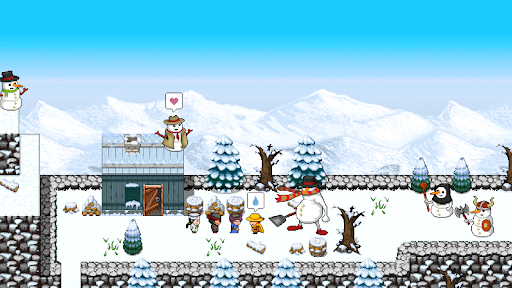
... It’s not a joke, it’s Doom & Destiny Advanced, the offline old school addictive RPG!
This is the PREMIUM version of Do&De Advanced.
* All classes are available, nothing is locked
* No annoying ads
* New content updates are delivered with no delays.
---
Venture with the most nerdy anti-heroes of all times, face a crazy great story, defeat a mad business man and save the universe, one fetch quest at a time.
ROLL YOUR DICE
Embody 20 different heroic spirits, equip gear, master skills and character combinations to fight in turn based combat 300+ different enemies and, while you progress into an over 30 hours main quest, feel free to explore 1000+ locations looking for more than 100 hidden secrets.
Doom & Destiny Advanced is the sequel, prequel and reboot of Doom & Destiny. This might sound crazy, but in short, it means that you don’t need to play the first Do&De, but if you did, you’ll enjoy the wacky world and funny characters even more!
JOIN THE ARENA, BRO!
The action doesn’t stop with the single player adventure!
Enter the Arena and fight other players in asynchronous turn based battles!
Fight and unlock 100 unique multiplayer perks, 120+ costumes and more and reach the top online leadersboard!
NOODLES UPDATE 2022, 2.9.2.10
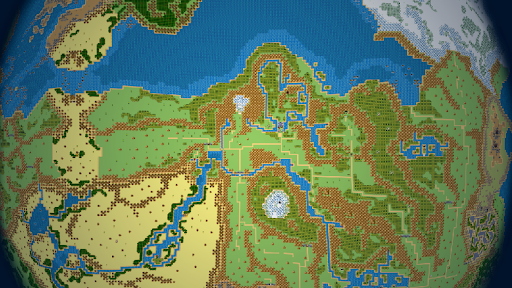
- Added the Flying Ship, every corner of the world is exploable
- Level cap 149!
- Max affinity 20, for every class;
- Added a new class, the Adventurer;
- New questlines and dungeons, affinity crystals are now farmable;
- Unlocked the Ultimetal gear;
- Old bugs fixed, new ones added!
Join the Doom & Destiny Community on Facebook: https://www.facebook.com/DoomAndDestiny
Help us with your idea on the Steam forum: http://steamcommunity.com/app/361040/discussions/
Show more

1. Download MEmu installer and finish the setup

2. Start MEmu then open Google Play on the desktop

3. Search Doom & Destiny Advanced in Google Play
Install
4. Download and Install Doom & Destiny Advanced
5. On install completion click the icon to start

6. Enjoy playing Doom & Destiny Advanced on PC with MEmu
MEmu Play is the best Android emulator and 100 million people already enjoy its superb Android gaming experience. The MEmu virtualization technology empowers you to play thousands of Android games smoothly on your PC, even the most graphic-intensive ones.
Bigger screen with better graphics; Long duration, without limitation of battery or mobile data.
Full Keymapping support for precise control of keyboard and mouse or gamepad.
Multiple game accounts or tasks on single PC at one time with Multi-Instance manager.
Play Doom & Destiny Advanced on PC by following steps: