Dora: Explore and Play!
Updated
Current Version
2026.1.1
Offered By

With your passion for Dora: Explore and Play!, you shouldn’t have to limit yourself to the small screen of a phone. Play like a pro and take full control of the game using a keyboard and mouse. MEmu gives you everything you’re looking for. Download and play Dora: Explore and Play! on PC. Play as long as you want — no more worries about battery life, mobile data, or unexpected calls. The all-new MEmu 9 is the best way to play Dora: Explore and Play! on PC. With our expertly designed keymapping system, Dora: Explore and Play! feels just like a real PC game. The MEmu multi-instance manager lets you run two or more accounts on the same device at the same time. Most importantly, our exclusive emulation engine unlocks your PC’s full potential, delivering smooth and seamless performance.
Show more
Download Dora: Explore and Play! on PC with MEmu Android Emulator. Enjoy playing on big screen. ¡Hola!
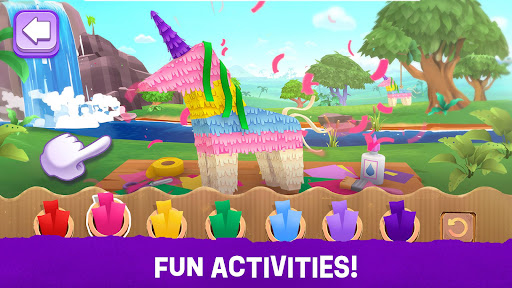
¡Hola! Is your child ready for an adventure?
Join Dora and her friends in an interactive journey that brings the magic of the hit show right to your fingertips!
Designed specifically for toddlers, preschool and younger kids, this app combines the joy of exploration with essential early childhood learning.
Explore & Discover
Adventure across vibrant and iconic locations!
From the Dora's Casita to the Tallest Mountain, there’s always something new to find.
Your child will develop curiosity and problem solving skills as they navigate through beautiful, interactive environments filled with hidden surprises.
Learn Through Play
We believe the best way to learn is by having fun! Our app is packed with mini-games that encourage:
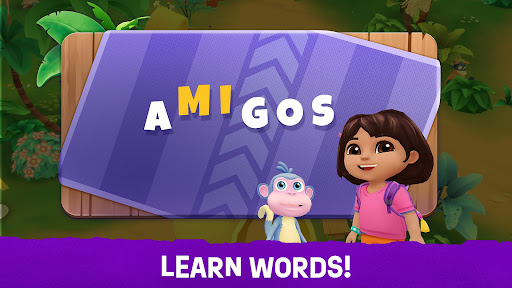
Language Learning: Intro to basic Spanish vocabulary and phrases.
Problem Solving: Helping Dora find the best path forward.
Creative Imagination: Activities that let children's minds run wild.
Shapes and Colors: Simple counting and shape-matching challenges.
Help Friends & Build Empathy
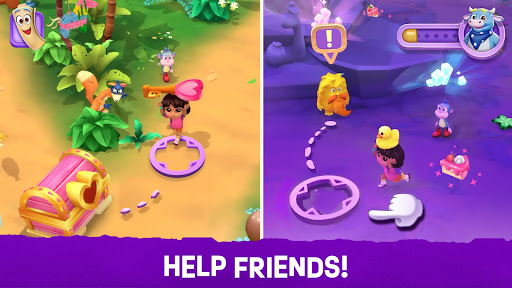
It’s not an adventure without friends! Join Boots, Tico, Isa and Benny on their missions.
By helping Dora's friends overcome obstacles, your child will learn the importance of kindness, teamwork, and social-emotional skills.
Music & Interactive Activities
Get ready to move! Featuring musical activities, children can engage with the rhythm and sounds of Dora’s world.
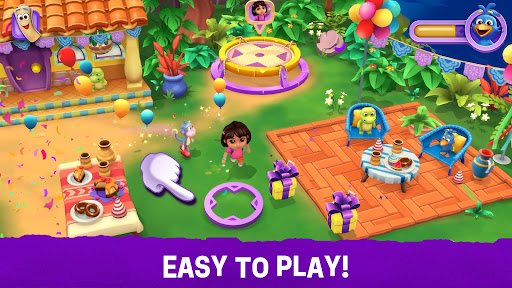
The gameplay is easy to play and designed for small hands, ensuring a frustration-free experience for even the youngest explorers.
Bringing the Show to Life
This isn't just a game, it’s an immersive Dora experience.
We’ve captured the core pillars of the show: interactivity, bilingual education, and adventurous spirit. It’s like being inside an episode!
Why Parents Love It:
Safe & Kid-Friendly: Designed with child safety in mind.
Educational Foundation: Developed to support preschool milestones.
ABOUT DORA
Since its launch on Nickelodeon in 2000, Dora the Explorer quickly emerged as a global pop-culture phenomenon and, nearly 25 years later, remains one of the most-watched preschool shows of all time. Dora has crossed social, racial, and language boundaries and stands as a hero and friend to millions of children around the world. The series currently is seen in more than 150 countries and territories and translated in 32 languages through Nickelodeon channels, Paramount+ around the globe, YouTube and YouTube Kids.
ABOUT BUDGE STUDIOS
Budge Studios was founded in 2010 with the mission to entertain and educate boys and girls around the world, through innovation, creativity and fun. Its high-quality app portfolio consists of original and branded properties, including Dora, Disney Frozen, Bluey, Barbie, PAW Patrol, Hot Wheels, Thomas & Friends, Transformers, My Little Pony, Strawberry Shortcake, Miraculous, Caillou, The Smurfs, Miss Hollywood, Hello Kitty and Crayola.
SUBSCRIPTION DETAILS
- This app may offer monthly or yearly subscriptions
- Subscription automatically renews unless auto-renew is turned off at least 24-hours before the end of the current period
- Subscriptions may be managed by the user and auto-renewal may be turned off by going to the user's Account Settings after purchase
- Your account will be charged for renewal within 24-hours prior to the end of the current period
- You can cancel your subscription at any time.
PRIVACY & ADVERTISING
This application has received the “ESRB Privacy Certified Kids’ Privacy Seal”.
https://budgestudios.com/en/legal/privacy-policy/
END-USER LICENSE AGREEMENT
https://budgestudios.com/en/legal-embed/eula/
HAVE QUESTIONS?
We always welcome your questions, suggestions and comments. Contact us 24/7 at support@budgestudios.ca
© 2026 Viacom International Inc. All Rights Reserved. Nickelodeon, Dora and all related titles, logos and characters are trademarks of Viacom International Inc.
© 2025 Budge Studios Inc. All Rights Reserved.
Show more

1. Download MEmu installer and finish the setup

2. Start MEmu then open Google Play on the desktop

3. Search Dora: Explore and Play! in Google Play
Install
4. Download and Install Dora: Explore and Play!
5. On install completion click the icon to start

6. Enjoy playing Dora: Explore and Play! on PC with MEmu
MEmu Play is the best Android emulator and 100 million people already enjoy its superb Android gaming experience. The MEmu virtualization technology empowers you to play thousands of Android games smoothly on your PC, even the most graphic-intensive ones.
Bigger screen with better graphics; Long duration, without limitation of battery or mobile data.
Full Keymapping support for precise control of keyboard and mouse or gamepad.
Multiple game accounts or tasks on single PC at one time with Multi-Instance manager.
Play Dora: Explore and Play! on PC by following steps: