Draw it
Updated
Current Version
2.0.3
Offered By

With your passion for Draw it, you shouldn’t have to limit yourself to the small screen of a phone. Play like a pro and take full control of the game using a keyboard and mouse. MEmu gives you everything you’re looking for. Download and play Draw it on PC. Play as long as you want — no more worries about battery life, mobile data, or unexpected calls. The all-new MEmu 9 is the best way to play Draw it on PC. With our expertly designed keymapping system, Draw it feels just like a real PC game. The MEmu multi-instance manager lets you run two or more accounts on the same device at the same time. Most importantly, our exclusive emulation engine unlocks your PC’s full potential, delivering smooth and seamless performance.
Show more
Download Draw it on PC with MEmu Android Emulator. Enjoy playing on big screen. How fast can you sketch?
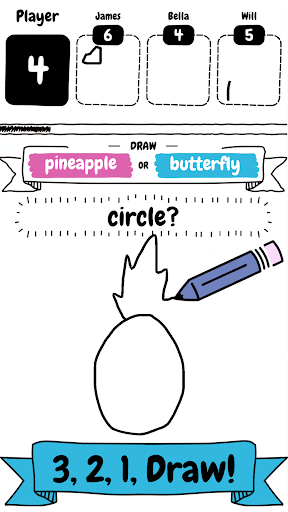
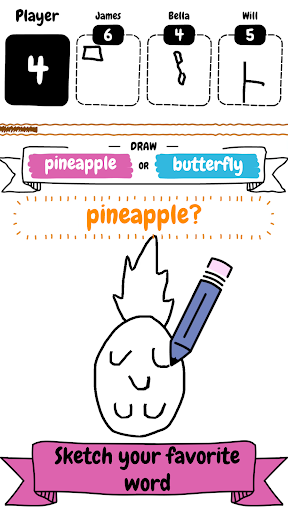
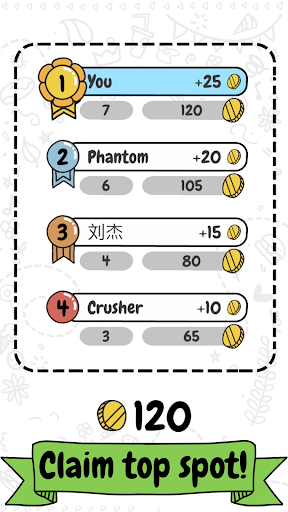
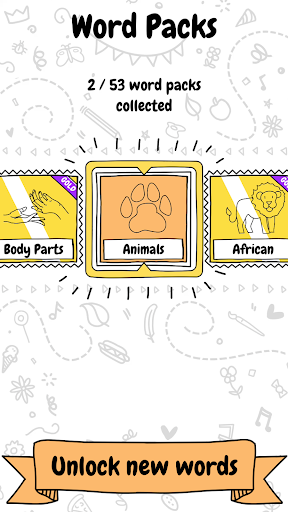
How fast can you sketch?
Draw it is a colourful, online drawing game where you compete against others.
Speed is key! Make sure you sketch as quickly as possible to beat the competition, as you only have a limited amount of time on the clock to scribble as many brightly coloured objects from the words as possible.
It doesn't matter if you’re an artist or can only sketch! You too will fall in love with this fast paced drawing game.
Draw it features include:
- Fun gameplay for all
- Variety of word packs to unlock and collect
- Number of different objects to draw and sketch
- Fierce competition
- Limited time to draw
SUBSCRIBE TO DRAW IT
Subscribe to Draw it for all of the following benefits:
* Exclusive character
* VIP Wordpacks
* Free Coins Everyday
* The Remove Ads product, which removes non-optional adverts from the game
SUBSCRIPTIONS INFORMATION:
Draw it VIP Membership access offers two membership options:
1) A weekly subscription costing $5.49 per week after a 3 day FREE trial period.
2) A monthly subscription costing $14.49 per month.
After buying this subscription, you will unlock VIP wordpacks, an exclusive character which you will be able to use in the game, plus, free coins every day and remove non-optional ads. This is an auto-renewable subscription. The payment is charged to your account after confirmation. The subscription is renewed unless you unsubscribe 24 hours before the period ends. Your account will also be charged for renewal
The prices notes are for United States customers. Pricing in other countries may change and actual charges may be converted to local currency.
End of trial and subscription renewal:
- The payment is charged to your iTunes account after a confirmation of purchase
- The subscription is renewed unless you unsubscribe 24 hours before the end of the current period
- The account will be charged for renewal 24 hours before the end of the current period at the standard cost of the weekly subscription
- The user may manage the subscription and auto-renewal by accessing the user's account settings after purchase in the store
- No cancellation of the current subscription is permitted during the active subscription period
- Any unused portion of the free trial period will be forfeited when the subscription is purchased
Cancelling a trial or subscription:
- In order to cancel a subscription during the free trial period you need to cancel it through your account in the Store. This must be done at least 24 hours before the end of the free trial period to avoid being charged.
Machine Learning Code, models and Draw training dataset based on Google’s “Quick, Draw!” https://github.com/googlecreativelab/quickdraw-dataset
Licenses: https://creativecommons.org/licenses/by/4.0/
Show more

1. Download MEmu installer and finish the setup

2. Start MEmu then open Google Play on the desktop

3. Search Draw it in Google Play
Install
4. Download and Install Draw it
5. On install completion click the icon to start

6. Enjoy playing Draw it on PC with MEmu
MEmu Play is the best Android emulator and 100 million people already enjoy its superb Android gaming experience. The MEmu virtualization technology empowers you to play thousands of Android games smoothly on your PC, even the most graphic-intensive ones.
Bigger screen with better graphics; Long duration, without limitation of battery or mobile data.
Full Keymapping support for precise control of keyboard and mouse or gamepad.
Multiple game accounts or tasks on single PC at one time with Multi-Instance manager.
Play Draw it on PC by following steps: