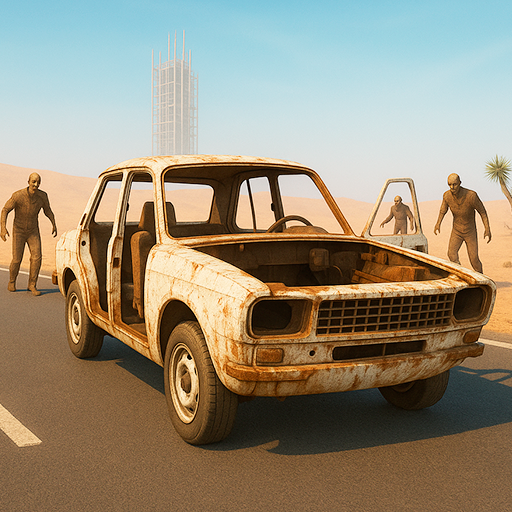
Drive Beyond Horizons
Updated
Current Version
1.0
Offered By

With your passion for Drive Beyond Horizons, you shouldn’t have to limit yourself to the small screen of a phone. Play like a pro and take full control of the game using a keyboard and mouse. MEmu gives you everything you’re looking for. Download and play Drive Beyond Horizons on PC. Play as long as you want — no more worries about battery life, mobile data, or unexpected calls. The all-new MEmu 9 is the best way to play Drive Beyond Horizons on PC. With our expertly designed keymapping system, Drive Beyond Horizons feels just like a real PC game. The MEmu multi-instance manager lets you run two or more accounts on the same device at the same time. Most importantly, our exclusive emulation engine unlocks your PC’s full potential, delivering smooth and seamless performance.
Show more
Download Drive Beyond Horizons on PC with MEmu Android Emulator. Enjoy playing on big screen. Start your engine and head beyond the horizon in Drive the Deadlands — a mobile survival game set in a brutal post-apocalyptic wasteland.
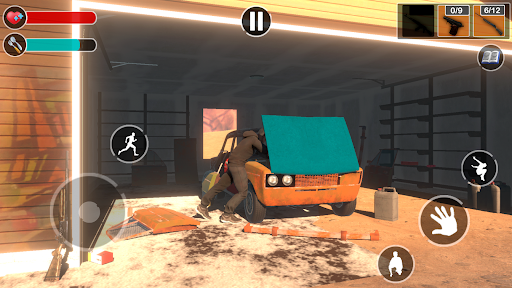
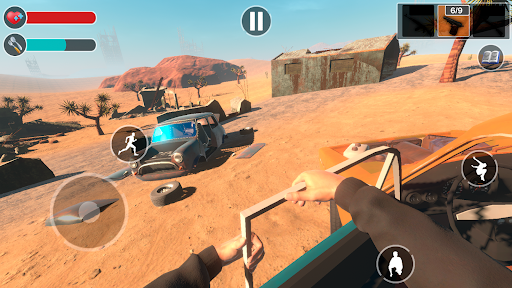
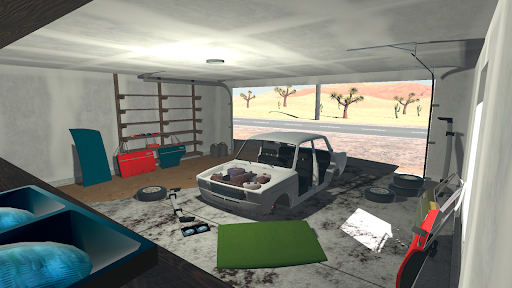
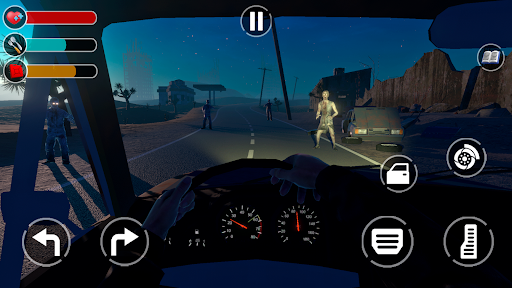
Start your engine and head beyond the horizon in Drive the Deadlands — a mobile survival game set in a brutal post-apocalyptic wasteland. This isn’t just a game about driving — it’s a complete car survival simulator, where every decision, every part you install, and every drop of fuel matters. Explore a massive open world, gather resources, build your car from scratch, and fight to stay alive in a land crawling with danger.
Your journey starts with nothing but a broken frame. Scavenge parts, assemble your ride piece by piece, and turn a junkyard wreck into a rugged survival machine. The deeper you go into the wasteland, the more you’ll need to adapt — tougher terrain, more aggressive zombies, and dwindling supplies.
Customize every part of your vehicle: suspension, armor, fuel tank, tires, engines, and more. Tuning isn’t just visual — every modification impacts handling, durability, and your chances of survival. Push your build to the limit with rare loot found in abandoned factories, fuel stations, and secret military caches scattered across the desert in my summer car.
Drive the Deadlands delivers a richly detailed open world with dynamic day-night cycles and harsh weather conditions. Blazing sun, fog, sandstorms — each affects visibility, traction, and even zombie behavior. Travel by day or risk it all under the cover of darkness. The driving sandbox experience gives you full freedom to explore, survive, and upgrade at your own pace.
Key Features:
• Post-apocalyptic open world: Drive through ruined highways, ghost towns, and dangerous wilderness.
• Realistic car building: Assemble your vehicle part by part — wheels, engine, armor, fuel tanks, weapons.
• Deep survival mechanics: Monitor fuel, food, ammo, and your vehicle’s condition. Run out, and you’re stranded.
• Crafting and tuning system: Find, upgrade, and install parts that directly affect performance and survivability.
• Zombie encounters: Defend yourself or escape using your car as a weapon. Every choice matters.
• Loot-based exploration: Scavenge materials from abandoned locations to repair, improve, or trade.
• Realistic driving physics: Weight, part wear, and road conditions affect how your car handles.
• Mobile game optimized: Smooth controls, intuitive UI, and immersive 3D visuals tailored for mobile platforms.
In this zombie survival experience, you’re not just surviving the undead — you’re surviving the world itself. Your car is your lifeline in my summer car. Customize it, protect it, and rely on it to get you through harsh environments filled with the remnants of civilization and relentless threats.
If you’re a fan of car upgrade mechanics, exploration, and gritty, atmospheric survival games, this mobile game delivers it all — with no safe zones and no easy choices.
No checkpoints. No maps full of icons. Just you, your machine, and the open road in my summer car.
Show more

1. Download MEmu installer and finish the setup

2. Start MEmu then open Google Play on the desktop

3. Search Drive Beyond Horizons in Google Play
Install
4. Download and Install Drive Beyond Horizons
5. On install completion click the icon to start

6. Enjoy playing Drive Beyond Horizons on PC with MEmu
MEmu Play is the best Android emulator and 100 million people already enjoy its superb Android gaming experience. The MEmu virtualization technology empowers you to play thousands of Android games smoothly on your PC, even the most graphic-intensive ones.
Bigger screen with better graphics; Long duration, without limitation of battery or mobile data.
Full Keymapping support for precise control of keyboard and mouse or gamepad.
Multiple game accounts or tasks on single PC at one time with Multi-Instance manager.
Play Drive Beyond Horizons on PC by following steps:












































