
Dungeon Shooter : Dark Temple
Updated
Current Version
1.5.109
Offered By

With your passion for Dungeon Shooter : Dark Temple, you shouldn’t have to limit yourself to the small screen of a phone. Play like a pro and take full control of the game using a keyboard and mouse. MEmu gives you everything you’re looking for. Download and play Dungeon Shooter : Dark Temple on PC. Play as long as you want — no more worries about battery life, mobile data, or unexpected calls. The all-new MEmu 9 is the best way to play Dungeon Shooter : Dark Temple on PC. With our expertly designed keymapping system, Dungeon Shooter : Dark Temple feels just like a real PC game. The MEmu multi-instance manager lets you run two or more accounts on the same device at the same time. Most importantly, our exclusive emulation engine unlocks your PC’s full potential, delivering smooth and seamless performance.
Show more
Download Dungeon Shooter : Dark Temple on PC with MEmu Android Emulator. Enjoy playing on big screen. 1.
1. Introduction:
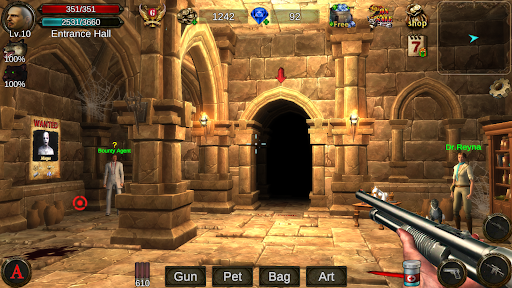
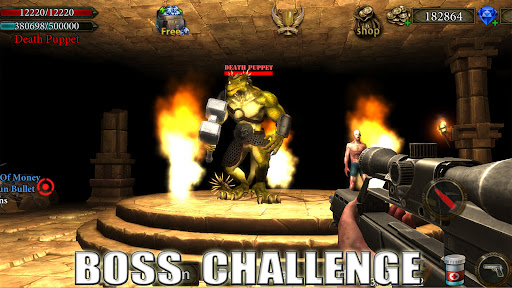
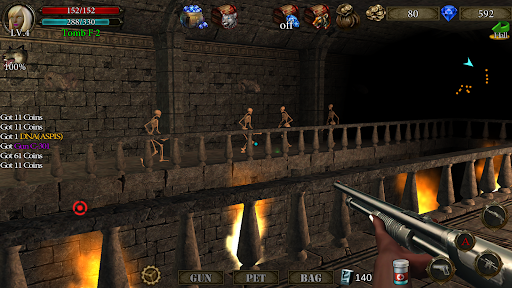
This is a fun and cool indie game, players will play as a shooter (can choose 3 occupations) to adventure in ancient tomb and dungeon, explore treasures, obtain weapons and props, constantly improve the ability of themselves and their pets, and challenge the more and more powerful monsters, I believe you will find your own fun.
On the basis of FPS games, it's combines the characteristics of RPG and AVG, and contains many original contents, which are not only unique and interesting, but also very playable, bringing players a brand new gaming experience.
This game adopts a realistic dark style and has a strong sense of immersion. It may feel scary in some scenes. It is recommended that players over 18 years old download it.
2. Featured Content Introduction:
A. Forgotten Temple - This is an independent game mode, in the dark underground, a large number of monsters are attacking the temple, you can use vertical perspective to guard the defense tower with pets, and you will get rewards after success.
B. Death Cave - In the two chambers of the cave of death, you will play the devil's prey, evading the hunt from the darkness, when you collect 3 gems, the devil will be weakened.At this time, after killing the demon, rare items will be dropped. Very exciting!
C. Undead Arena - Compete with the zombies of the arena boss with your pets and get high value rewards after winning, but you can't help much when the pets are fighting.
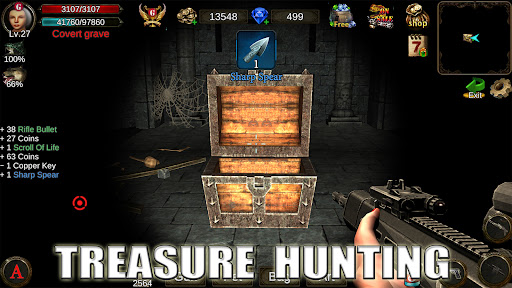
D. Treasure hunt - There are many treasures buried in the dark ancient tombs, they are guarded by ferocious monsters, many explorers have died trying to get the treasures, can you succeed?
3. Description of some elements:
[DNA] Defeat bosses 2, 5, 10, and 21 to have a chance to drop their DNA.
[Blessing of Snakes] Gives pet snakes the ability to suck blood and increase defense.
[Darkness] The gun has a chance to fire black bullets, causing 200-300% damage.
[Treasure Identification] Increases the probability of obtaining treasure when opening a treasure chest.
Show more

1. Download MEmu installer and finish the setup

2. Start MEmu then open Google Play on the desktop

3. Search Dungeon Shooter : Dark Temple in Google Play
Install
4. Download and Install Dungeon Shooter : Dark Temple
5. On install completion click the icon to start

6. Enjoy playing Dungeon Shooter : Dark Temple on PC with MEmu
MEmu Play is the best Android emulator and 100 million people already enjoy its superb Android gaming experience. The MEmu virtualization technology empowers you to play thousands of Android games smoothly on your PC, even the most graphic-intensive ones.
Bigger screen with better graphics; Long duration, without limitation of battery or mobile data.
Full Keymapping support for precise control of keyboard and mouse or gamepad.
Multiple game accounts or tasks on single PC at one time with Multi-Instance manager.
Play Dungeon Shooter : Dark Temple on PC by following steps: