Dungeon Within
Updated
Current Version
0.6.3
Offered By

With your passion for Dungeon Within, you shouldn’t have to limit yourself to the small screen of a phone. Play like a pro and take full control of the game using a keyboard and mouse. MEmu gives you everything you’re looking for. Download and play Dungeon Within on PC. Play as long as you want — no more worries about battery life, mobile data, or unexpected calls. The all-new MEmu 9 is the best way to play Dungeon Within on PC. With our expertly designed keymapping system, Dungeon Within feels just like a real PC game. The MEmu multi-instance manager lets you run two or more accounts on the same device at the same time. Most importantly, our exclusive emulation engine unlocks your PC’s full potential, delivering smooth and seamless performance.
Show more
Download Dungeon Within on PC with MEmu Android Emulator. Enjoy playing on big screen. "Reclaim Your Throne as the True Dark Lord!
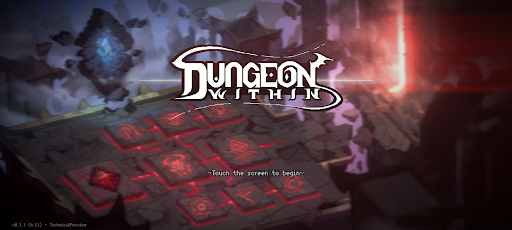
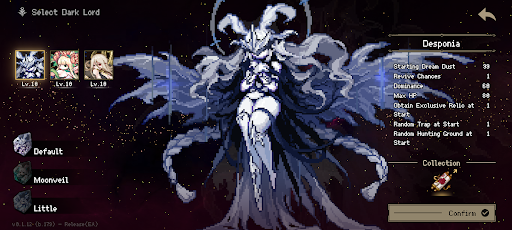
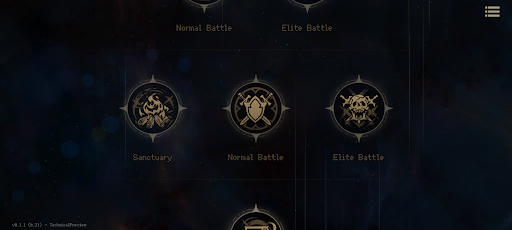
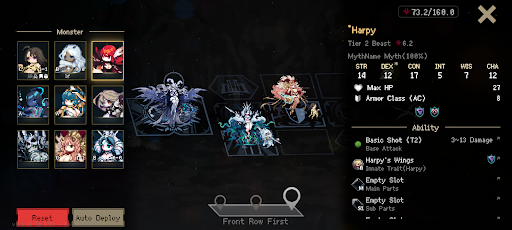
"Reclaim Your Throne as the True Dark Lord!"
Awaken as an amnesiac Dark Lord in an endless dream world and construct your own ruthless dungeon. Explore the realm to rally scattered monsters, deploy deadly traps, and bring ruin to insolent invaders.
Death is not the end, but the beginning of new power. Through endless roguelike runs, forge your DUNGEON into the ultimate, inescapable fortress!
[Design & Defend Your Dungeon]
Your strategy becomes the absolute law of the dungeon. Deploy diverse combat rooms, sinister structures, and lethal traps to create the ultimate kill zone for incoming heroes.
[Raise a Formidable Monster Army]
Explore the world to awaken diverse monsters from their deep slumber. Draft creatures with unique abilities and racial synergies into your ranks, and command the frontline with the ultimate monstrous horde.
[Unleash the Dark Lord's Authority]
Are the invaders breaching your dungeon's core? Unleash the true power dormant within the Dark Lord. Turn the tide of battle instantly with devastating abilities that will bring arrogant foes to their knees.
[Unpredictable Roguelike Encounters]
Every run paves a new path. Collect mysterious relics hidden throughout the dungeon, navigate through bizarre unknown events, and empower your forces. Your choices will dictate the fate of the next battle.
[Fragments of Memory & True Awakening]
Do not stop even if you fall in battle. Gather fragments of lost memories and legacies from past runs to awaken the Dark Lord's true power. Transcend death and reclaim your eternal, absolute authority.
Take your rightful place on the throne now and dominate your own grand, brutal dungeon!
Show more

1. Download MEmu installer and finish the setup

2. Start MEmu then open Google Play on the desktop

3. Search Dungeon Within in Google Play
Install
4. Download and Install Dungeon Within
5. On install completion click the icon to start

6. Enjoy playing Dungeon Within on PC with MEmu
MEmu Play is the best Android emulator and 100 million people already enjoy its superb Android gaming experience. The MEmu virtualization technology empowers you to play thousands of Android games smoothly on your PC, even the most graphic-intensive ones.
Bigger screen with better graphics; Long duration, without limitation of battery or mobile data.
Full Keymapping support for precise control of keyboard and mouse or gamepad.
Multiple game accounts or tasks on single PC at one time with Multi-Instance manager.
Play Dungeon Within on PC by following steps: