Lordrush
Updated
Current Version
1792042498
Offered By

With your passion for Lordrush, you shouldn’t have to limit yourself to the small screen of a phone. Play like a pro and take full control of the game using a keyboard and mouse. MEmu gives you everything you’re looking for. Download and play Lordrush on PC. Play as long as you want — no more worries about battery life, mobile data, or unexpected calls. The all-new MEmu 9 is the best way to play Lordrush on PC. With our expertly designed keymapping system, Lordrush feels just like a real PC game. The MEmu multi-instance manager lets you run two or more accounts on the same device at the same time. Most importantly, our exclusive emulation engine unlocks your PC’s full potential, delivering smooth and seamless performance.
Show more
Download Lordrush on PC with MEmu Android Emulator. Enjoy playing on big screen. Lordrush is a medieval tower defense strategy game where you rebuild a ruined fortress and defend your realm from attacks.
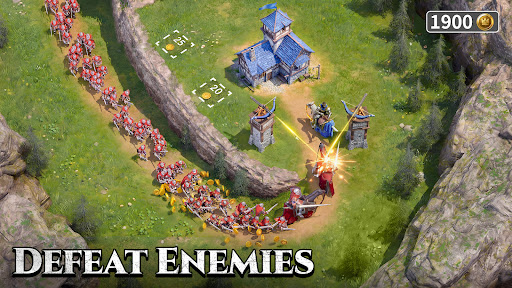
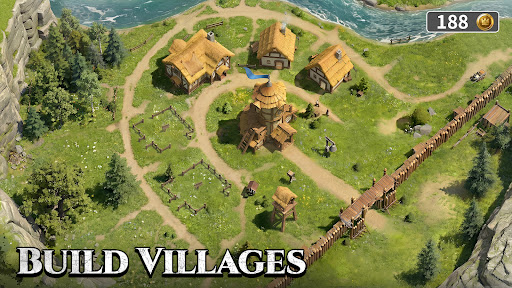
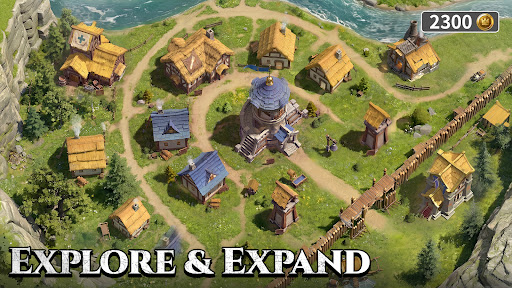
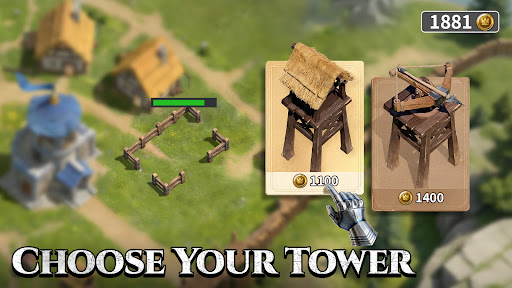
Lordrush is a medieval tower defense strategy game where you rebuild a ruined fortress and defend your realm from attacks.
Gather resources, raise defenses, upgrade towers, and recruit heroes as you prepare for each assault.
Set in a harsh medieval world of stone castles, armored heroes, war-torn battlefields, and rival lords, Lordrush blends fortress building, resource management, hero strategy, and tactical defense.
• Fight for Resources
Wood, stone, and iron are essential for expansion. Compete with exiles, rebels, and other forces for control of vital resources.
• Build Fortress Walls
Construct defensive walls to slow enemy advances and give your towers more time to strike.
• Upgrade Towers
Place and upgrade towers to expand your firepower, increase damage, and hold key defensive positions.
• Strengthen Your Fortress
As enemy attacks grow stronger, reinforce your walls, expand your towers, and turn your settlement into a powerful medieval stronghold.
• Defend Against Sieges
Enemies attack your fortress in waves. Adjust your defenses based on enemy routes and strength, and hold the line.
• Recruit Heroes
Recruit medieval heroes with different abilities. Deploy them to change the course of battle.
• Make Tactical Choices
Every building, upgrade, and hero deployment can affect the outcome. Plan carefully to survive the next siege.
• Manage Your People
Assign survivors as workers, hunters, or cooks to maintain resource production, food supplies, and daily fortress operations.
• Maintain Health and Order
Your people’s condition affects productivity. Keep food stocked, maintain stability, and help your fortress continue to grow.
• Issue Decrees
Set rules under pressure from scarce resources and outside threats. Maintain order and guide the growth of your stronghold.
• Join Alliances
Create or join alliances, share resources, coordinate defenses, and face powerful enemies together.
• Challenge Other Lords
Train heroes, build squads, and compete for points, rare rewards, and greater influence across the continent.
• Claim the Throne
Start from a single fortress, build your defenses, gather resources, expand your power, and become a lord who cannot be ignored.
Show more

1. Download MEmu installer and finish the setup

2. Start MEmu then open Google Play on the desktop

3. Search Lordrush in Google Play
Install
4. Download and Install Lordrush
5. On install completion click the icon to start

6. Enjoy playing Lordrush on PC with MEmu
MEmu Play is the best Android emulator and 100 million people already enjoy its superb Android gaming experience. The MEmu virtualization technology empowers you to play thousands of Android games smoothly on your PC, even the most graphic-intensive ones.
Bigger screen with better graphics; Long duration, without limitation of battery or mobile data.
Full Keymapping support for precise control of keyboard and mouse or gamepad.
Multiple game accounts or tasks on single PC at one time with Multi-Instance manager.
Play Lordrush on PC by following steps: