Elyplay: Obby & Mini Games
Updated
Current Version
1.1.5
Offered By

With your passion for Elyplay: Obby & Mini Games, you shouldn’t have to limit yourself to the small screen of a phone. Play like a pro and take full control of the game using a keyboard and mouse. MEmu gives you everything you’re looking for. Download and play Elyplay: Obby & Mini Games on PC. Play as long as you want — no more worries about battery life, mobile data, or unexpected calls. The all-new MEmu 9 is the best way to play Elyplay: Obby & Mini Games on PC. With our expertly designed keymapping system, Elyplay: Obby & Mini Games feels just like a real PC game. The MEmu multi-instance manager lets you run two or more accounts on the same device at the same time. Most importantly, our exclusive emulation engine unlocks your PC’s full potential, delivering smooth and seamless performance.
Show more
Download Elyplay: Obby & Mini Games on PC with MEmu Android Emulator. Enjoy playing on big screen. Elyplay: Obby & Mini Games is your all-in-one hub for fun, fast, and browser-friendly play.
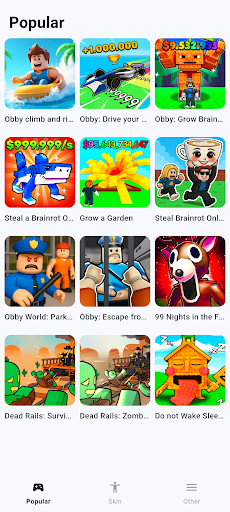
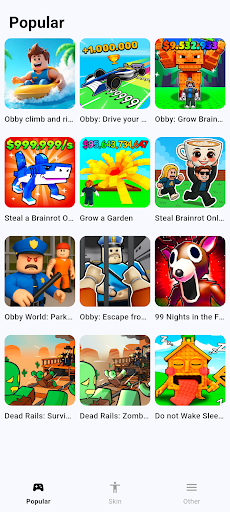
Elyplay: Obby & Mini Games is your all-in-one hub for fun, fast, and browser-friendly play. With more than 1,000 creative maps and mini games, you can jump into action instantly — no downloads required and no long setup.
This mobile browser game is designed for quick sessions and smooth obby gameplay. Whether you want to race, build, solve puzzles, or just hang out in social hubs, Elyplay gives you endless ways to play. It’s also an avatar game where you customize outfits, unlock pets, and express yourself in a growing community.
Game Modes & Highlights
Obby & Parkour
Try exciting obby games, climb through tricky obby parkour maps, and master challenges like obby parkour the floor is lava. Each run is a test of skill and reaction.
Tycoon & Simulator
Manage businesses, create factories, and grow resources in interactive tycoon maps inside this browser-friendly world.
Escape Maps
Take on logic and survival tests with escape prison, clever obby prison escape puzzles, and even the infamous barry's prison. Strategy and timing decide your success.
Arcade Runners
Push your limits in speed-focused obby challenge maps. Perfect for short bursts of fun in between tasks.
Role-Play & Avatar Customization
Enjoy immersive roleplay games with cafés, homes, and social spaces. Make your mark in this avatar game with outfits, hats, and emotes.
Horror Maps
Dark adventures for thrill seekers. Navigate spooky obby 3d stages with limited light and sudden scares.
Puzzle & Brain Games
Quick and fun logic challenges — from math sequences to memory stages — built for instant play.
Creative Obby World
Explore an open obby world where players share their own maps. Build, play, and test yourself in endless obstacle course games.
Why Elyplay Stands Out
Instant play, no downloads required
Lightweight, fast loading under 5 seconds
Daily rewards and unlockable items
Show more

1. Download MEmu installer and finish the setup

2. Start MEmu then open Google Play on the desktop

3. Search Elyplay: Obby & Mini Games in Google Play
Install
4. Download and Install Elyplay: Obby & Mini Games
5. On install completion click the icon to start

6. Enjoy playing Elyplay: Obby & Mini Games on PC with MEmu
MEmu Play is the best Android emulator and 100 million people already enjoy its superb Android gaming experience. The MEmu virtualization technology empowers you to play thousands of Android games smoothly on your PC, even the most graphic-intensive ones.
Bigger screen with better graphics; Long duration, without limitation of battery or mobile data.
Full Keymapping support for precise control of keyboard and mouse or gamepad.
Multiple game accounts or tasks on single PC at one time with Multi-Instance manager.
Play Elyplay: Obby & Mini Games on PC by following steps: