Football Legacy
Updated
Current Version
1.40
Offered By

With your passion for Football Legacy, you shouldn’t have to limit yourself to the small screen of a phone. Play like a pro and take full control of the game using a keyboard and mouse. MEmu gives you everything you’re looking for. Download and play Football Legacy on PC. Play as long as you want — no more worries about battery life, mobile data, or unexpected calls. The all-new MEmu 9 is the best way to play Football Legacy on PC. With our expertly designed keymapping system, Football Legacy feels just like a real PC game. The MEmu multi-instance manager lets you run two or more accounts on the same device at the same time. Most importantly, our exclusive emulation engine unlocks your PC’s full potential, delivering smooth and seamless performance.
Show more
Download Football Legacy on PC with MEmu Android Emulator. Enjoy playing on big screen. Free, no ads, plays offline; only the optional FRIENDS mode needs internet.
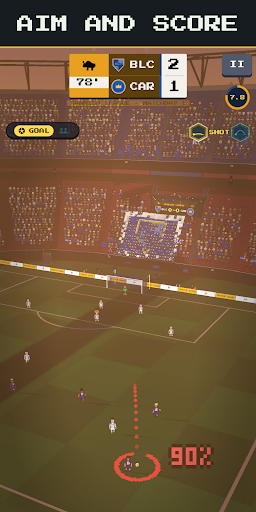
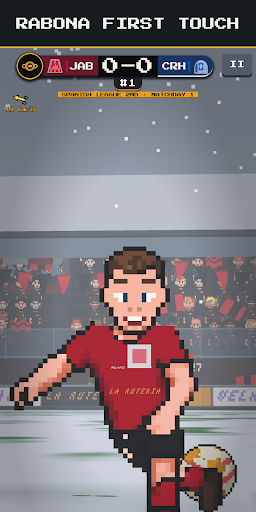
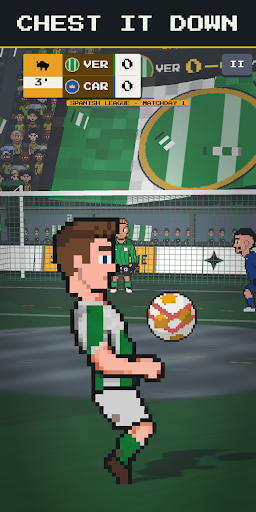
Free, no ads, plays offline; only the optional FRIENDS mode needs internet. Live a soccer player's entire career, one play at a time: aim with the slingshot, strike the ball wherever you want and own every shot. Precision sets the line; the contact point adds the power and the spin.
HARD IN THE GOOD WAY
It takes a while to get the hang of it, and that's why it hooks you: every goal is yours. Four difficulty levels to pick from at the start; raise the bar once the slingshot obeys you.
YOUR CAREER, YOUR CALLS
• Debut at a small club and fight your way up to the elite.
• Contracts, transfers, loans and free agency: the market moves with you.
• Pick your position and earn new ones with skill points.
• Look after your energy, your form and how you get on with the coach, the fans and the press.
A WORLD THAT PLAYS ON ITS OWN
• Over 1,600 clubs from 30 countries, in three-tier pyramids with promotion and relegation.
• 212 national teams: earn your call-up and go all the way with your country.
• Continental cups, the Player of the Year award and a cabinet for every trophy.
• Records and legends: the world remembers what you did.
BUILT TO FEEL LIKE SOCCER
• 16 kinds of play with a character of their own: volleys, free kicks, penalties, dribbles and more.
• Six weathers, from sunset to snow.
• Stadiums that grow with you: from a municipal field to a top-flight colossus.
• Moments you earn: your unveiling, the guard of honor, the last afternoon.
LIVE LIKE A STAR
• Your house, your cars and your pets: life off the field is part of the game.
• The gym, the locker room and the press with your teammates.
• Customize your player: haircuts, beards, tattoos, cleats and your jersey number.
From debut to retirement: leave your legacy.
Show more

1. Download MEmu installer and finish the setup

2. Start MEmu then open Google Play on the desktop

3. Search Football Legacy in Google Play
Install
4. Download and Install Football Legacy
5. On install completion click the icon to start

6. Enjoy playing Football Legacy on PC with MEmu
MEmu Play is the best Android emulator and 100 million people already enjoy its superb Android gaming experience. The MEmu virtualization technology empowers you to play thousands of Android games smoothly on your PC, even the most graphic-intensive ones.
Bigger screen with better graphics; Long duration, without limitation of battery or mobile data.
Full Keymapping support for precise control of keyboard and mouse or gamepad.
Multiple game accounts or tasks on single PC at one time with Multi-Instance manager.
Play Football Legacy on PC by following steps: