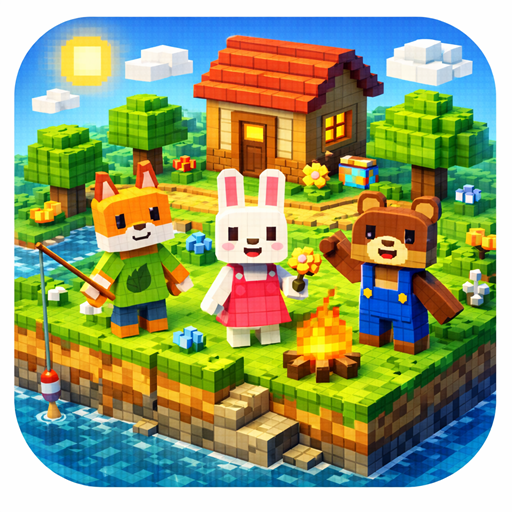
GardenCraft
Updated
Current Version
1.0.1
Offered By

With your passion for GardenCraft, you shouldn’t have to limit yourself to the small screen of a phone. Play like a pro and take full control of the game using a keyboard and mouse. MEmu gives you everything you’re looking for. Download and play GardenCraft on PC. Play as long as you want — no more worries about battery life, mobile data, or unexpected calls. The all-new MEmu 9 is the best way to play GardenCraft on PC. With our expertly designed keymapping system, GardenCraft feels just like a real PC game. The MEmu multi-instance manager lets you run two or more accounts on the same device at the same time. Most importantly, our exclusive emulation engine unlocks your PC’s full potential, delivering smooth and seamless performance.
Show more
Download GardenCraft on PC with MEmu Android Emulator. Enjoy playing on big screen. Welcome to Garden Craft!
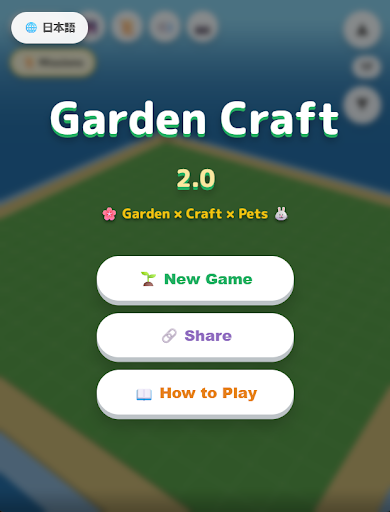
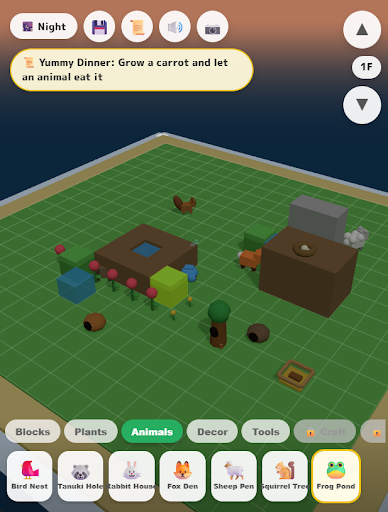
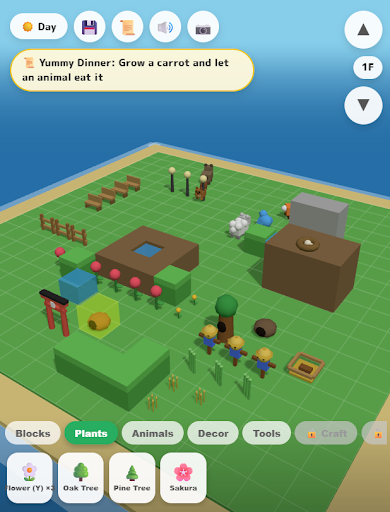
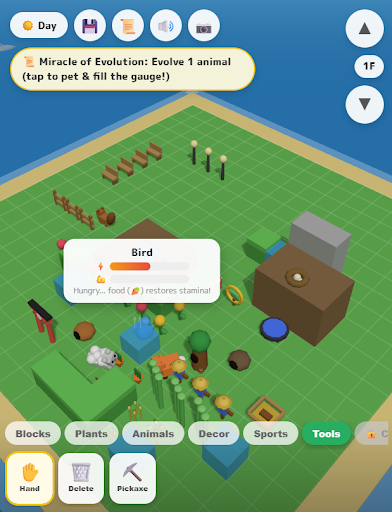
Welcome to Garden Craft!
This is a small, soothing world that expands right at your fingertips.
Stack blocks to shape the land, plant greenery, and invite adorable animals to come live in your garden.
But this isn’t just a world to look at. This miniature garden is full of life.
Animals roam freely, eat when they’re hungry, and—believe it or not—can even evolve into entirely new forms!?
At night, they might gather around a campfire and start a dance party…
Why not relax and enjoy your very own peaceful garden life, accompanied by gentle ambient sounds?
Game Features
■ Freely Build Your Own Miniature World
Grass, soil, sand, water, stone paths, snow… Combine a wide variety of terrain blocks to create a landscape that’s uniquely yours.
You’re not limited to just ground level—build upward to the 2nd and 3rd layers to create a beautiful, three-dimensional garden.
Certain placements (for example, arranging snow blocks in a square) can trigger hidden environmental changes, such as the natural formation of icicles.
■ Interact with Animals and Discover Their “Evolution”
The heart of this game lies in its animal residents.
Birds, rabbits, raccoon dogs, foxes… they all live their lives in your garden.
When specific conditions are met—such as eating certain plants or prey—they undergo surprising evolutions!
Rabbit → Eats carrots and becomes… a Cat!?
Bird →
• Eats fish to become an elegant Swan
• Eats wheat to become the king of the skies, an Eagle
• Finds icicles and transforms into a Penguin
Fox → ???
Raccoon Dog → ???
Can you discover every evolution route?
■ Unique, Delightful Gimmicks You’ll Never Tire Of
Cute isn’t all there is—your garden is packed with playful surprises!
Campfire Dance
At night, place a campfire and animals may gather around it. They’ll break into an energetic dance! Their fever time won’t stop until the fire burns out.
Trampoline
When animals hop on a trampoline, they launch into the air with a big boing! Create a fun playground for them.
Fountain
Place a fountain near water and it will draw water up, spraying refreshing jets into the air.
Mole Treasure Hunt
Meet the mysterious moles that appear under certain conditions. They dig through the soil and uncover precious gems like diamonds, rubies, and sapphires.
■ Expand Your World Through Missions
Clear missions such as “Place 3 soil blocks” or “Grow a tree” to unlock new blocks, animals, and decorative items.
Even beginners can build a wonderful garden simply by following the mission guidance.
■ Soothing Time-of-Day Changes
Enjoy the shifting moods of your garden as time passes in real time—from fresh morning light, to lively daytime, nostalgic sunsets, and tranquil nights.
Watch how the colors of the sky and your garden’s atmosphere gently transform.
How to Play
Select and place blocks
Choose terrain or plants from the palette at the bottom of the screen and tap to place them.
Switch layers
Change between 1F, 2F, and higher layers to enjoy true 3D construction.
Check missions
Tap the mission button to see what to do next. Complete tasks to unlock new items.
Observe animals
Place habitats like nests or huts to invite animals. Watch their behavior closely—and don’t miss their evolution moments!
Camera controls
Swipe to rotate, pinch to zoom. Find your favorite angle and snap a screenshot
Recommended For
Fans of miniature world and sandbox games
Players who love block-based gameplay like Minecraft
Those who enjoy raising and observing animals
Anyone looking to relax and unwind
Players who like building at their own pace
Fans of unexpected evolutions and quirky movements
People interested in interiors or gardening
Now, start from an empty space and create a paradise full of life.
Enjoy a calm, creative moment with Garden Craft.
Show more

1. Download MEmu installer and finish the setup

2. Start MEmu then open Google Play on the desktop

3. Search GardenCraft in Google Play
Install
4. Download and Install GardenCraft
5. On install completion click the icon to start

6. Enjoy playing GardenCraft on PC with MEmu
MEmu Play is the best Android emulator and 100 million people already enjoy its superb Android gaming experience. The MEmu virtualization technology empowers you to play thousands of Android games smoothly on your PC, even the most graphic-intensive ones.
Bigger screen with better graphics; Long duration, without limitation of battery or mobile data.
Full Keymapping support for precise control of keyboard and mouse or gamepad.
Multiple game accounts or tasks on single PC at one time with Multi-Instance manager.
Play GardenCraft on PC by following steps:















































