Grand Crown: Pandora's Fate
Updated
Current Version
1748488718
Offered By

With your passion for Grand Crown: Pandora's Fate, you shouldn’t have to limit yourself to the small screen of a phone. Play like a pro and take full control of the game using a keyboard and mouse. MEmu gives you everything you’re looking for. Download and play Grand Crown: Pandora's Fate on PC. Play as long as you want — no more worries about battery life, mobile data, or unexpected calls. The all-new MEmu 9 is the best way to play Grand Crown: Pandora's Fate on PC. With our expertly designed keymapping system, Grand Crown: Pandora's Fate feels just like a real PC game. The MEmu multi-instance manager lets you run two or more accounts on the same device at the same time. Most importantly, our exclusive emulation engine unlocks your PC’s full potential, delivering smooth and seamless performance.
Show more
Download Grand Crown: Pandora's Fate on PC with MEmu Android Emulator. Enjoy playing on big screen. Pre-register on Google Play Now for Exclusive Rewards!
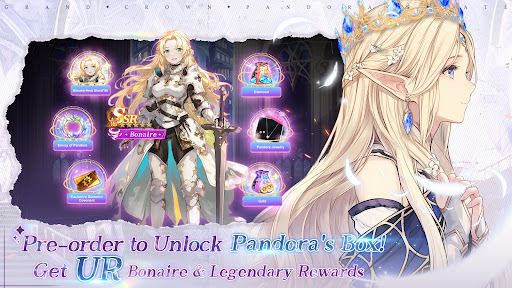
Pre-register on Google Play Now for Exclusive Rewards!
✨ Exclusive Pandora Jewelry – Witness your otherworldly journey!
✨ Get powerful SSR hero Bonaire for free to boost your adventure!
✨ Massive Diamonds + Top-tier Resources – Empower your adventure with ease!
Game Background:
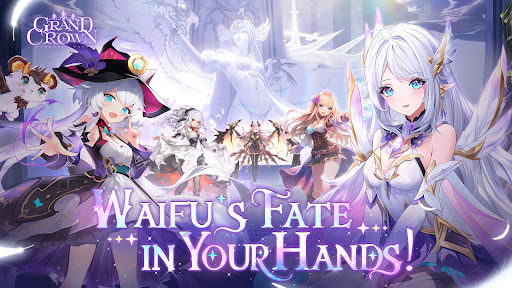
Legend says Pandora’s Box holds the secrets of a lost ancient civilization, and only those chosen by fate can embark on this quest. You will traverse into this mystical world, encounter breathtaking goddesses, unravel long-forgotten mysteries, and begin your epic adventure!
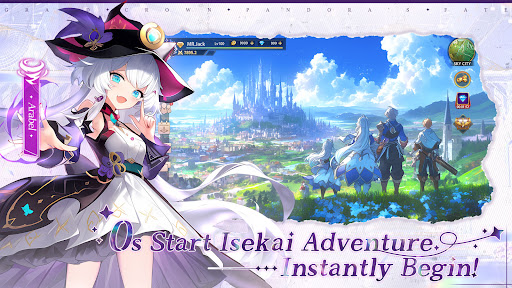
❤ 0s Start Isekai Adventure, Instantly Begin!
Answer the call across time, pass through the mysterious gate, and step into a dazzling continent where light and shadow intertwine—begin a dreamlike journey beyond imagination.
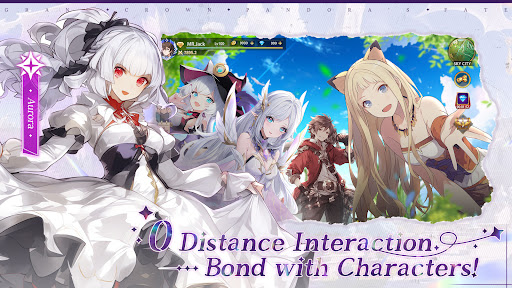
❤ 0 Distance Interaction, Bond with Characters!
They are divine guardians and your trusted companions. Exquisite Live2D animations bring them to life, with iconic voice actors lending their voices. Listen to their whispers, share tender moments, and forge unbreakable bonds.
❤ 0 Cost VIP, Luck Favors You!
Log in and receive free VIP6, adding brilliance to your journey! Easily recruit stunning goddesses, awaken legendary powers, and write your heroic saga.
❤ 0 Effort Raise Spirits, Evolve Limitlessly!
Your companions aren’t just goddesses—they also include mystical spirits full of wisdom. They guide your exploration, offer gentle companionship, and hold the key to unlocking divine power.
❤ 0 Frame Combos, Dominate the Battlefield!
With a light touch, unleash dazzling ultimate combos as goddesses fight side by side. Every battle is a breathtaking spectacle, bursting with radiant brilliance.
Fate has spoken—the goddesses await your arrival in this otherworldly realm.
Brave the unknown, uncover the secrets of Pandora’s Box, and write your own romantic adventure!
Official Facebook: https://www.facebook.com/GCPFSEA/
Official Discord: https://discord.gg/k4YhTY2zCT
Show more

1. Download MEmu installer and finish the setup

2. Start MEmu then open Google Play on the desktop

3. Search Grand Crown: Pandora's Fate in Google Play
Install
4. Download and Install Grand Crown: Pandora's Fate
5. On install completion click the icon to start

6. Enjoy playing Grand Crown: Pandora's Fate on PC with MEmu
MEmu Play is the best Android emulator and 100 million people already enjoy its superb Android gaming experience. The MEmu virtualization technology empowers you to play thousands of Android games smoothly on your PC, even the most graphic-intensive ones.
Bigger screen with better graphics; Long duration, without limitation of battery or mobile data.
Full Keymapping support for precise control of keyboard and mouse or gamepad.
Multiple game accounts or tasks on single PC at one time with Multi-Instance manager.
Play Grand Crown: Pandora's Fate on PC by following steps: