Gravehearts
Updated
Current Version
0.2
Offered By

With your passion for Gravehearts, you shouldn’t have to limit yourself to the small screen of a phone. Play like a pro and take full control of the game using a keyboard and mouse. MEmu gives you everything you’re looking for. Download and play Gravehearts on PC. Play as long as you want — no more worries about battery life, mobile data, or unexpected calls. The all-new MEmu 9 is the best way to play Gravehearts on PC. With our expertly designed keymapping system, Gravehearts feels just like a real PC game. The MEmu multi-instance manager lets you run two or more accounts on the same device at the same time. Most importantly, our exclusive emulation engine unlocks your PC’s full potential, delivering smooth and seamless performance.
Show more
Download Gravehearts on PC with MEmu Android Emulator. Enjoy playing on big screen. Welcome to 'Gravehearts', A slice of death, slow burn, cosy game with the hint of the macabre.
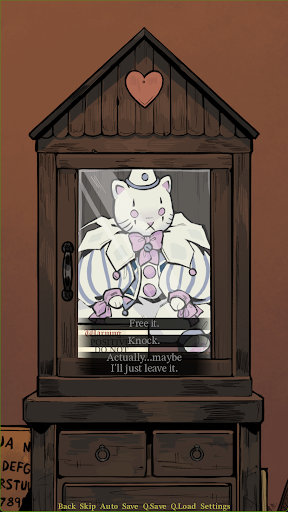
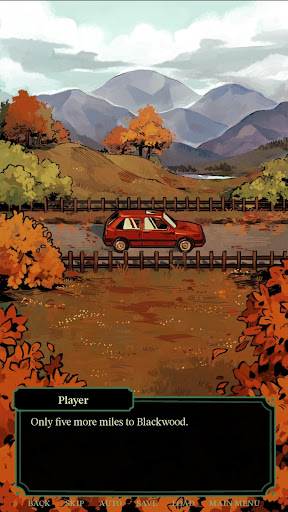
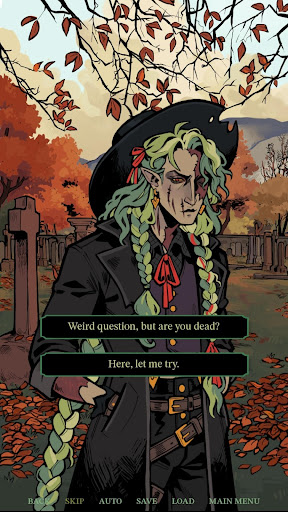
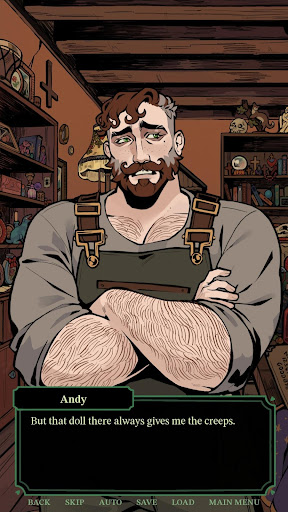
Welcome to 'Gravehearts', A slice of death, slow burn, cosy game with the hint of the macabre.
Follow the story of the new groundskeeper of Overlook Cemetery in the small town of Blackwood. You wanted to start a new life, but could not escape the ghosts of your past, and now you can't seem to escape the ghosts of the past. Strange things are going on in this town, and it seems like only you can help; you are the connection between the living and the dead.
Gravehearts is a visual novel that will be updated as individual chapters. There will be no additional charges for each chapter, and there will be no in-game purchases. We are just here to hang out and enjoy our time with the spirits, no Ouija bored needed.
Follow us on our socials to keep up to date with the latest chapter releases,
You can follow Gravehearts on Instagram @graveheartshearts and bluesky @graveheartsgames.bsky.social.
The characters
Graveheart's story is a heavily character-driven story where you will get to know our characters deeply and possibly even intimately.
Wyatt: A cowboy from the USA, brought to the Scottish Highlands by a 100-year-old vendetta.
Ledger: A 2000-year-old spirit, who keeps the records of all buried in the graveyard.
Agnes: Her family now moved on, but she stayed behind, hoping that in death she could live.
Andy: Our living soul and our co-worker, he doesn't really believe in ghosts, but he is mildly afraid of them, especially Cecil. Cecil is weird
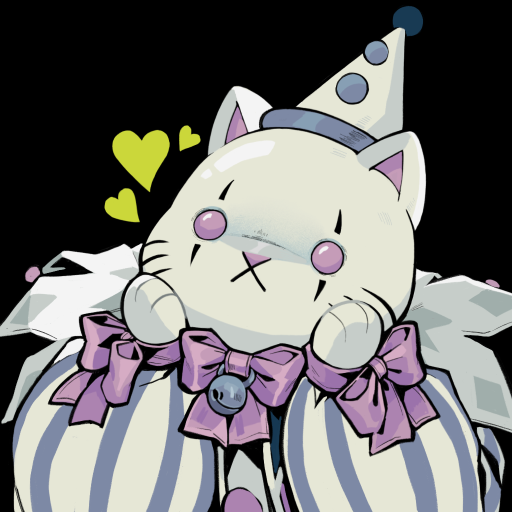
Cecil: A poltergeist that possesses a small cat doll, a spirit with extreme power but mainly just here for the teehee and the haha's..
Antony: A Modern spirit, gone too soon, he waits for his loved one to join him.
You can help your spirit friends as well as the other wayward spirits in the town, but not all spirits are happy; some can be liars, some can be tricksters, and some can be violent.
Features
-You can customise your character's names and pronouns with the option of He/ She or They.
-The character you play has a backstory and problems of their own to solve; it's not only ghosts that are haunting you.
-Befriend the ghosts; depending on your choices made in the game, you can become close with the spirits, you can become close friends, you can fall in love with them, or they can hate your guts. Depending on the choices you make, it can affect your route in the story.
-The game features some beautiful music created by Scott Buckley, Kevin Macleod and Jahzzar.
Content Warning
Gravehearts is a game intended for more mature audiences (16+). Being a game about ghosts, it will have some horror elements, and the game will explore more difficult topics around subjects such as death, grief, injury, sickness, accidents, abuse and mental health struggles. As these are key components to the plot, these things cannot be censored.
However, if there are scenes that contain distressing sound effects or visuals, the player will be warned on approach to the scene.
This game will contain no jump scares.
The game will also contain alcohol use, cigarette use, violence, threat, swearing and religious themes.
Demo
The demo of Gravehearts will always be available to play for people who are interested in the game but aren't sure if they want to buy it yet. The Demo is the first half of chapter one and is available to play for free on itch.io.
About The Creator
'Gravehearts' is created, written and illustrated by Kroov, aka Lio Pressland, a comic artist and illustrator from Scotland. You can follow them on socials all under @kroovv!
No AI was used anywhere in the creation of this game.
Gameplay is currently only available in English.
Show more

1. Download MEmu installer and finish the setup

2. Start MEmu then open Google Play on the desktop

3. Search Gravehearts in Google Play
Install
4. Download and Install Gravehearts
5. On install completion click the icon to start

6. Enjoy playing Gravehearts on PC with MEmu
MEmu Play is the best Android emulator and 100 million people already enjoy its superb Android gaming experience. The MEmu virtualization technology empowers you to play thousands of Android games smoothly on your PC, even the most graphic-intensive ones.
Bigger screen with better graphics; Long duration, without limitation of battery or mobile data.
Full Keymapping support for precise control of keyboard and mouse or gamepad.
Multiple game accounts or tasks on single PC at one time with Multi-Instance manager.
Play Gravehearts on PC by following steps: