
Hamlet: Prince of the East
Updated
Current Version
1751526819
Offered By

With your passion for Hamlet: Prince of the East, you shouldn’t have to limit yourself to the small screen of a phone. Play like a pro and take full control of the game using a keyboard and mouse. MEmu gives you everything you’re looking for. Download and play Hamlet: Prince of the East on PC. Play as long as you want — no more worries about battery life, mobile data, or unexpected calls. The all-new MEmu 9 is the best way to play Hamlet: Prince of the East on PC. With our expertly designed keymapping system, Hamlet: Prince of the East feels just like a real PC game. The MEmu multi-instance manager lets you run two or more accounts on the same device at the same time. Most importantly, our exclusive emulation engine unlocks your PC’s full potential, delivering smooth and seamless performance.
Show more
Download Hamlet: Prince of the East on PC with MEmu Android Emulator. Enjoy playing on big screen. ■ MazM Membership ■.

■ MazM Membership ■
If you are subscribed to MazM Membership, log in with the same ID to access all content of this game for free.
To be or not to be, that is the question! What will you choose?
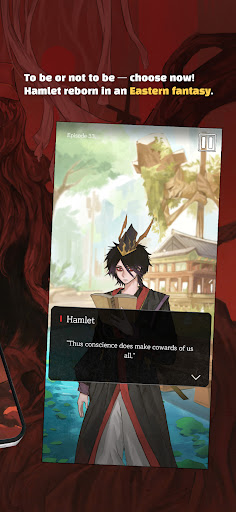
Hamlet: Prince of the East is a story-based game adapted from the classic play Hamlet by William Shakespeare.
Follow Prince Hamlet’s emotional journey of revenge, now reimagined in a beautifully stylized East Asian setting.
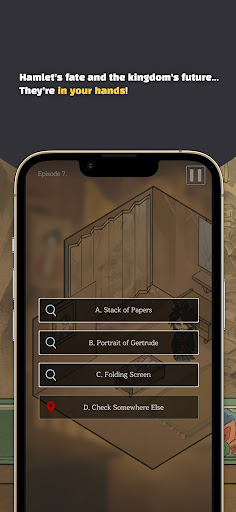
Will Hamlet seek justice? Forgive his family? Choose love? Run away?
Your decisions will shape his fate.
Explore multiple endings, search hidden maps, and meet rich characters in this immersive fantasy world.
Discover hidden stories and secrets as you unravel the dark mystery within MazM’s Hamlet.
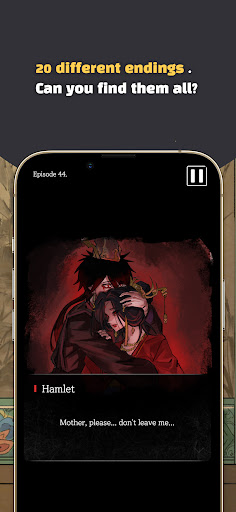
Unlock over 20 different endings filled with drama and twists.
Game Features
• Easy Controls: Simple touch-based gameplay with interactive dialogue and illustrations
• Multi-Endings: Discover new destinies based on choices for Hamlet and others
• Deep Storytelling: A classic Shakespearean tragedy reborn as a visual novel
• Free Trial: Enjoy the beginning of the story at no cost
• Romance: A dramatic love story between Hamlet and Ophelia... and more
Other MazM Titles
• Romeo and Juliet: Trial of Love #Romance #Drama
• ⬛ The Black Cat: The Remnants of Usher #Thriller #Horror
• Kafka’s Metamorphosis #Literature #Fantasy
• Hyde and Seek #Adventure #Action
• Pechka #Historical #Romance
• The Phantom of the Opera #Romance #Mystery
• Jekyll and Hyde #Mystery #Thriller
Recommended for
• Those who wish to briefly escape daily life and experience deep emotional healing and inspiration.
• Fans of fast-paced thrillers and dramatic plot twists
• Fans of melodrama or romance genres.
• Individuals interested in Shakespeare’s plays but find books or theatrical performances difficult to access.
• Players who enjoy character-driven story games or visual novels.
• Those seeking a simple gameplay experience that conveys literary depth.
• Fans of emotional story-driven games like "Jekyll and Hyde" or "The Phantom of the Opera."
• People who appreciate beautiful, emotional classical music and illustrations.
Show more

1. Download MEmu installer and finish the setup

2. Start MEmu then open Google Play on the desktop

3. Search Hamlet: Prince of the East in Google Play
Install
4. Download and Install Hamlet: Prince of the East
5. On install completion click the icon to start

6. Enjoy playing Hamlet: Prince of the East on PC with MEmu
MEmu Play is the best Android emulator and 100 million people already enjoy its superb Android gaming experience. The MEmu virtualization technology empowers you to play thousands of Android games smoothly on your PC, even the most graphic-intensive ones.
Bigger screen with better graphics; Long duration, without limitation of battery or mobile data.
Full Keymapping support for precise control of keyboard and mouse or gamepad.
Multiple game accounts or tasks on single PC at one time with Multi-Instance manager.
Play Hamlet: Prince of the East on PC by following steps: