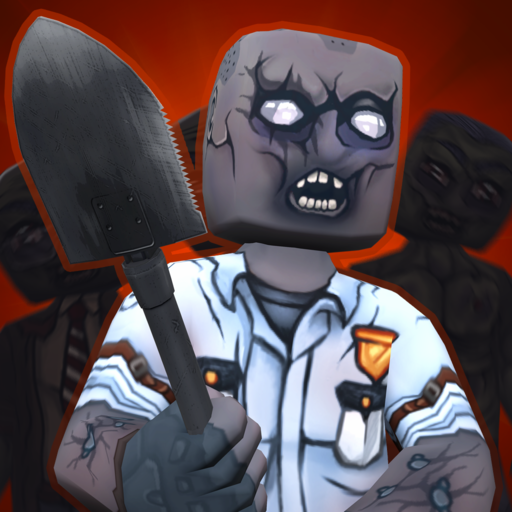
Hide from Zombies: ONLINE
Updated
Current Version
1.21
Offered By

With your passion for Hide from Zombies: ONLINE, you shouldn’t have to limit yourself to the small screen of a phone. Play like a pro and take full control of the game using a keyboard and mouse. MEmu gives you everything you’re looking for. Download and play Hide from Zombies: ONLINE on PC. Play as long as you want — no more worries about battery life, mobile data, or unexpected calls. The all-new MEmu 9 is the best way to play Hide from Zombies: ONLINE on PC. With our expertly designed keymapping system, Hide from Zombies: ONLINE feels just like a real PC game. The MEmu multi-instance manager lets you run two or more accounts on the same device at the same time. Most importantly, our exclusive emulation engine unlocks your PC’s full potential, delivering smooth and seamless performance.
Show more
Download Hide from Zombies: ONLINE on PC with MEmu Android Emulator. Enjoy playing on big screen. * BETA VERSION *.


* BETA VERSION *
Tired of playing with a dumb thing and hiding under the table in other games? Do you want real interesting hide-and-seek and action? Then Hide From Zombies: ONLINE for you!
As a result of biological contamination, one out of ten players randomly becomes a zombie, whose goal is to find, catch and infect surviving players who can hide in rooms, inside furniture, fire off the weapons found on the tables and use personal equipment. The battle is not for life, but for death!
FEATURES:
- 10 unique HEROES with different ABILITIES!
- A lot of buff cards that will make your hero a real monster in the zombie apocalypse.
- cool multiplayer for 10 or more people!
- 7 large maps with many secret passages and an interactive environment (opening doors, entering cabinets, selecting weapons)!
- lots of grenades, supplies and traps!
- random loot weapon spawn!
- Great customization of your character!
AND MUCH MORE!
Join a group of games on social networks and watch the news:
https://www.facebook.com/groups/234747643963103
Show more

1. Download MEmu installer and finish the setup

2. Start MEmu then open Google Play on the desktop

3. Search Hide from Zombies: ONLINE in Google Play
Install
4. Download and Install Hide from Zombies: ONLINE
5. On install completion click the icon to start

6. Enjoy playing Hide from Zombies: ONLINE on PC with MEmu
MEmu Play is the best Android emulator and 100 million people already enjoy its superb Android gaming experience. The MEmu virtualization technology empowers you to play thousands of Android games smoothly on your PC, even the most graphic-intensive ones.
Bigger screen with better graphics; Long duration, without limitation of battery or mobile data.
Full Keymapping support for precise control of keyboard and mouse or gamepad.
Multiple game accounts or tasks on single PC at one time with Multi-Instance manager.
Play Hide from Zombies: ONLINE on PC by following steps: