
Idle Chop: Lumber Empire
Updated
Current Version
2.0.14
Offered By

With your passion for Idle Chop: Lumber Empire, you shouldn’t have to limit yourself to the small screen of a phone. Play like a pro and take full control of the game using a keyboard and mouse. MEmu gives you everything you’re looking for. Download and play Idle Chop: Lumber Empire on PC. Play as long as you want — no more worries about battery life, mobile data, or unexpected calls. The all-new MEmu 9 is the best way to play Idle Chop: Lumber Empire on PC. With our expertly designed keymapping system, Idle Chop: Lumber Empire feels just like a real PC game. The MEmu multi-instance manager lets you run two or more accounts on the same device at the same time. Most importantly, our exclusive emulation engine unlocks your PC’s full potential, delivering smooth and seamless performance.
Show more
Download Idle Chop: Lumber Empire on PC with MEmu Android Emulator. Enjoy playing on big screen. Chop Wood & Manage Resources to Upgrade Your Facilities!
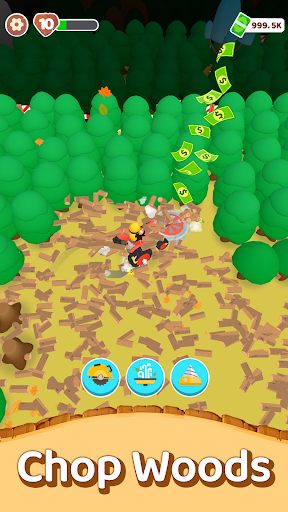
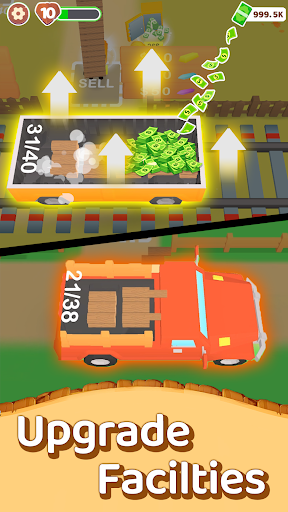
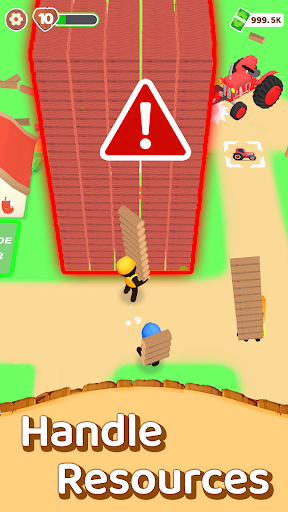
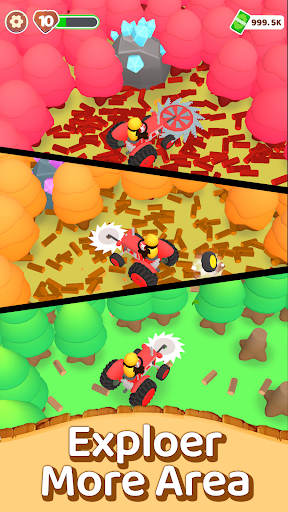
Chop Wood & Manage Resources to Upgrade Your Facilities! Build Your Lumber Empire!
·Chop trees to collect resources: Start with simple tools and gather logs to begin your progress.
·Idle progression: Your resources continue to grow even while you're away from the game.
·Expand and upgrade: Unlock new areas, buildings, and tools as your production increases.
·Hire workers: Automate production and keep your operation running at all times.
Customize your world: Collect tree skins, character skins, and explore multiple maps.
Welcome to Idle Chop, an idle game set in a colorful world where every tree you cut leads to new moments of progress. What begins with small steps and a few tools gradually grows into something much bigger. As you move forward, you’ll discover elements that feel like a tycoon game—steady development, expanding systems, and relaxing progression all working together.
In this environment, Idle Chop functions as both an idle game and a tycoon game, allowing growth to continue even when you step away. While the idle game structure keeps your progress moving automatically, the tycoon game aspects let you expand, organize, and improve your operations at your own pace. This blend makes the journey smooth and flexible, offering simple resource collection for idle game fans and deeper expansion layers for tycoon game players.
As your resources increase, you unlock facilities that make your workflow smoother. This supports the nature of an idle game while also reflecting the larger-scale development commonly found in tycoon games. Hiring workers keeps your production active automatically, and upgrading tools and buildings strengthens the multi-stage progress characteristic of tycoon-style gameplay.
Idle Chop also offers customization through tree skins, character skins, and multiple maps. These features keep the idle loop fresh while adding variety to the tycoon-style exploration. Each environment provides a new area where idle mechanics operate, while the tycoon framework gives you more ways to build and refine your operation.
Smooth controls and vibrant visuals create an atmosphere well-suited for both short sessions and longer playtimes. Whether you check in briefly or stay for an extended run, the idle game elements continue progressing steadily, while the tycoon systems present new stages of development each time you return.
From the moment you chop your first tree, the idle loop begins, guiding you upward through each layer of progression. Meanwhile, the tycoon elements shape your expanding production chain. As the idle game accumulates resources automatically, the tycoon game gives you control over how those resources are invested and used.
Start your journey in Idle Chop and experience how an idle game naturally merges with a tycoon game. Each tree you chop supports the continuous rhythm of idle progression, and every upgrade contributes to the expanding structure of a tycoon experience. Dive into Idle Chop, watch your progress grow, and build a thriving operation your way.
Show more

1. Download MEmu installer and finish the setup

2. Start MEmu then open Google Play on the desktop

3. Search Idle Chop: Lumber Empire in Google Play
Install
4. Download and Install Idle Chop: Lumber Empire
5. On install completion click the icon to start

6. Enjoy playing Idle Chop: Lumber Empire on PC with MEmu
MEmu Play is the best Android emulator and 100 million people already enjoy its superb Android gaming experience. The MEmu virtualization technology empowers you to play thousands of Android games smoothly on your PC, even the most graphic-intensive ones.
Bigger screen with better graphics; Long duration, without limitation of battery or mobile data.
Full Keymapping support for precise control of keyboard and mouse or gamepad.
Multiple game accounts or tasks on single PC at one time with Multi-Instance manager.
Play Idle Chop: Lumber Empire on PC by following steps: