雨のちハレ女
Updated
Current Version
Offered By

With your passion for 雨のちハレ女, you shouldn’t have to limit yourself to the small screen of a phone. Play like a pro and take full control of the game using a keyboard and mouse. MEmu gives you everything you’re looking for. Download and play 雨のちハレ女 on PC. Play as long as you want — no more worries about battery life, mobile data, or unexpected calls. The all-new MEmu 9 is the best way to play 雨のちハレ女 on PC. With our expertly designed keymapping system, 雨のちハレ女 feels just like a real PC game. The MEmu multi-instance manager lets you run two or more accounts on the same device at the same time. Most importantly, our exclusive emulation engine unlocks your PC’s full potential, delivering smooth and seamless performance.
Show more
Download 雨のちハレ女 on PC with MEmu Android Emulator. Enjoy playing on big screen. ◆雨のちハレ女とは◆.
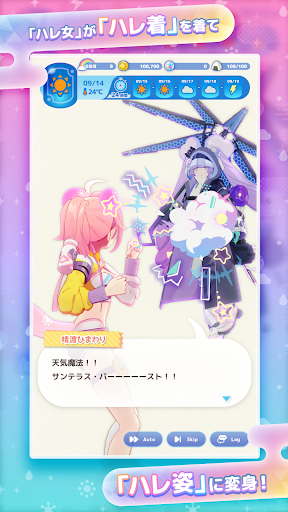
◆雨のちハレ女とは◆
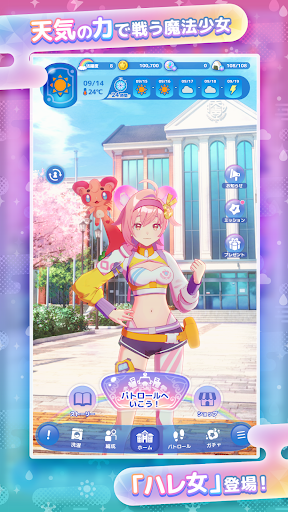
舞台は現代日本、あなたの暮らす町。
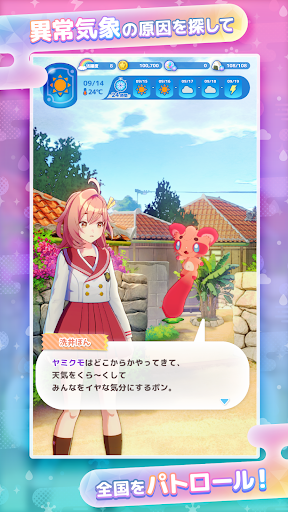
天気を乱す謎の存在「ヤミクモ」による異常気象が発生!
「ハレ女」と呼ばれる魔法少女たちが日本全国をパトロール!
相棒の「クモリン」と共に、日本中を明るくハレやかにしていく。
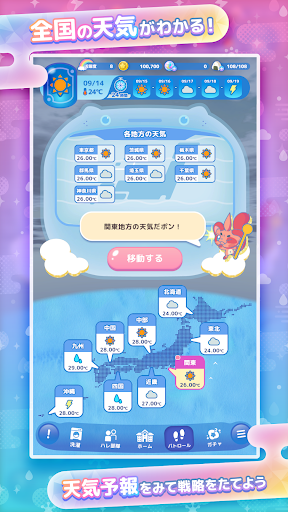
◆現実の天気がゲームとつながる◆
本作では現実世界の天気がゲーム内のあらゆる場面に影響します。
天気予報をチェックして、最適な戦略を立てよう!
◆汚れたら洗う!洗うたび強くなる新感覚育成◆
ヤミクモとのバトルを繰り返すうち、ハレ女の自慢の「ハレ着」は汚れてしまう。
汚れたハレ着は力を失ってしまうので、すぐに洗濯しよう!
洗濯をすることで、ハレ着は力を取り戻し、より強く育っていく。
Show more

1. Download MEmu installer and finish the setup

2. Start MEmu then open Google Play on the desktop

3. Search 雨のちハレ女 in Google Play
Install
4. Download and Install 雨のちハレ女
5. On install completion click the icon to start

6. Enjoy playing 雨のちハレ女 on PC with MEmu
MEmu Play is the best Android emulator and 100 million people already enjoy its superb Android gaming experience. The MEmu virtualization technology empowers you to play thousands of Android games smoothly on your PC, even the most graphic-intensive ones.
Bigger screen with better graphics; Long duration, without limitation of battery or mobile data.
Full Keymapping support for precise control of keyboard and mouse or gamepad.
Multiple game accounts or tasks on single PC at one time with Multi-Instance manager.
Play 雨のちハレ女 on PC by following steps: