シノビNEXUS ー閃乱カグラー (シノネク)
Updated
Current Version
Offered By

With your passion for シノビNEXUS ー閃乱カグラー (シノネク), you shouldn’t have to limit yourself to the small screen of a phone. Play like a pro and take full control of the game using a keyboard and mouse. MEmu gives you everything you’re looking for. Download and play シノビNEXUS ー閃乱カグラー (シノネク) on PC. Play as long as you want — no more worries about battery life, mobile data, or unexpected calls. The all-new MEmu 9 is the best way to play シノビNEXUS ー閃乱カグラー (シノネク) on PC. With our expertly designed keymapping system, シノビNEXUS ー閃乱カグラー (シノネク) feels just like a real PC game. The MEmu multi-instance manager lets you run two or more accounts on the same device at the same time. Most importantly, our exclusive emulation engine unlocks your PC’s full potential, delivering smooth and seamless performance.
Show more
Download シノビNEXUS ー閃乱カグラー (シノネク) on PC with MEmu Android Emulator. Enjoy playing on big screen. ◆シノビNEXUS(ネクサス)とは?
◆シノビNEXUS(ネクサス)とは?
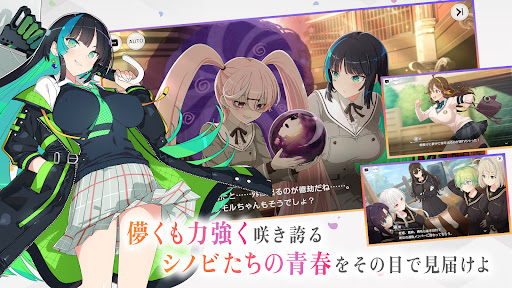
時は現代、社会の影で暗躍する「善忍」と「悪忍」
決して交わらぬ二つの刃が長きにわたり死闘を繰り広げていた
これより始まる物語は、善と悪が争うことを禁じる「忍禁戒」が制定された後の物語
・セルルック3Dでキャラクターはさらに魅力的に!
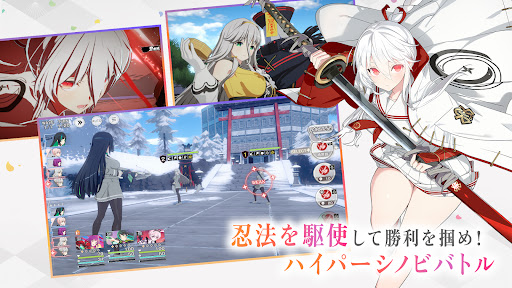
・忍法を駆使して勝利を掴め!ハイパーシノビバトル!
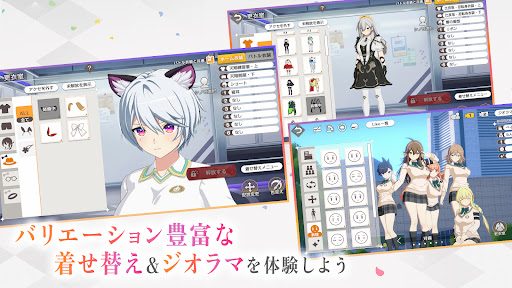
・シリーズおなじみの着せ替え&ジオラマモードもパワーアップ!
◆シノネクはこんな人におすすめ!
・閃乱カグラシリーズが好き
・美少女キャラクターがたくさん登場するRPGが好き
・キャラクターをうまくかわいく着せ替えたりするのが好き
・ゲーム実況やアーカイブ配信を見るのが好き
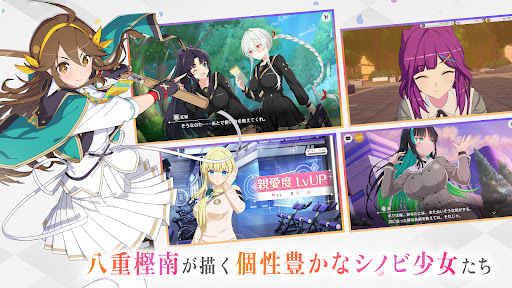
◆物語を彩る個性豊かなシノビ少女たち
▼秘立蛇女子学園
・紅姫(CV:中島由貴)
・嘉神(CV:日原あゆみ)
・凪(CV:三川華月)
・胡桃(CV:和泉風花)
・響(CV:関根瞳)
▼輝立天翔学院
・祈(CV:菱川花菜)
・橙華(CV:陽高真白)
・藍染(CV:結川あさき)
・サラ(CV:田辺留依)
・刃霧(CV:河瀬茉希)
▼死塾月閃女学館
・煌(CV:夏目妃菜)
・比良坂(CV:寺澤百花)
・閃光(CV:藤田茜)
・月光(CV:小原莉子)
・久遠(CV:宮下早紀)
Show more

1. Download MEmu installer and finish the setup

2. Start MEmu then open Google Play on the desktop

3. Search シノビNEXUS ー閃乱カグラー (シノネク) in Google Play
Install
4. Download and Install シノビNEXUS ー閃乱カグラー (シノネク)
5. On install completion click the icon to start

6. Enjoy playing シノビNEXUS ー閃乱カグラー (シノネク) on PC with MEmu
MEmu Play is the best Android emulator and 100 million people already enjoy its superb Android gaming experience. The MEmu virtualization technology empowers you to play thousands of Android games smoothly on your PC, even the most graphic-intensive ones.
Bigger screen with better graphics; Long duration, without limitation of battery or mobile data.
Full Keymapping support for precise control of keyboard and mouse or gamepad.
Multiple game accounts or tasks on single PC at one time with Multi-Instance manager.
Play シノビNEXUS ー閃乱カグラー (シノネク) on PC by following steps: