
Kamla - Horror Exorcism Escape
Updated
Current Version
1.94
Offered By

With your passion for Kamla - Horror Exorcism Escape, you shouldn’t have to limit yourself to the small screen of a phone. Play like a pro and take full control of the game using a keyboard and mouse. MEmu gives you everything you’re looking for. Download and play Kamla - Horror Exorcism Escape on PC. Play as long as you want — no more worries about battery life, mobile data, or unexpected calls. The all-new MEmu 9 is the best way to play Kamla - Horror Exorcism Escape on PC. With our expertly designed keymapping system, Kamla - Horror Exorcism Escape feels just like a real PC game. The MEmu multi-instance manager lets you run two or more accounts on the same device at the same time. Most importantly, our exclusive emulation engine unlocks your PC’s full potential, delivering smooth and seamless performance.
Show more
Download Kamla - Horror Exorcism Escape on PC with MEmu Android Emulator. Enjoy playing on big screen. NIGHTMARE MODE IS LIVE .
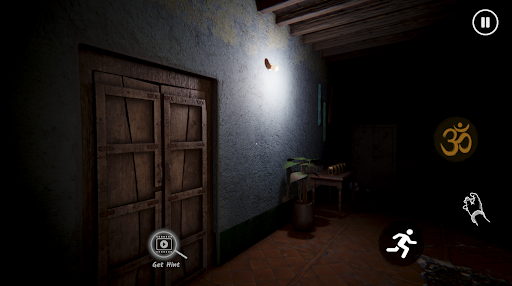
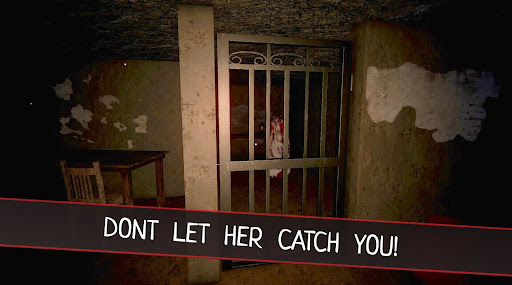
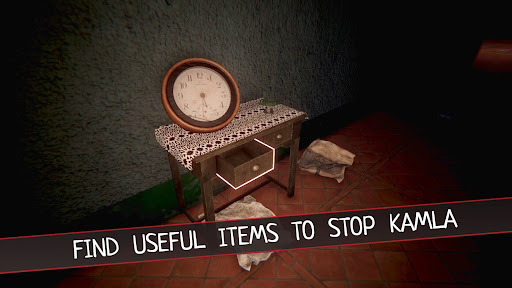

NIGHTMARE MODE IS LIVE
Step into the eerie world of Kamla's Exorcism, a chilling survival horror game set in 1980s India. Play as a Tantrik Priest tasked with saving a newlywed woman, Kamla, who has become possessed by a dangerous demon. Can you solve ancient puzzles, face her wrath, and perform the exorcism ritual in time?
Key Features:
• Indian Horror Experience: Set in a mysterious mansion in 1980s India, uncover family secrets and encounter supernatural events as you attempt to help Kamla break free from the demon’s control.
• Exorcism Rituals & Puzzles: Search the house for ritual items needed for the exorcism. Solve puzzles to unlock hidden objects and navigate obstacles. Stay alert—Kamla will resist.
• Survival Horror Gameplay: As a Tantrik priest, you must rely on your instincts and speed. Evade Kamla when she’s aggressive and find places to hide, while holding on to the sacred items you've gathered. Each decision matters.
• Atmospheric 1980s Setting: The game recreates the feel of rural India in the 1980s, with detailed visuals and ambient sounds that build tension as you explore the haunted mansion.
• Sound Design & Scary Encounters: Experience intense moments as Kamla’s demon takes control. The ambient soundtrack and sound effects are designed to enhance the feeling of dread.
Show more

1. Download MEmu installer and finish the setup

2. Start MEmu then open Google Play on the desktop

3. Search Kamla - Horror Exorcism Escape in Google Play
Install
4. Download and Install Kamla - Horror Exorcism Escape
5. On install completion click the icon to start

6. Enjoy playing Kamla - Horror Exorcism Escape on PC with MEmu
MEmu Play is the best Android emulator and 100 million people already enjoy its superb Android gaming experience. The MEmu virtualization technology empowers you to play thousands of Android games smoothly on your PC, even the most graphic-intensive ones.
Bigger screen with better graphics; Long duration, without limitation of battery or mobile data.
Full Keymapping support for precise control of keyboard and mouse or gamepad.
Multiple game accounts or tasks on single PC at one time with Multi-Instance manager.
Play Kamla - Horror Exorcism Escape on PC by following steps: