Legacy of the Ark: TLA
Updated
Current Version
2.0.1
Offered By

With your passion for Legacy of the Ark: TLA, you shouldn’t have to limit yourself to the small screen of a phone. Play like a pro and take full control of the game using a keyboard and mouse. MEmu gives you everything you’re looking for. Download and play Legacy of the Ark: TLA on PC. Play as long as you want — no more worries about battery life, mobile data, or unexpected calls. The all-new MEmu 9 is the best way to play Legacy of the Ark: TLA on PC. With our expertly designed keymapping system, Legacy of the Ark: TLA feels just like a real PC game. The MEmu multi-instance manager lets you run two or more accounts on the same device at the same time. Most importantly, our exclusive emulation engine unlocks your PC’s full potential, delivering smooth and seamless performance.
Show more
Download Legacy of the Ark: TLA on PC with MEmu Android Emulator. Enjoy playing on big screen. The Ark has fallen.
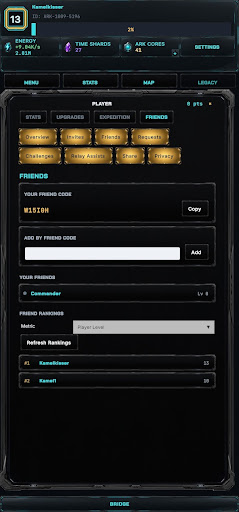
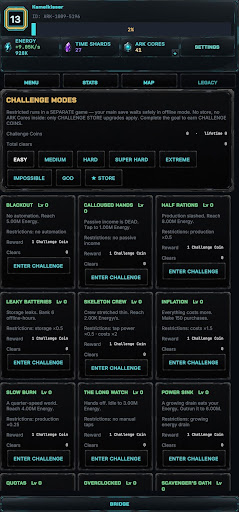
The Ark has fallen. The long awakening has begun.
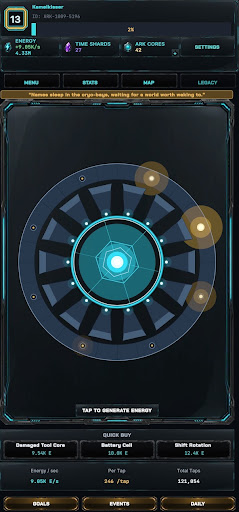
Legacy of the Ark: The Long Awakening is a sci-fi idle progression game where you rebuild a shattered colony ship after it crashes on an unknown alien world. Start with basic Energy generation, restore damaged systems, recover lost technology, and uncover the mystery hidden within the Ark’s fractured memory.
Every tap helps the surviving crew push the Ark closer to recovery. Generate Energy, unlock upgrades, expand production, automate systems, and build toward powerful long-term progression. As the Ark comes back online, new layers of discovery begin to open, revealing strange anomalies, forgotten memories, and deeper systems waiting beneath the wreckage.
Explore a dark sci-fi setting built around resource management, automation, crew recovery, and steady idle growth. Whether you check in for a few minutes or actively optimize your progress, every upgrade moves the Ark one step closer to waking.
Features:
• Tap to generate Energy and restart the Ark’s recovery
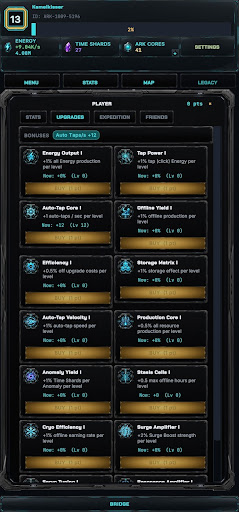
• Unlock upgrades that increase production and efficiency
• Restore systems, expand resources, and build automation
• Progress through idle and incremental mechanics
• Discover Time Shards, Memory Cores, Ark Cores, and crew resources
• Deploy specialized crews for Navigation, Engineering, Biology, Survival Protocols, Signal Relay, and Intelligence
• Uncover a mysterious sci-fi story as the Ark begins to remember
• Earn progress while offline and return to continue rebuilding
• Designed for players who enjoy idle games, clickers, resource management, and long-term progression
The Ark is broken, but not silent.
Restore its systems. Recover its memories. Awaken what was lost.
Show more

1. Download MEmu installer and finish the setup

2. Start MEmu then open Google Play on the desktop

3. Search Legacy of the Ark: TLA in Google Play
Install
4. Download and Install Legacy of the Ark: TLA
5. On install completion click the icon to start

6. Enjoy playing Legacy of the Ark: TLA on PC with MEmu
MEmu Play is the best Android emulator and 100 million people already enjoy its superb Android gaming experience. The MEmu virtualization technology empowers you to play thousands of Android games smoothly on your PC, even the most graphic-intensive ones.
Bigger screen with better graphics; Long duration, without limitation of battery or mobile data.
Full Keymapping support for precise control of keyboard and mouse or gamepad.
Multiple game accounts or tasks on single PC at one time with Multi-Instance manager.
Play Legacy of the Ark: TLA on PC by following steps: