Match Go! Heroes
Updated
Current Version
Offered By

With your passion for Match Go! Heroes, you shouldn’t have to limit yourself to the small screen of a phone. Play like a pro and take full control of the game using a keyboard and mouse. MEmu gives you everything you’re looking for. Download and play Match Go! Heroes on PC. Play as long as you want — no more worries about battery life, mobile data, or unexpected calls. The all-new MEmu 9 is the best way to play Match Go! Heroes on PC. With our expertly designed keymapping system, Match Go! Heroes feels just like a real PC game. The MEmu multi-instance manager lets you run two or more accounts on the same device at the same time. Most importantly, our exclusive emulation engine unlocks your PC’s full potential, delivering smooth and seamless performance.
Show more
Download Match Go! Heroes on PC with MEmu Android Emulator. Enjoy playing on big screen. Match Go!
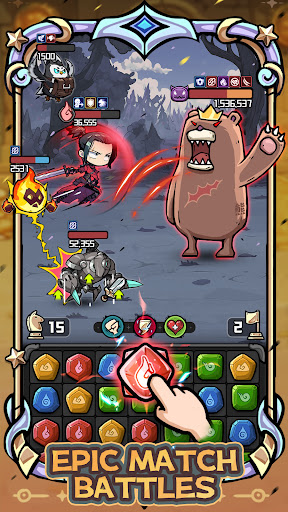
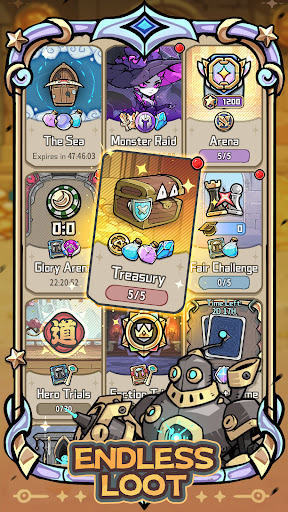
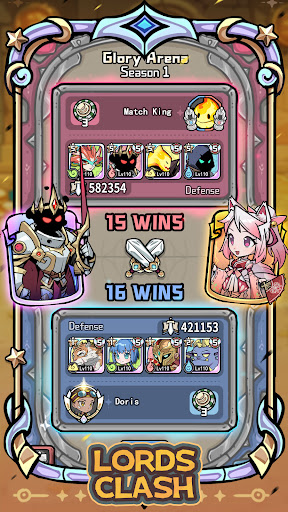
Match Go! Heroes is a fast-paced RPG that mixes addictive gem-matching puzzles with exciting turn-based combat. Build a team of unique heroes and unleash powerful match-3 combos to defeat every enemy in your way!
[Effortless Matching, Explosive Battles]
Enjoy the casual match-3 fun and deep tactical strategy. Clear boards with satisfying matches while planning every move like a true tactician. One smart combo can completely swing the fight—and with the right setup, even the fiercest bosses won’t stand a chance!
[Limitless Teams, Endless Strategies]
Every hero is crafted with care and fully viable. With three classes, four elements, and five factions, the team-building possibilities are nearly infinite. Mix, match, and experiment to create your ideal lineup—there are no “filler” heroes here. Anyone can become a true game-changer in the right hands!
[Strategy First, Fresh Fun Every Time]
Face hundreds of unique enemies and master constantly evolving match-3 mechanics that keep the gameplay feeling fresh. Clear Vines, collect Teacups, ring Bells, mine Ore—new twists and objectives ensure there’s always something exciting to discover.
[Epic Dungeons, Adventure Without Limits]
King’s Treasure – A laid-back loot run packed with rewards.
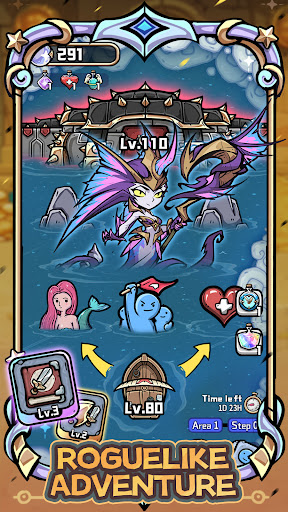
Sea of Mist – A Roguelike journey full of surprises.
Demon Lord’s Trial – A rising challenge where only the boldest earn top-tier SSR gear.
[Fair Play, Skill Rules All]
Enter the Skill Challenge Tournament, where everyone competes with the same hero roster. Just pure skill, smart matching, and a dash of luck to claim victory.
[Follow Us]
Facebook: https://www.facebook.com/MatchGoHeroes
Discord: https://discord.gg/zCpHBHaxXF
Show more

1. Download MEmu installer and finish the setup

2. Start MEmu then open Google Play on the desktop

3. Search Match Go! Heroes in Google Play
Install
4. Download and Install Match Go! Heroes
5. On install completion click the icon to start

6. Enjoy playing Match Go! Heroes on PC with MEmu
MEmu Play is the best Android emulator and 100 million people already enjoy its superb Android gaming experience. The MEmu virtualization technology empowers you to play thousands of Android games smoothly on your PC, even the most graphic-intensive ones.
Bigger screen with better graphics; Long duration, without limitation of battery or mobile data.
Full Keymapping support for precise control of keyboard and mouse or gamepad.
Multiple game accounts or tasks on single PC at one time with Multi-Instance manager.
Play Match Go! Heroes on PC by following steps: