
Mecha Gods Era
Updated
Current Version
1.3
Offered By

With your passion for Mecha Gods Era, you shouldn’t have to limit yourself to the small screen of a phone. Play like a pro and take full control of the game using a keyboard and mouse. MEmu gives you everything you’re looking for. Download and play Mecha Gods Era on PC. Play as long as you want — no more worries about battery life, mobile data, or unexpected calls. The all-new MEmu 9 is the best way to play Mecha Gods Era on PC. With our expertly designed keymapping system, Mecha Gods Era feels just like a real PC game. The MEmu multi-instance manager lets you run two or more accounts on the same device at the same time. Most importantly, our exclusive emulation engine unlocks your PC’s full potential, delivering smooth and seamless performance.
Show more
Download Mecha Gods Era on PC with MEmu Android Emulator. Enjoy playing on big screen. Mecha Gods Era is a mythic idle-style card RPG that blends classic Chinese mythology — the Fengshen legends and the Classic of Mountains and Seas — with a futuristic mecha-tech aesthetic.
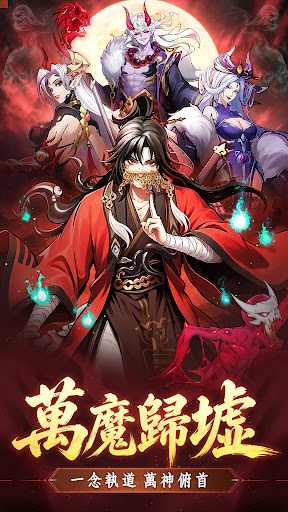
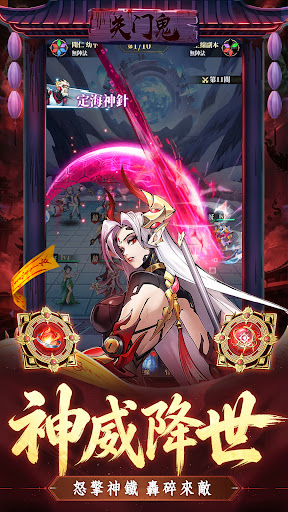
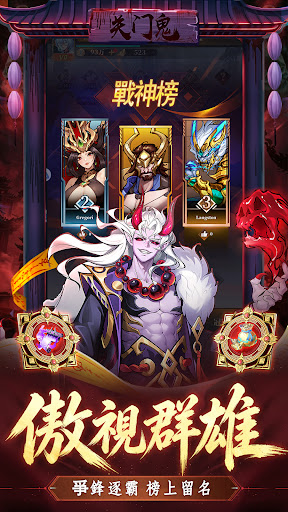
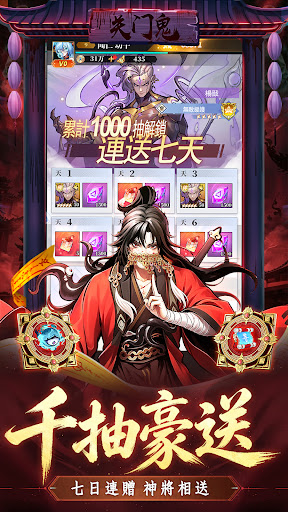
Mecha Gods Era is a mythic idle-style card RPG that blends classic Chinese mythology — the Fengshen legends and the Classic of Mountains and Seas — with a futuristic mecha-tech aesthetic. Step into the role of a wandering cultivator, meet heroes from the five factions (Human, Immortal, Demon, God and Monster), experience epic mythic adventures, and build your own legendary squad to conquer the three realms.
World & Art Style: A one-of-a-kind "Chinese Myth × Mecha Tech" visual identity that fuses oriental mythology with futuristic mecha design. Iconic characters from the Fengshen legends and the Classic of Mountains and Seas all make their appearance — each with unique skills and battle mechanics, letting you relive ancient myths amid the thrill of mecha power.
Core Gameplay:
Collect & Cultivate: Recruit mythic heroes across the five factions, then star up, evolve, equip artifacts, socket gems and unlock constellations to forge your ultimate mythic team
Strategic Battles: The five factions counter each other; master shifting formations and mix-and-match lineups for endless strategic depth
Dozens of Fun Modes: Trial Tower, Faction Towers, Infernal Tower, Wushan Secret Realm, Heavenly Palace Ruins, Ten Thousand Mountains, Endless Star Domain, Peach Garden, Shanhaijing exploration and more — with sweep functions for casual, idle-friendly progression
Competitive PvP: Arena, Cross-Server Championship, Three Realms Tournament, Martial Arts Championship, Team Battles and Peak Arena — rise from server ranks to cross-server glory and claim the title of Supreme Ruler
Guild Warfare: Guild Boss raids and Three Realms Summit cross-server league battles — fight alongside your guildmates for shared honor
Deep Progression Systems: Divine powers, spirit beasts, cultivation manuals, mystic arts, jade arts, bonds, costumes and more — endless growth paths
Rich Rewards & Benefits: Daily login bonuses, daily dungeons, idle income, bounty orders, value funds, permanent gift packs and a wide range of benefit systems — gather resources with ease and enjoy the mythic world stress-free.
Show more

1. Download MEmu installer and finish the setup

2. Start MEmu then open Google Play on the desktop

3. Search Mecha Gods Era in Google Play
Install
4. Download and Install Mecha Gods Era
5. On install completion click the icon to start

6. Enjoy playing Mecha Gods Era on PC with MEmu
MEmu Play is the best Android emulator and 100 million people already enjoy its superb Android gaming experience. The MEmu virtualization technology empowers you to play thousands of Android games smoothly on your PC, even the most graphic-intensive ones.
Bigger screen with better graphics; Long duration, without limitation of battery or mobile data.
Full Keymapping support for precise control of keyboard and mouse or gamepad.
Multiple game accounts or tasks on single PC at one time with Multi-Instance manager.
Play Mecha Gods Era on PC by following steps:

















































