MONOPOLY
Updated
Current Version
1.16.0
Offered By

With your passion for MONOPOLY, you shouldn’t have to limit yourself to the small screen of a phone. Play like a pro and take full control of the game using a keyboard and mouse. MEmu gives you everything you’re looking for. Download and play MONOPOLY on PC. Play as long as you want — no more worries about battery life, mobile data, or unexpected calls. The all-new MEmu 9 is the best way to play MONOPOLY on PC. With our expertly designed keymapping system, MONOPOLY feels just like a real PC game. The MEmu multi-instance manager lets you run two or more accounts on the same device at the same time. Most importantly, our exclusive emulation engine unlocks your PC’s full potential, delivering smooth and seamless performance.
Show more
Download MONOPOLY on PC with MEmu Android Emulator. Enjoy playing on big screen. Play MONOPOLY on the go without distractions – no ads, no fuss!
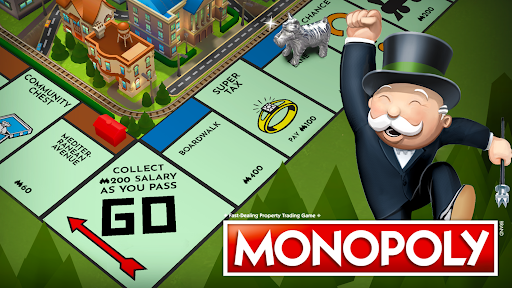
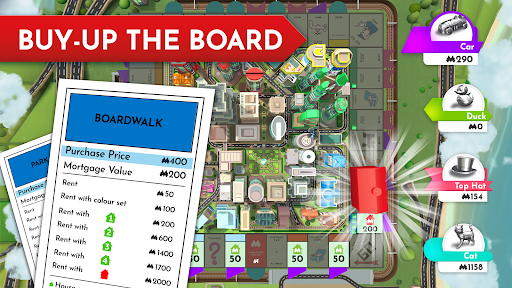
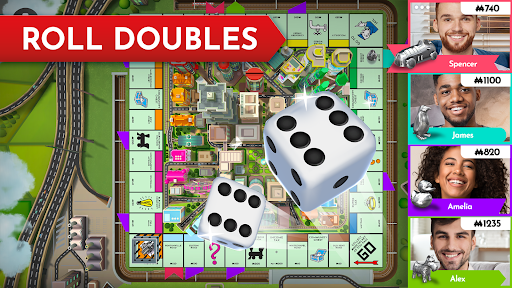
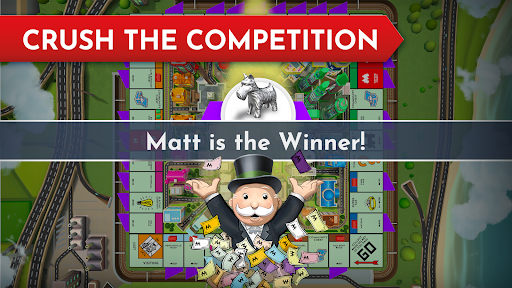
Play MONOPOLY on the go without distractions – no ads, no fuss!
Challenge friends, family and fans from around the globe in the digital version of the official MONOPOLY board game, licensed by Hasbro.
Head online to play your favourite board game with anyone, anywhere, at any time, or compete against state-of-the-art AI opponents offline. Plus, with the seamless PASS & PLAY mode, you can play the classic MONOPOLY board game with your friends with just one device!
The classic MONOPOLY board game takes a bold leap into a new format, arriving on mobile with amazing graphics, smooth animations and a catchy soundtrack!
HOW TO PLAY MONOPOLY
1. Download the official MONOPOLY app
2. Press “PLAY”
3. Pick a mode, board, dice and token
4. Roll the dice and move around the board
5. If you land on a property tile, you can buy it
6. Collect rent when other players land on it
7. Continue around the board, drawing cards when instructed – will you be hit with a surprise tax? Sent to jail? Or get a little bonus money?
8. If you run out of money, you’ll be bankrupt and out of the game
9. The last player left with a profit wins!
FEATURES
- MONOPOLY ON THE GO – No connection? No problem. Our roster of AI opponents are ready to challenge you! Or play with your friends offline with Pass & Play!
- MULTIPLE MODES – Take on AI opponents in Single Player or compete against friends and family in Pass & Play or Online With Friends. Try out Online Multiplayer and face off against fellow tycoons from around the world!
- EXCLUSIVE BOARDS – Experience the iconic board game like never before with exclusive boards and more!
- AWESOME NEW TOKENS AND DICE – Whatever your style, MONOPOLY has a set of dice fit for a future tycoon! Pick from nostalgic classic tokens or brand-new designs exclusive to the mobile game.
Get the most authentic MONOPOLY experience with the official MONOPOLY mobile game!
The MONOPOLY name and logo, the distinctive design of the gameboard, the four corner squares, the MR. MONOPOLY name and character, as well as each of the distinctive elements of the board and playing pieces are trademarks of Hasbro for its property trading game and game equipment. © 1935, 2025 Hasbro. All Rights Reserved.
Show more

1. Download MEmu installer and finish the setup

2. Start MEmu then open Google Play on the desktop

3. Search MONOPOLY in Google Play
Install
4. Download and Install MONOPOLY
5. On install completion click the icon to start

6. Enjoy playing MONOPOLY on PC with MEmu
MEmu Play is the best Android emulator and 100 million people already enjoy its superb Android gaming experience. The MEmu virtualization technology empowers you to play thousands of Android games smoothly on your PC, even the most graphic-intensive ones.
Bigger screen with better graphics; Long duration, without limitation of battery or mobile data.
Full Keymapping support for precise control of keyboard and mouse or gamepad.
Multiple game accounts or tasks on single PC at one time with Multi-Instance manager.
Play MONOPOLY on PC by following steps: