Motto Immortal
Updated
Current Version
Offered By

With your passion for Motto Immortal, you shouldn’t have to limit yourself to the small screen of a phone. Play like a pro and take full control of the game using a keyboard and mouse. MEmu gives you everything you’re looking for. Download and play Motto Immortal on PC. Play as long as you want — no more worries about battery life, mobile data, or unexpected calls. The all-new MEmu 9 is the best way to play Motto Immortal on PC. With our expertly designed keymapping system, Motto Immortal feels just like a real PC game. The MEmu multi-instance manager lets you run two or more accounts on the same device at the same time. Most importantly, our exclusive emulation engine unlocks your PC’s full potential, delivering smooth and seamless performance.
Show more
Download Motto Immortal on PC with MEmu Android Emulator. Enjoy playing on big screen. Pre-register NOW for MOTTO IMMORTAL and claim exclusive rewards upon launch!
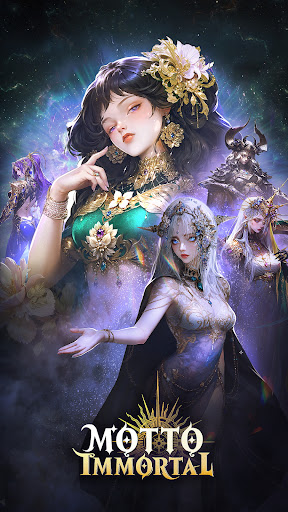
Pre-register NOW for MOTTO IMMORTAL and claim exclusive rewards upon launch!
Get the Powerful Hero ARIES, guaranteed!
10 Godcall Plumes to try your luck
Secure your rewards today! Be the first to answer the call!
In an age where myths dim and faith falters, you emerge as the prophesied Wayfarer destined to unite with legendary goddesses from myriad traditions. Together, you will purge the blight known as Shadow‑Blight and restore light to a world veiled in despair.
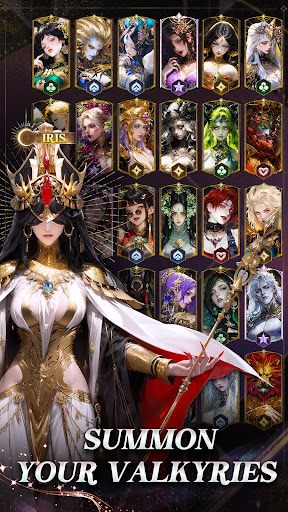
Summon Divine Goddesses
Complete specific tasks to freely receive up to two new cards, plus generous amounts of Golden Feathers for summoning, enhancement materials, and other vital resources. Everything you need to empower your team is provided.
Effortless Growth
Build and develop your favorite goddesses based purely on your preference. Idle gameplay automatically collects gold, experience, and gear for you. Exchange cards and cooperate with friends to create your ideal formation, all designed for a smooth and relaxed journey.
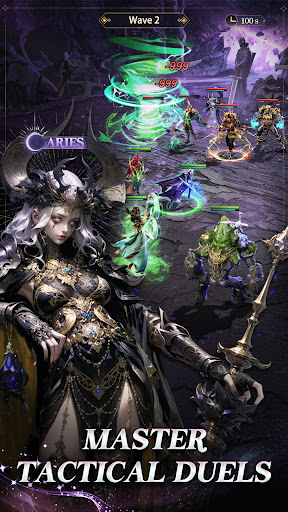
Strategic Depth, Roguelite Thrills
Beyond the beauty lies a world of tactical choices. Card combinations, random events, and resource management will challenge your judgment. In roguelike challenges such as the Delusion Lair, fortune can betray you, while clever planning can secure victory.
Constantly Refreshed Content
Take on new trials like the Maze of the Old Ones, testing both your combat and resource management skills. Engage in collaborative social activities, seek blessings at sacred shrines, and explore a steady stream of new gameplay modes, ensuring no two adventures feel the same.
Art Crafted with Splendor
Immerse yourself in a world shaped by thousands of hours of artistry. Every goddess’s garment is woven with intricate detail, every temple stone radiates life. This is a realm where divine beauty is rendered in breathtaking clarity.
Companionship Through AI
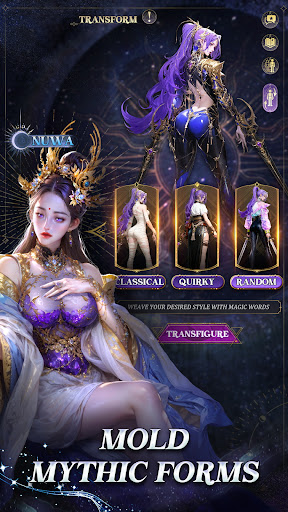
Advanced AI technology transforms how you interact with your cards. Use simple prompts to reimagine a goddess’s look, or converse with them as true companions. Seek gacha guidance from Athena, discuss fate with Freyja, or share reflections with Amaterasu.
A Card Made Only for You
Connect your zodiac sign at launch to obtain a personalized card, uniquely designed and empowered to surpass ordinary limits.
Show more

1. Download MEmu installer and finish the setup

2. Start MEmu then open Google Play on the desktop

3. Search Motto Immortal in Google Play
Install
4. Download and Install Motto Immortal
5. On install completion click the icon to start

6. Enjoy playing Motto Immortal on PC with MEmu
MEmu Play is the best Android emulator and 100 million people already enjoy its superb Android gaming experience. The MEmu virtualization technology empowers you to play thousands of Android games smoothly on your PC, even the most graphic-intensive ones.
Bigger screen with better graphics; Long duration, without limitation of battery or mobile data.
Full Keymapping support for precise control of keyboard and mouse or gamepad.
Multiple game accounts or tasks on single PC at one time with Multi-Instance manager.
Play Motto Immortal on PC by following steps: