MU: Dark Awakening
Updated
Current Version
1765450638
Offered By

With your passion for MU: Dark Awakening, you shouldn’t have to limit yourself to the small screen of a phone. Play like a pro and take full control of the game using a keyboard and mouse. MEmu gives you everything you’re looking for. Download and play MU: Dark Awakening on PC. Play as long as you want — no more worries about battery life, mobile data, or unexpected calls. The all-new MEmu 9 is the best way to play MU: Dark Awakening on PC. With our expertly designed keymapping system, MU: Dark Awakening feels just like a real PC game. The MEmu multi-instance manager lets you run two or more accounts on the same device at the same time. Most importantly, our exclusive emulation engine unlocks your PC’s full potential, delivering smooth and seamless performance.
Show more
Download MU: Dark Awakening on PC with MEmu Android Emulator. Enjoy playing on big screen. 100 Player Epic Dark Fantasy PvP battles!
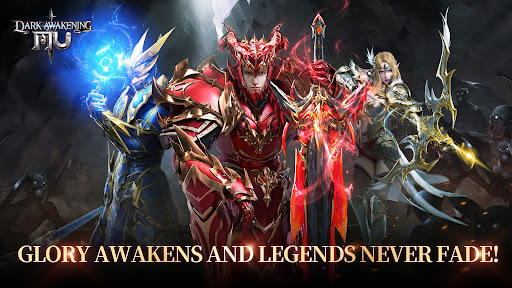
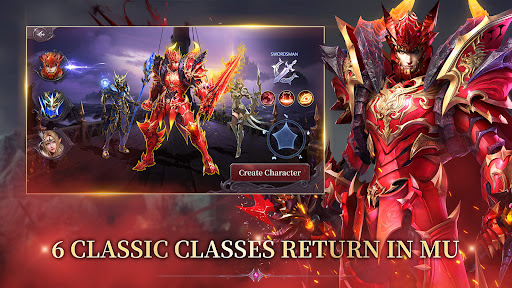
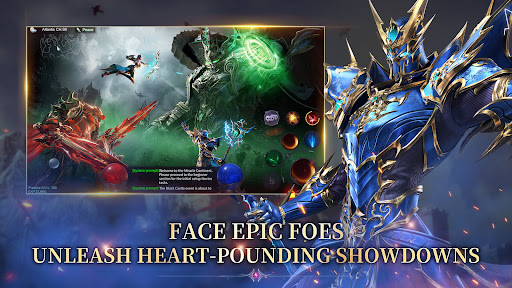
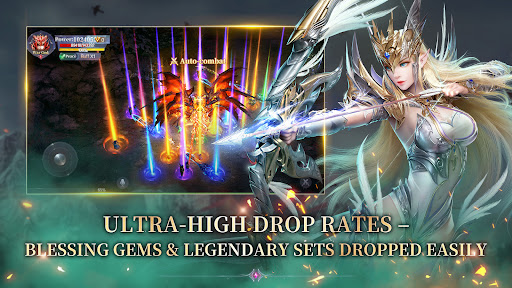
100 Player Epic Dark Fantasy PvP battles!
Cross-Server Guild Battles × Large-scale Combat × Free Class Switching
Step onto the dark continent of MU: Dark Awakening and experience an epic battlefield like never before!
Pre-register now to claim tons of exclusive rewards!
Complete Pre-registration to receive a Jewel of Bless, Jewel of Life, HP Soulgem, and Azurite Gem!
To celebrate reaching 1.5 million pre-registrations, we’re adding even more bonuses:
Limited-time Outfits
Dazzling Mounts
Exclusive Avatars & Honor Titles
Jewel of Excellence & ATK Soulgem, DEF Soulgem, and more!
Starting winning right away! Boost your combat power, and reach the top of the rankings!
[Game Features]
100 Player Epic Dark Fantasy PvP battles!
Step into a dark fantasy land and experience epic, large-scale battlefields. Hundreds of warriors battling—only the strongest will survive!
Gather your Allies and Create Legends
Rally your guildmates, charge across servers, and seize glory! Carve your name into the history of the continent!
Free Class Switching for Unique Playstyles
Switch freely between the Swordsman, Mage, and Archer. Combine various skills to create your own unique combat style.
Rapid Growth with High Drop Rates
Level up with ease and acquire rare divine gear, even while offline. High drop rates give everyone the chance to become a legend!
Glory Forged From Darkness
Glory rises from the darkness as war ignites the continent.
Dark forces are awakening, and cross-server warfare has erupted!
Fight alongside guild allies in massive 100 player PvP battles. Seize the glory that is rightfully yours.
Only the strongest can control their fate and rewrite the future of the continent.
Pre-register for MU: Dark Awakening now to claim generous rewards. Fight for glory, and embark on your legendary journey!
Show more

1. Download MEmu installer and finish the setup

2. Start MEmu then open Google Play on the desktop

3. Search MU: Dark Awakening in Google Play
Install
4. Download and Install MU: Dark Awakening
5. On install completion click the icon to start

6. Enjoy playing MU: Dark Awakening on PC with MEmu
MEmu Play is the best Android emulator and 100 million people already enjoy its superb Android gaming experience. The MEmu virtualization technology empowers you to play thousands of Android games smoothly on your PC, even the most graphic-intensive ones.
Bigger screen with better graphics; Long duration, without limitation of battery or mobile data.
Full Keymapping support for precise control of keyboard and mouse or gamepad.
Multiple game accounts or tasks on single PC at one time with Multi-Instance manager.
Play MU: Dark Awakening on PC by following steps: