MUKYEON: Fate of Ink
Updated
Current Version
Offered By

With your passion for MUKYEON: Fate of Ink, you shouldn’t have to limit yourself to the small screen of a phone. Play like a pro and take full control of the game using a keyboard and mouse. MEmu gives you everything you’re looking for. Download and play MUKYEON: Fate of Ink on PC. Play as long as you want — no more worries about battery life, mobile data, or unexpected calls. The all-new MEmu 9 is the best way to play MUKYEON: Fate of Ink on PC. With our expertly designed keymapping system, MUKYEON: Fate of Ink feels just like a real PC game. The MEmu multi-instance manager lets you run two or more accounts on the same device at the same time. Most importantly, our exclusive emulation engine unlocks your PC’s full potential, delivering smooth and seamless performance.
Show more
Download MUKYEON: Fate of Ink on PC with MEmu Android Emulator. Enjoy playing on big screen. Slay the monsters that swallowed the world's colors, and bring the colors back!
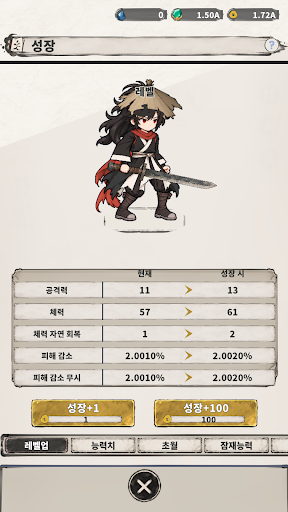
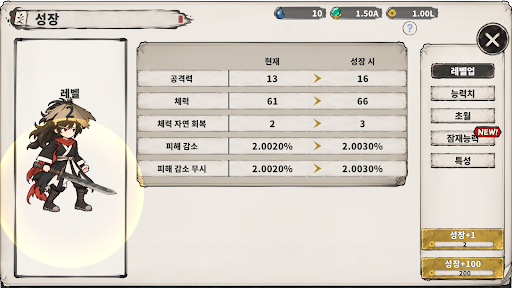
Slay the monsters that swallowed the world's colors, and bring the colors back!
The world was once a painting as vivid as a folding screen.
Mountains and rivers, villages and people, all alive in beautiful colors.
One day, an ink that swallows color began to spread.
The red of autumn leaves, the blue of the water, even people's laughter sank into the ink,
until only ink lines and blank paper remained.
Where did the lost colors go?
The ink that swallowed them took shape as goblins and monsters,
and every stolen color is trapped inside their bellies.
A wandering swordsman in ink-black robes and a vermilion sash took up a blade instead of a brush.
With every monster slain, the trapped colors return to the paper.
Walk the folding screen to its end, and another layer is painted over the same picture.
The deeper the colors grow, the greater the creatures that wake to claim them.
Join the swordsman and paint the world back to life!
▶ The roots of idle RPG: endless growth!
Slash, slash again, slash to the end! Feel the thrill of sweeping away hordes of monsters in a single stroke.
Claim the power of arts that rise step by step, from Common to Divine.
Even while you're away, the swordsman keeps walking. Break through with generous idle rewards!
▶ I'm the one who brings the colors back!
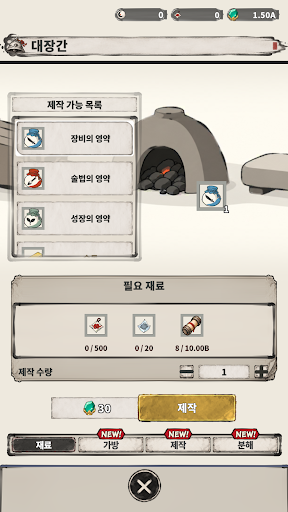
Gather the ink dropped by fallen monsters to strengthen your arts and companions.
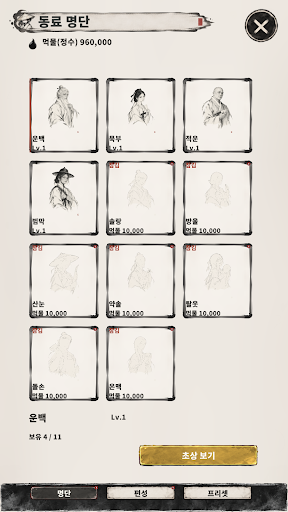
Collect companions painted in ink wash and fight together. Each with a story of their own, they stand by the swordsman's side.
Carve power into the canvas with engravings and draw your own path of growth.
As the layers deepen, the painting of ink and paper gains a single dot of color, then light washes, rich colors, and finally gold lines. See the world's colors return with your own eyes!
▶ Style in every drop of ink!
Dress your swordsman in Eastern-style gear, from weapons and straw hats to shields, fans, and envoy badges.
Turn the battlefield into a painting with dazzling arts where ink spreads and colors burst.
Show more

1. Download MEmu installer and finish the setup

2. Start MEmu then open Google Play on the desktop

3. Search MUKYEON: Fate of Ink in Google Play
Install
4. Download and Install MUKYEON: Fate of Ink
5. On install completion click the icon to start

6. Enjoy playing MUKYEON: Fate of Ink on PC with MEmu
MEmu Play is the best Android emulator and 100 million people already enjoy its superb Android gaming experience. The MEmu virtualization technology empowers you to play thousands of Android games smoothly on your PC, even the most graphic-intensive ones.
Bigger screen with better graphics; Long duration, without limitation of battery or mobile data.
Full Keymapping support for precise control of keyboard and mouse or gamepad.
Multiple game accounts or tasks on single PC at one time with Multi-Instance manager.
Play MUKYEON: Fate of Ink on PC by following steps: