Nientum - Op.ZERO
Updated
Current Version
1.0.13
Offered By

With your passion for Nientum - Op.ZERO, you shouldn’t have to limit yourself to the small screen of a phone. Play like a pro and take full control of the game using a keyboard and mouse. MEmu gives you everything you’re looking for. Download and play Nientum - Op.ZERO on PC. Play as long as you want — no more worries about battery life, mobile data, or unexpected calls. The all-new MEmu 9 is the best way to play Nientum - Op.ZERO on PC. With our expertly designed keymapping system, Nientum - Op.ZERO feels just like a real PC game. The MEmu multi-instance manager lets you run two or more accounts on the same device at the same time. Most importantly, our exclusive emulation engine unlocks your PC’s full potential, delivering smooth and seamless performance.
Show more
Download Nientum - Op.ZERO on PC with MEmu Android Emulator. Enjoy playing on big screen. The curtain fell long ago on a forgotten theater.
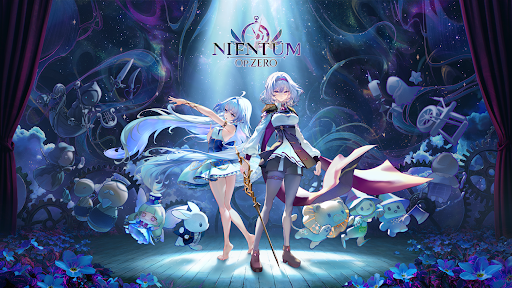
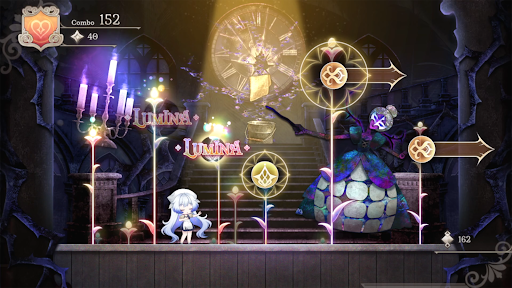
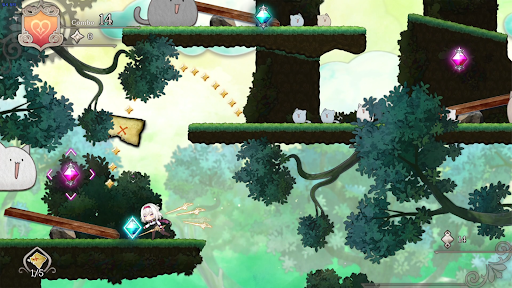
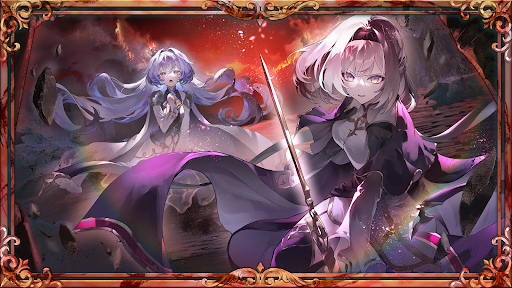
The curtain fell long ago on a forgotten theater. The lights, the music, the applause — all of it stands frozen in the dark. Backstage, two girls wake without their memories — Aleph, who takes the director's chair, and Liora, who takes the stage. Only her voice can raise the curtain again.
Nientum - Op.ZERO is a 2D rhythm-action adventure where every stage is a performance. Backstage platforming flows into live performance in the spotlight, and at every turning point of the story, boss battles unfold as duets you win by keeping time. Rhythm becomes the script, and your choices decide how the final curtain falls.
Voice is half of this theater: a full Japanese dub by Chika Anzai, Yuki Takada, and Takehito Koyasu.
Game Features
- A rhythm game where music, platforming, and story become one stage
- Boss duets fought in rhythm at the story's turning points
- Text in five languages
- Start free — the opening chapters are free, with a single unlock for the full theater
First released on PC in Early Access. Excellence in Audio at BIC 2024. Selected for TGS 2026 SELECTED INDIE 80.
And on October 14, 2026 — with Chapters 6–10 added — the theater finally opens in full.
Show more

1. Download MEmu installer and finish the setup

2. Start MEmu then open Google Play on the desktop

3. Search Nientum - Op.ZERO in Google Play
Install
4. Download and Install Nientum - Op.ZERO
5. On install completion click the icon to start

6. Enjoy playing Nientum - Op.ZERO on PC with MEmu
MEmu Play is the best Android emulator and 100 million people already enjoy its superb Android gaming experience. The MEmu virtualization technology empowers you to play thousands of Android games smoothly on your PC, even the most graphic-intensive ones.
Bigger screen with better graphics; Long duration, without limitation of battery or mobile data.
Full Keymapping support for precise control of keyboard and mouse or gamepad.
Multiple game accounts or tasks on single PC at one time with Multi-Instance manager.
Play Nientum - Op.ZERO on PC by following steps: