OffRoad Drive Pro
Updated
Current Version
0.94
Offered By

With your passion for OffRoad Drive Pro, you shouldn’t have to limit yourself to the small screen of a phone. Play like a pro and take full control of the game using a keyboard and mouse. MEmu gives you everything you’re looking for. Download and play OffRoad Drive Pro on PC. Play as long as you want — no more worries about battery life, mobile data, or unexpected calls. The all-new MEmu 9 is the best way to play OffRoad Drive Pro on PC. With our expertly designed keymapping system, OffRoad Drive Pro feels just like a real PC game. The MEmu multi-instance manager lets you run two or more accounts on the same device at the same time. Most importantly, our exclusive emulation engine unlocks your PC’s full potential, delivering smooth and seamless performance.
Show more
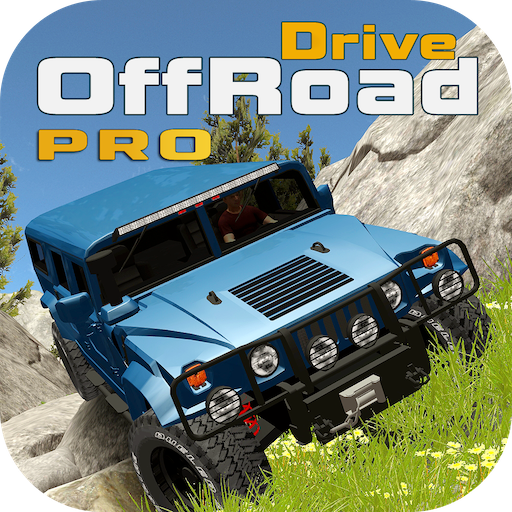
Download OffRoad Drive Pro on PC with MEmu Android Emulator. Enjoy playing on big screen. In OffRoad Drive Pro all 4x4 Off-Road vehicles are equipped with Differential-Lock and Winch feature to enjoy Off-Roading like a PRO.
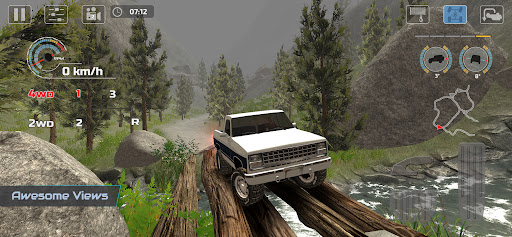
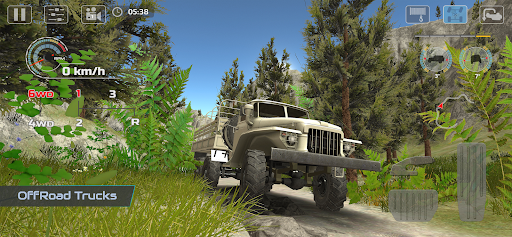
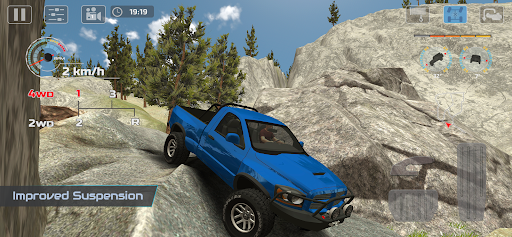
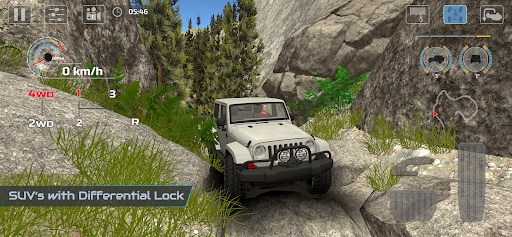
In OffRoad Drive Pro all 4x4 Off-Road vehicles are equipped with Differential-Lock and Winch feature to enjoy Off-Roading like a PRO. Differential-Lock can be used in Career mode and also in FreeRoam mode to use all the offRoading techniques in different situations, if your vehicle lose traction you can engage Differential-Lock to regain the traction so you can take on challenging obstacles and difficult terrains.
Graphics Quality and 4x4 OffRoad features and Suspension are improved for real Off-Road experience. You can use different techniques like put the vehicle in 1st Gear to tackle steep slopes or obstacles, engage Differential-Lock if one of the wheel lose traction, use Winch if your vehicle get stuck. In OffRoad Drive Simulator you can enable FOG and increase or decrease its intensity from Settings menu in FreeRoam mode.
Game Features
• Enable Fog in FreeRoam Mode from Settings Menu
• Graphics Quality level can be adjusted from Settings Menu according to device specifications
from Lowest to UltraHigh. Reduce Graphics Quality to improve game controls and make it more responsive.
• 13 languages support that you can select from Settings Menu
• 13 different Offroad vehicles with realistic Suspension and Offroad features
• 16 Levels
• 10 Maps (New maps will be added in next update)
• Locked Maps and Vehicles can be unlocked for FreeRoam Mode by completing Levels in Career Mode
• Select any Map and Vehicle in FreeRoam Mode
• Select Day/Night mode in FreeRoam Mode
• Rock Crawling
• Roll, Pitch Meters
• 5 different Cameras
4x4 Off-Road Features
• Differential-Lock
• Winch
• Manual Transmission with Tachometer
• 1st Gear can be used as 4L or 2L gear
• 2WD, 4WD Gear for providing Power to rear or all wheels
JOIN US ON
https://web.facebook.com/LogicMiracle
YOUTUBE CHANNEL
https://goo.gl/HijLbY
Show more

1. Download MEmu installer and finish the setup

2. Start MEmu then open Google Play on the desktop

3. Search OffRoad Drive Pro in Google Play
Install
4. Download and Install OffRoad Drive Pro
5. On install completion click the icon to start

6. Enjoy playing OffRoad Drive Pro on PC with MEmu
MEmu Play is the best Android emulator and 100 million people already enjoy its superb Android gaming experience. The MEmu virtualization technology empowers you to play thousands of Android games smoothly on your PC, even the most graphic-intensive ones.
Bigger screen with better graphics; Long duration, without limitation of battery or mobile data.
Full Keymapping support for precise control of keyboard and mouse or gamepad.
Multiple game accounts or tasks on single PC at one time with Multi-Instance manager.
Play OffRoad Drive Pro on PC by following steps: