Omnitrix Simulator Pro
Updated
Current Version
1784989412
Offered By

With your passion for Omnitrix Simulator Pro, you shouldn’t have to limit yourself to the small screen of a phone. Play like a pro and take full control of the game using a keyboard and mouse. MEmu gives you everything you’re looking for. Download and play Omnitrix Simulator Pro on PC. Play as long as you want — no more worries about battery life, mobile data, or unexpected calls. The all-new MEmu 9 is the best way to play Omnitrix Simulator Pro on PC. With our expertly designed keymapping system, Omnitrix Simulator Pro feels just like a real PC game. The MEmu multi-instance manager lets you run two or more accounts on the same device at the same time. Most importantly, our exclusive emulation engine unlocks your PC’s full potential, delivering smooth and seamless performance.
Show more
Download Omnitrix Simulator Pro on PC with MEmu Android Emulator. Enjoy playing on big screen. Omnitrix Simulator Pro.


Omnitrix Simulator Pro
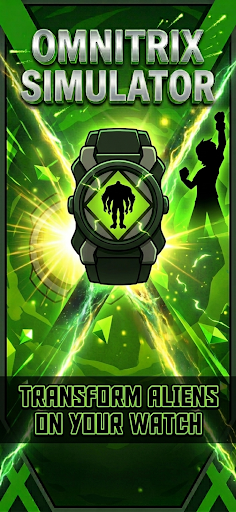
Experience one of the most immersive alien transformation simulators designed for Android and Wear OS.
Omnitrix Simulator Pro lets you explore an interactive transformation experience with smooth animations, responsive controls, customizable watch styles, and a large collection of unique alien forms. Whether you're using your phone or your smartwatch, every transformation is optimized for speed, performance, and visual quality.
Transform into 50+ Alien Forms
Choose from more than 50 unique alien transformations, each featuring detailed animations, energy effects, and distinct visual designs. Switch instantly between your favorites and create your own transformation experience.
Designed for Wear OS
Built specifically for Wear OS smartwatches while also supporting Android phones.
• Optimized smartwatch interface
• Smooth Digital Crown and touch navigation
• Fast and responsive performance
• Battery-friendly design
• Haptic feedback support
• Beautiful animations on every transformation
Customize Your Experience
Personalize almost every part of the simulator.
• Multiple watch styles
• Different interface themes
• Custom energy colors
• Adjustable animation speed
• Favorite alien selection
• Transformation timeout settings
• Vibration controls
Interactive Features
This isn't just a collection of animations.
Enjoy an interactive simulator with responsive controls, realistic visual effects, hidden features, and seamless navigation designed for everyday use.
Discover secret combinations, unlock hidden transformation effects, and explore additional interactions as you experiment with different settings.
High Performance
Built with performance in mind.
• Smooth 3D animations
• Fast startup
• Offline support
• Optimized battery usage
• Responsive controls
• High-quality visual effects
Whether you're using a phone or a smartwatch, the experience remains fluid and responsive.
Clean and Intuitive Design
The interface is simple enough for anyone to use while offering advanced customization for users who want complete control over their experience.
Navigate quickly between transformations, customize your favorites, and enjoy a polished user experience designed for both small and large screens.
Regular Updates
The simulator continues to evolve with new content and improvements.
Future updates may include:
• New transformation styles
• Additional customization options
• More visual effects
• Performance improvements
• New interactive features
Thank you for supporting the project and helping us improve with every update.
Download Omnitrix Simulator Pro today and enjoy one of the most complete alien transformation simulator experiences available for Android and Wear OS.
Show more

1. Download MEmu installer and finish the setup

2. Start MEmu then open Google Play on the desktop

3. Search Omnitrix Simulator Pro in Google Play
Install
4. Download and Install Omnitrix Simulator Pro
5. On install completion click the icon to start

6. Enjoy playing Omnitrix Simulator Pro on PC with MEmu
MEmu Play is the best Android emulator and 100 million people already enjoy its superb Android gaming experience. The MEmu virtualization technology empowers you to play thousands of Android games smoothly on your PC, even the most graphic-intensive ones.
Bigger screen with better graphics; Long duration, without limitation of battery or mobile data.
Full Keymapping support for precise control of keyboard and mouse or gamepad.
Multiple game accounts or tasks on single PC at one time with Multi-Instance manager.
Play Omnitrix Simulator Pro on PC by following steps:















































