Paint Body
Updated
Current Version
1.0.1
Offered By

With your passion for Paint Body, you shouldn’t have to limit yourself to the small screen of a phone. Play like a pro and take full control of the game using a keyboard and mouse. MEmu gives you everything you’re looking for. Download and play Paint Body on PC. Play as long as you want — no more worries about battery life, mobile data, or unexpected calls. The all-new MEmu 9 is the best way to play Paint Body on PC. With our expertly designed keymapping system, Paint Body feels just like a real PC game. The MEmu multi-instance manager lets you run two or more accounts on the same device at the same time. Most importantly, our exclusive emulation engine unlocks your PC’s full potential, delivering smooth and seamless performance.
Show more
Download Paint Body on PC with MEmu Android Emulator. Enjoy playing on big screen. Hide in plain sight — or find what is hidden!
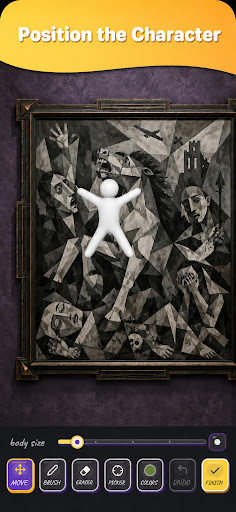
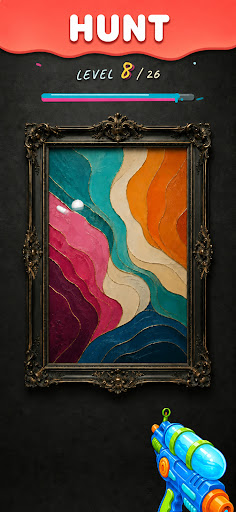
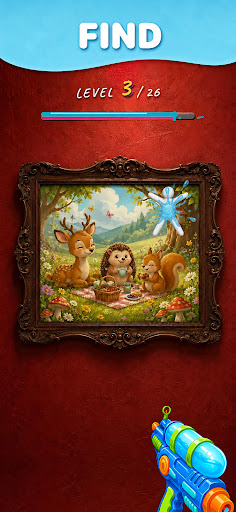
Hide in plain sight — or find what is hidden!
Paint Body is a creative art and camouflage game featuring two different game modes.
PAINT MODE
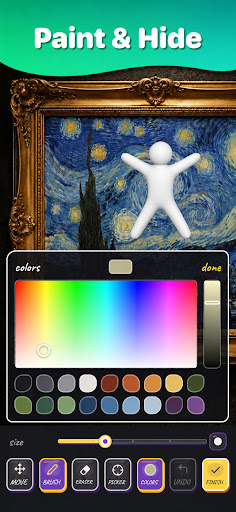
Choose a colorful art-inspired scene, place the character on the canvas, and paint it so it blends perfectly into the background.
• Choose from multiple artistic scenes
• Move and resize the character
• Pick colors directly from the scene
• Use the brush and eraser tools
• Finish your artwork to receive a camouflage score
• Save or share your creation
HUNT MODE
Look carefully at each painting and find the camouflaged character. Aim with your water gun, shoot the correct spot, and wash away the paint to reveal the white character.
• Explore 26 handcrafted levels
• Search each painting for a camouflaged character
• Aim and shoot with the water gun
• Wash away the paint to reveal the hidden character
• Enjoy water splash and paint-dripping effects
• Complete every level and improve your observation skills
FEATURES
• Two game modes: Paint and Hunt
• 26 levels with hidden characters
• Creative painting tools
• Color picker, brush, and eraser
• Camouflage score feedback
• Simple touch controls
• Optional music and sound effects
• Save and share your creations
• Available in multiple languages
No account required.
No ads.
No subscription.
One-time purchase.
Can you create the perfect camouflage and find every hidden character?
Show more

1. Download MEmu installer and finish the setup

2. Start MEmu then open Google Play on the desktop

3. Search Paint Body in Google Play
Install
4. Download and Install Paint Body
5. On install completion click the icon to start

6. Enjoy playing Paint Body on PC with MEmu
MEmu Play is the best Android emulator and 100 million people already enjoy its superb Android gaming experience. The MEmu virtualization technology empowers you to play thousands of Android games smoothly on your PC, even the most graphic-intensive ones.
Bigger screen with better graphics; Long duration, without limitation of battery or mobile data.
Full Keymapping support for precise control of keyboard and mouse or gamepad.
Multiple game accounts or tasks on single PC at one time with Multi-Instance manager.
Play Paint Body on PC by following steps: