Paint by Number: Coloring Game
Updated
Current Version
5.1.13
Offered By

With your passion for Paint by Number: Coloring Game, you shouldn’t have to limit yourself to the small screen of a phone. Play like a pro and take full control of the game using a keyboard and mouse. MEmu gives you everything you’re looking for. Download and play Paint by Number: Coloring Game on PC. Play as long as you want — no more worries about battery life, mobile data, or unexpected calls. The all-new MEmu 9 is the best way to play Paint by Number: Coloring Game on PC. With our expertly designed keymapping system, Paint by Number: Coloring Game feels just like a real PC game. The MEmu multi-instance manager lets you run two or more accounts on the same device at the same time. Most importantly, our exclusive emulation engine unlocks your PC’s full potential, delivering smooth and seamless performance.
Show more
Download Paint by Number: Coloring Game on PC with MEmu Android Emulator. Enjoy playing on big screen. Paint by Number: Coloring Game (PBN) is an internationally popular coloring and puzzle game that has attracted over 100 million users of all ages.
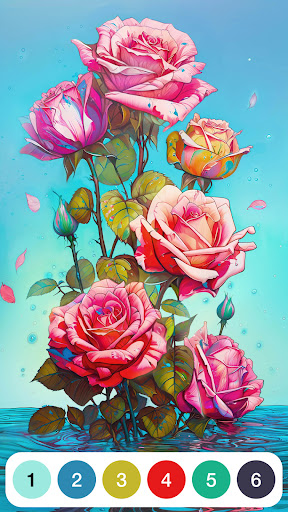
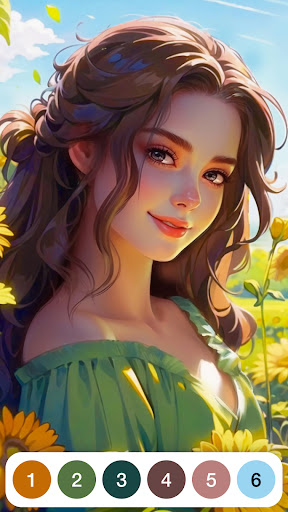
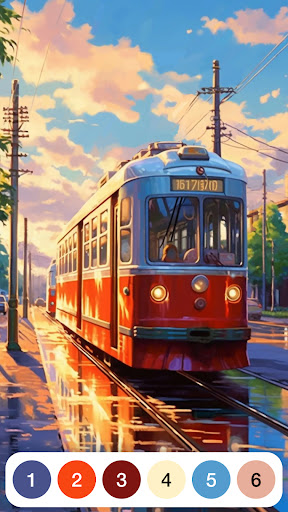
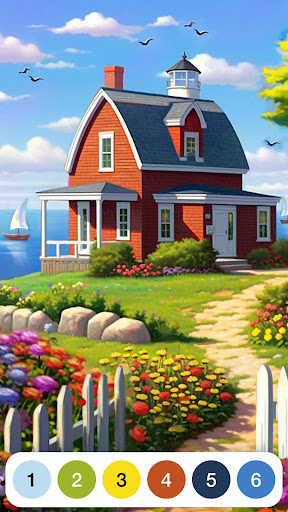
Paint by Number: Coloring Game (PBN) is an internationally popular coloring and puzzle game that has attracted over 100 million users of all ages. This immersive coloring game serves as a gateway from everyday life into an imaginative world of art expression and color. Each of the 30,000+ coloring pictures is crafted by talented artists worldwide, who passionately create high-quality masterpieces across diverse categories including fantasy, nature, animals, and geometric patterns. This drawing game's simple number-guided approach transforms blank canvases into vibrant works of art with beautiful colour, making it the perfect creative escape for anyone seeking both relaxation and artistic fulfillment.
Looking to relax with a fun and creative coloring game? Paint by Number offers:
Diverse Themes: Explore magical worlds, serene landscapes, and intricate patterns while enjoying a unique coloring experience with vibrant colour.
Artistic Journey: Color fairytale scenes, natural beauty, and mandalas to create stunning pictures full of vibrant color.
Mindful Experience: Relax, unwind, and find inner calm through the soothing and therapeutic act of coloring in this engaging drawing game.
Why choose Paint by Number?
INSPIRING ARTWORKS
Premium Resources: PBN collaborates with highly talented, creative artists from around the world who are deeply passionate about their art. Their dedication ensures the coloring pictures in the game is a high-quality colour masterpiece that inspires your creativity and love for drawing game.
Diverse Styles: Explore a rich collection of coloring artworks that span various artistic genres, themes, and styles. This drawing game brings together diverse cultural influences and aesthetics to make your coloring journey exciting and unique. Enjoy this drawing game!
UNIQUE COLORING GAMEPLAY
Story-Driven Coloring: Experience a perfect blend of storytelling and coloring as vibrant colors bring characters to life. Dive into the immersive stories, where each stroke of color adds joy while exploring meaningful tales of growth.
Collection Events: Level up your coloring game with fun picture-searching challenges! Unlock exclusive pictures as you color and collect, enjoying the excitement of discovery and the satisfaction of completing your colorful collection.
OUTSTANDING USER EXPERIENCE
Easy Coloring: Effortlessly bring your creations to life with colour. Just tap the screen, and let the vibrant color flow, making amazing art pictures in minutes.
Immersive Experience: Enjoy a relaxing process of coloring, where each stroke of color offers tranquility and engaging colour escape.
User-Friendly Design: Enjoy seamless coloring with a stable, secure app and an intuitive interface designed for every coloring enthusiast.
Begin your coloring adventure with Paint by Number today! Download now to unlock a world of colour art in this relaxing drawing game. Whether you're seeking a moment of calm, creative expression, or simply the joy of color, Paint by Number offers the perfect escape. Join our community of millions of coloring enthusiasts and transform ordinary moments into extraordinary masterpieces. Let your creativity flow and experience the magic of a truly remarkable coloring game!
Contact us at support@oakevergames.com
Terms: https://oakevergames.com/tos.html
Privacy: https://oakevergames.com/pp.html
Show more

1. Download MEmu installer and finish the setup

2. Start MEmu then open Google Play on the desktop

3. Search Paint by Number: Coloring Game in Google Play
Install
4. Download and Install Paint by Number: Coloring Game
5. On install completion click the icon to start

6. Enjoy playing Paint by Number: Coloring Game on PC with MEmu
MEmu Play is the best Android emulator and 100 million people already enjoy its superb Android gaming experience. The MEmu virtualization technology empowers you to play thousands of Android games smoothly on your PC, even the most graphic-intensive ones.
Bigger screen with better graphics; Long duration, without limitation of battery or mobile data.
Full Keymapping support for precise control of keyboard and mouse or gamepad.
Multiple game accounts or tasks on single PC at one time with Multi-Instance manager.
Play Paint by Number: Coloring Game on PC by following steps: