Arrows GO!
Updated
Current Version
1.32.0
Offered By

With your passion for Arrows GO!, you shouldn’t have to limit yourself to the small screen of a phone. Play like a pro and take full control of the game using a keyboard and mouse. MEmu gives you everything you’re looking for. Download and play Arrows GO! on PC. Play as long as you want — no more worries about battery life, mobile data, or unexpected calls. The all-new MEmu 9 is the best way to play Arrows GO! on PC. With our expertly designed keymapping system, Arrows GO! feels just like a real PC game. The MEmu multi-instance manager lets you run two or more accounts on the same device at the same time. Most importantly, our exclusive emulation engine unlocks your PC’s full potential, delivering smooth and seamless performance.
Show more
Download Arrows GO! on PC with MEmu Android Emulator. Enjoy playing on big screen. Welcome to Amaze GO!
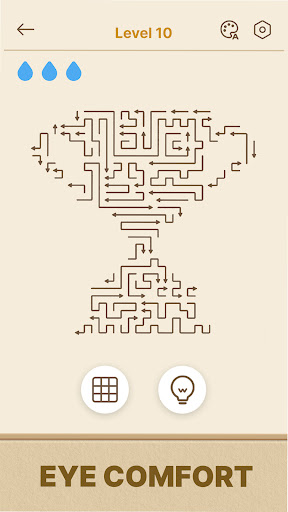
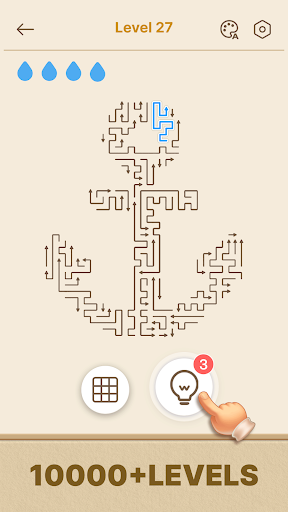
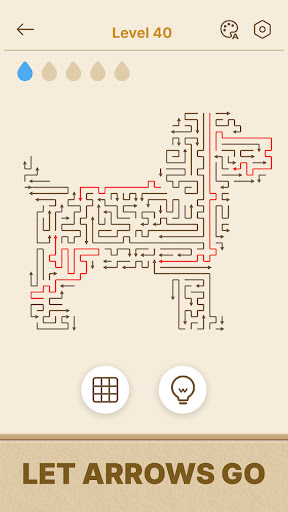
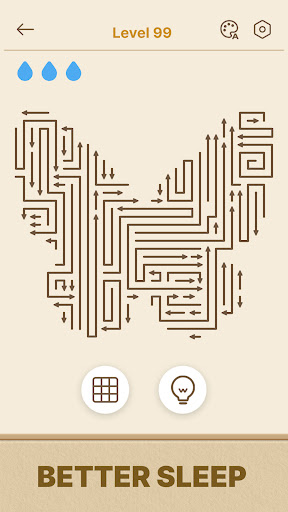
Welcome to Amaze GO! A clean arrow puzzle game built to calm a busy mind. Every arrow points the way — what you need to do is to choose the right order. The design cuts visual noise, reduces chaos, and helps you organize thoughts as you play. Pick up an arrow. Find its lane. Repeat until the grid is yours. Enjoy the quiet flow offline anywhere and anytime.
What makes Amaze GO! great
1. Simple arrow mechanics, zero visual noise
2. Works offline with a clean interface that keeps attention on the board
3. Calm play loop for smart brains: think clearly, move each arrow with strategy
4. Smooth tap controls, clear path feedback, and satisfying release moments like ASMR
How to Play
- Find an arrow with a free path to the edge
- Tap to slide that arrow off the grid and open a lane for the next move
- Plan the order to secure a safe route and a clean board
- Long-Press to use Guidance to highlight directions when your path is unclear
- A wrong tap costs a heart for the level
- Clear the board to finish the level and aim for a perfect run
- Hints help focus when the grid feels tight
Why love this arrow puzzle
· Simple rules, profound strategy, and a meditative arrow puzzle
· Short breaks ease stress and sharpen focus
· The last arrow leaves the board with a satisfying mental reset
· Cognitive workout for sequencing and brain teasers
· Quiet visuals, plus a satisfying whoosh as each arrow flies off the grid — feedback that soothes instead of nags
Made for the in-between moments
- The ten minutes before a meeting starts
- The metro ride too short for a podcast
- The flight where your signal drops
- The wind-down after a noisy workday
Amaze GO! - Puzzle Games is a calm arrow puzzle made for sharp minds and calm moments. Learn fast, then master timing and order. Send every arrow off the board, untangle the grid, and feel disorder turn into clarity. Amaze GO! is the puzzle you reach for when the rest of the day was too loud — one good move, then another, then a quiet board. Download now, plan smart paths, keep hearts safe, and enjoy pure focus anytime, anywhere!
Show more

1. Download MEmu installer and finish the setup

2. Start MEmu then open Google Play on the desktop

3. Search Arrows GO! in Google Play
Install
4. Download and Install Arrows GO!
5. On install completion click the icon to start

6. Enjoy playing Arrows GO! on PC with MEmu
MEmu Play is the best Android emulator and 100 million people already enjoy its superb Android gaming experience. The MEmu virtualization technology empowers you to play thousands of Android games smoothly on your PC, even the most graphic-intensive ones.
Bigger screen with better graphics; Long duration, without limitation of battery or mobile data.
Full Keymapping support for precise control of keyboard and mouse or gamepad.
Multiple game accounts or tasks on single PC at one time with Multi-Instance manager.
Play Arrows GO! on PC by following steps: