
Pawpop Match
Updated
Current Version
Offered By

With your passion for Pawpop Match, you shouldn’t have to limit yourself to the small screen of a phone. Play like a pro and take full control of the game using a keyboard and mouse. MEmu gives you everything you’re looking for. Download and play Pawpop Match on PC. Play as long as you want — no more worries about battery life, mobile data, or unexpected calls. The all-new MEmu 9 is the best way to play Pawpop Match on PC. With our expertly designed keymapping system, Pawpop Match feels just like a real PC game. The MEmu multi-instance manager lets you run two or more accounts on the same device at the same time. Most importantly, our exclusive emulation engine unlocks your PC’s full potential, delivering smooth and seamless performance.
Show more
Download Pawpop Match on PC with MEmu Android Emulator. Enjoy playing on big screen. One day, a tiny magical accident turned a normal bakery into something unexpected —.
One day, a tiny magical accident turned a normal bakery into something unexpected —
and the trio realized their magic could do more than entertain on stage.
Pino the playful fox magician, Pip the loyal duck assistant,
and Bruce the stylish raccoon once performed together in a small circus.
They packed up their circus and began traveling from village to village,
using match puzzle games to help animal villages grow, transform, and feel alive.
In Pawpop Match, every puzzle level is a meaningful stop on their journey.
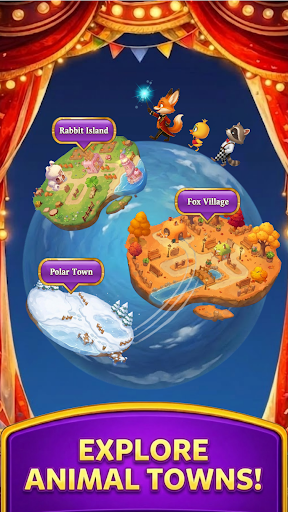
■ Explore Cozy Animal Villages
Explore a cozy world of animal villages with a traveling circus of adorable characters,
where match puzzles bring small magical changes to each village you visit.
Play this casual match puzzle game at your own pace,
relax your mind, and enjoy a heartwarming puzzle adventure filled with color and charm.
■ Classic Match Puzzle Gameplay with a Cozy Twist
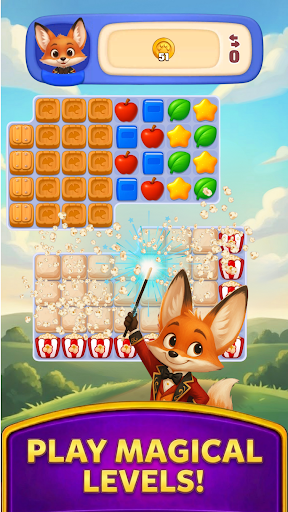
Pawpop Match offers easy-to-learn match puzzle gameplay with satisfying depth.
Match colorful tiles, clear fun obstacles, and create smooth, rewarding combos.
With hundreds of handcrafted match puzzle levels and new challenges along the way,
this casual puzzle game stays fresh while remaining calm and relaxing.
No timers. No pressure.
Just smooth, cozy match puzzle fun designed to feel light, friendly, and comfortable.
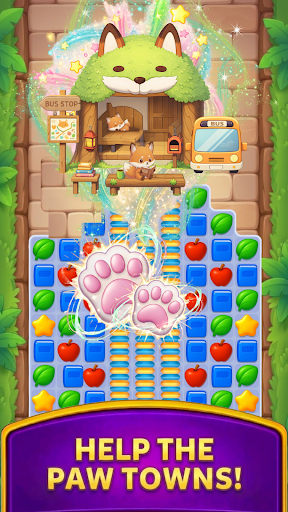
■ Help Animal Villages Grow
Clear match puzzle levels to earn rewards
and help adorable animals improve and decorate their villages.
From bakeries and small shops to gardens and gathering spots,
each village reflects the personality of the animals who live there.
Village building and decoration are simple, calming,
and deeply rewarding parts of the overall puzzle experience.
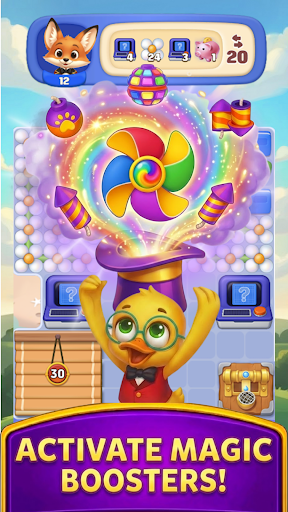
■ Boosters, Rewards, and Special Events
Use helpful boosters and special puzzle items to gently solve tricky moments
and enjoy satisfying match puzzle progress.
Join cheerful circus-themed events, collect rewards,
and discover new animal villages as the journey continues.
Play offline anytime — no internet connection required.
■ Why You’ll Love Pawpop Match
* A cute and relaxing match puzzle game for casual play
* Charming animal characters and a traveling circus story
* Hundreds of handcrafted match puzzle levels
* Cozy animal village building and decoration gameplay
* Helpful boosters and special puzzle challenges
* Gentle gameplay with no timers or pressure
* Offline puzzle play anytime, anywhere
◀ Join the traveling animal circus.
Match tiles, solve cozy puzzles, and spread a little magic
as you help animal villages grow warmer and more wonderful —
one relaxing match puzzle at a time.
Show more

1. Download MEmu installer and finish the setup

2. Start MEmu then open Google Play on the desktop

3. Search Pawpop Match in Google Play
Install
4. Download and Install Pawpop Match
5. On install completion click the icon to start

6. Enjoy playing Pawpop Match on PC with MEmu
MEmu Play is the best Android emulator and 100 million people already enjoy its superb Android gaming experience. The MEmu virtualization technology empowers you to play thousands of Android games smoothly on your PC, even the most graphic-intensive ones.
Bigger screen with better graphics; Long duration, without limitation of battery or mobile data.
Full Keymapping support for precise control of keyboard and mouse or gamepad.
Multiple game accounts or tasks on single PC at one time with Multi-Instance manager.
Play Pawpop Match on PC by following steps:

















































