Pigeon Online World
Updated
Current Version
Offered By

With your passion for Pigeon Online World, you shouldn’t have to limit yourself to the small screen of a phone. Play like a pro and take full control of the game using a keyboard and mouse. MEmu gives you everything you’re looking for. Download and play Pigeon Online World on PC. Play as long as you want — no more worries about battery life, mobile data, or unexpected calls. The all-new MEmu 9 is the best way to play Pigeon Online World on PC. With our expertly designed keymapping system, Pigeon Online World feels just like a real PC game. The MEmu multi-instance manager lets you run two or more accounts on the same device at the same time. Most importantly, our exclusive emulation engine unlocks your PC’s full potential, delivering smooth and seamless performance.
Show more
Download Pigeon Online World on PC with MEmu Android Emulator. Enjoy playing on big screen. Pigeon Online World, kendi güvercin kümesini kurup büyüttüğün çevrim içi bir yetiştirme simülasyonudur.
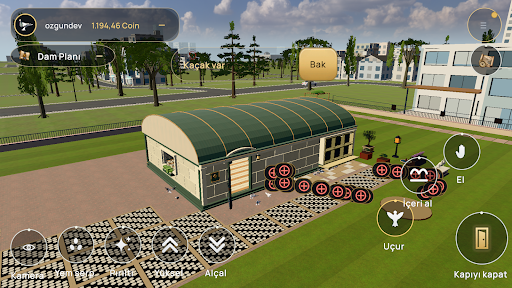
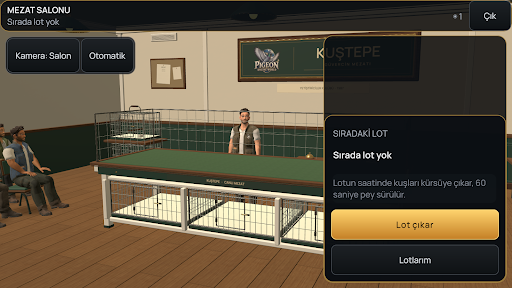
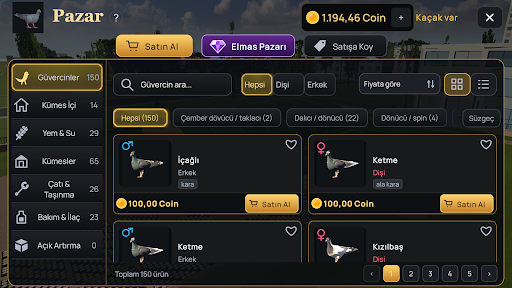
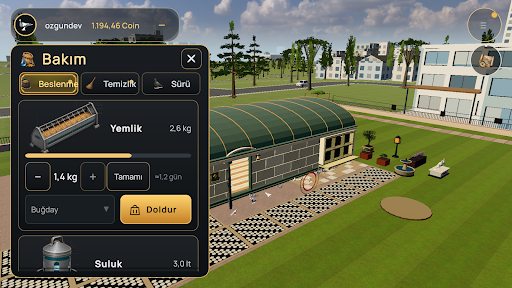
Pigeon Online World, kendi güvercin kümesini kurup büyüttüğün çevrim içi bir yetiştirme simülasyonudur. Kuşlarına bak, yeni nesiller yetiştir ve gökyüzündeki yeteneklerini keşfet.
KÜMESİNİ KUR
Follukları, yemlikleri ve tünekleri yerleştirerek kümesini düzenle. Yem, su, temizlik ve sağlık durumunu takip et.
YENİ NESİLLER YETİŞTİR
Damızlık çiftlerini seç, yavruları büyüt. Güvercinlerinin genetik bilgilerini ve soy ağaçlarını inceleyerek sürünü geliştir.
ANTRENMAN VE YARIŞMALAR
Kuşlarını antrenman programlarına hazırla, uçuşlarını izle ve yarışmalarda yeteneklerini göster.
ÇEVRİM İÇİ DÜNYA
Diğer yetiştiricileri keşfet. Pazarda farklı güvercinlere bak, mezattaki kuşları takip et.
Küçük bir kümesten başlayıp kendi güvercin hikâyeni oluştur. Oynamak için internet bağlantısı gerekir.
Show more

1. Download MEmu installer and finish the setup

2. Start MEmu then open Google Play on the desktop

3. Search Pigeon Online World in Google Play
Install
4. Download and Install Pigeon Online World
5. On install completion click the icon to start

6. Enjoy playing Pigeon Online World on PC with MEmu
MEmu Play is the best Android emulator and 100 million people already enjoy its superb Android gaming experience. The MEmu virtualization technology empowers you to play thousands of Android games smoothly on your PC, even the most graphic-intensive ones.
Bigger screen with better graphics; Long duration, without limitation of battery or mobile data.
Full Keymapping support for precise control of keyboard and mouse or gamepad.
Multiple game accounts or tasks on single PC at one time with Multi-Instance manager.
Play Pigeon Online World on PC by following steps:















































