Pop Epoch: Civilization Tycoon
Updated
Current Version
1.0.54
Offered By

With your passion for Pop Epoch: Civilization Tycoon, you shouldn’t have to limit yourself to the small screen of a phone. Play like a pro and take full control of the game using a keyboard and mouse. MEmu gives you everything you’re looking for. Download and play Pop Epoch: Civilization Tycoon on PC. Play as long as you want — no more worries about battery life, mobile data, or unexpected calls. The all-new MEmu 9 is the best way to play Pop Epoch: Civilization Tycoon on PC. With our expertly designed keymapping system, Pop Epoch: Civilization Tycoon feels just like a real PC game. The MEmu multi-instance manager lets you run two or more accounts on the same device at the same time. Most importantly, our exclusive emulation engine unlocks your PC’s full potential, delivering smooth and seamless performance.
Show more
Download Pop Epoch: Civilization Tycoon on PC with MEmu Android Emulator. Enjoy playing on big screen. Ignite Your Journey: From Primitive Wilds to Modern Marvels in Minutes!



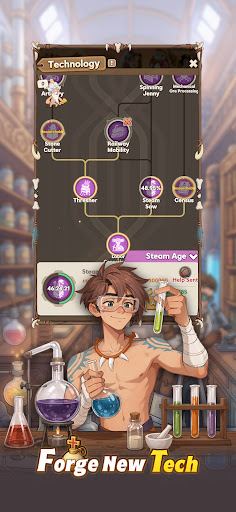
Ignite Your Journey: From Primitive Wilds to Modern Marvels in Minutes!
Ready, Set, Epoch!
Welcome to Pop Epoch, where you become the architect of history! Dive into an exhilarating adventure, starting from primitive beginnings and racing through time to see the world reshape at your command.
Rule Your Epochs
-Begin in the primitive wilderness, leading your tribe to greatness.
-Innovate, construct, and produce resources to propel your world toward new heights.
-Your strategic decisions will steer the course of history, balancing vital resources, industrial expansion, and military prowess.
Encounter Legends
-Defy time and meet iconic figures: Archimedes, Shakespeare, Joan of Arc, Socrates…
-Forge alliances and harness their unique skills and wisdom to make your world shine through the ages.
Propel Through Progress
-Harness the power of technology to drive your epoch forward.
-Master groundbreaking research and innovation, staying ahead of rivals as you pave the way to future milestones.
Strength in Unity
-A formidable military is the backbone of progress.
-Command infantry, cavalry, and more to defend your realm, conquer foes, and ensure your legacy’s dominance across time
Embark on a Journey from Ancient Origins to Vibrant Futures!
Join Pop Epoch now and craft your legacy in the annals of history!
-Facebook: https://www.facebook.com/PopEpoch
-Discord: https://discord.com/invite/zdDda5sc4Y
Show more

1. Download MEmu installer and finish the setup

2. Start MEmu then open Google Play on the desktop

3. Search Pop Epoch: Civilization Tycoon in Google Play
Install
4. Download and Install Pop Epoch: Civilization Tycoon
5. On install completion click the icon to start

6. Enjoy playing Pop Epoch: Civilization Tycoon on PC with MEmu
MEmu Play is the best Android emulator and 100 million people already enjoy its superb Android gaming experience. The MEmu virtualization technology empowers you to play thousands of Android games smoothly on your PC, even the most graphic-intensive ones.
Bigger screen with better graphics; Long duration, without limitation of battery or mobile data.
Full Keymapping support for precise control of keyboard and mouse or gamepad.
Multiple game accounts or tasks on single PC at one time with Multi-Instance manager.
Play Pop Epoch: Civilization Tycoon on PC by following steps: