Project Rebreach
Updated
Current Version
Offered By

With your passion for Project Rebreach, you shouldn’t have to limit yourself to the small screen of a phone. Play like a pro and take full control of the game using a keyboard and mouse. MEmu gives you everything you’re looking for. Download and play Project Rebreach on PC. Play as long as you want — no more worries about battery life, mobile data, or unexpected calls. The all-new MEmu 9 is the best way to play Project Rebreach on PC. With our expertly designed keymapping system, Project Rebreach feels just like a real PC game. The MEmu multi-instance manager lets you run two or more accounts on the same device at the same time. Most importantly, our exclusive emulation engine unlocks your PC’s full potential, delivering smooth and seamless performance.
Show more
Download Project Rebreach on PC with MEmu Android Emulator. Enjoy playing on big screen. Project Rebreach is a tactical team shooter built around close-quarters attack and defence.
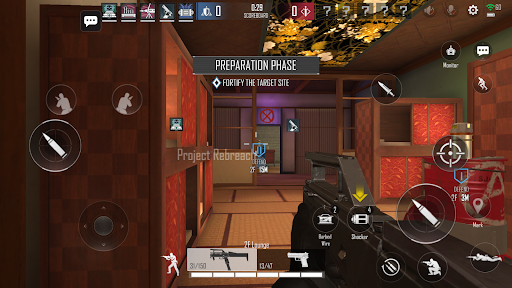
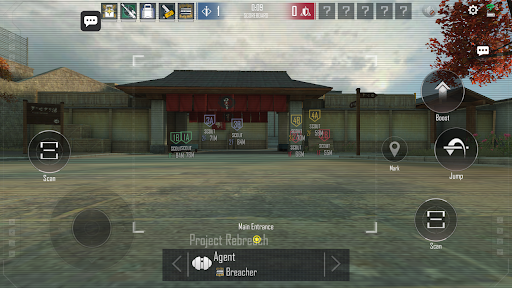
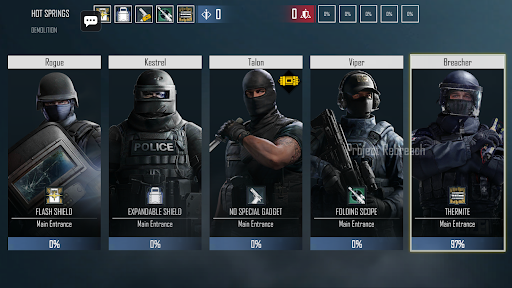
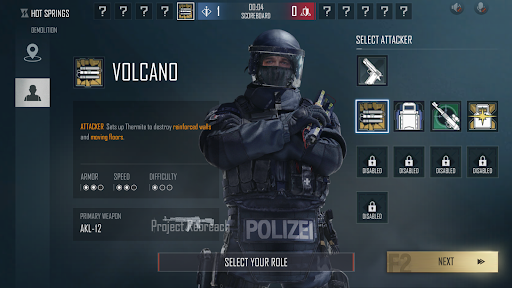
Project Rebreach is a tactical team shooter built around close-quarters attack and defence. One team breaches, the other holds, and you only get one life per round.
ATTACK OR DEFEND
• Attackers scout with drones, breach walls and push the objective.
• Defenders reinforce the building, set traps and hold their ground.
• Plant the bomb or stop it, round after round.
OPERATORS AND GADGETS
• Pick from a roster of operators, each with their own weapons and gadget.
• Thermite charges, shields, EMP blasts, life sensors, flashbangs and more.
• Go down and a teammate can still revive you.
MODES
• CASUAL: 5 vs 5 attack and defence.
• 1V1: duels with a vote between Secure Area and Bomb.
• Training: try operators and guns at your own pace.
MADE FOR MOBILE
• Customisable HUD: move and resize your buttons.
• Detailed sensitivity settings and gyroscope aiming.
• In English, Português, Bahasa Indonesia, Español, Русский, ภาษาไทย and 简体中文.
FREE TO PLAY
No ads and no purchases. Project Rebreach is made by a small community team and updated often. Create an account with a username and password to play online.
Show more

1. Download MEmu installer and finish the setup

2. Start MEmu then open Google Play on the desktop

3. Search Project Rebreach in Google Play
Install
4. Download and Install Project Rebreach
5. On install completion click the icon to start

6. Enjoy playing Project Rebreach on PC with MEmu
MEmu Play is the best Android emulator and 100 million people already enjoy its superb Android gaming experience. The MEmu virtualization technology empowers you to play thousands of Android games smoothly on your PC, even the most graphic-intensive ones.
Bigger screen with better graphics; Long duration, without limitation of battery or mobile data.
Full Keymapping support for precise control of keyboard and mouse or gamepad.
Multiple game accounts or tasks on single PC at one time with Multi-Instance manager.
Play Project Rebreach on PC by following steps: