Project Z: 72H Siege Conquest
Updated
Current Version
1755744816
Offered By

With your passion for Project Z: 72H Siege Conquest, you shouldn’t have to limit yourself to the small screen of a phone. Play like a pro and take full control of the game using a keyboard and mouse. MEmu gives you everything you’re looking for. Download and play Project Z: 72H Siege Conquest on PC. Play as long as you want — no more worries about battery life, mobile data, or unexpected calls. The all-new MEmu 9 is the best way to play Project Z: 72H Siege Conquest on PC. With our expertly designed keymapping system, Project Z: 72H Siege Conquest feels just like a real PC game. The MEmu multi-instance manager lets you run two or more accounts on the same device at the same time. Most importantly, our exclusive emulation engine unlocks your PC’s full potential, delivering smooth and seamless performance.
Show more
Download Project Z: 72H Siege Conquest on PC with MEmu Android Emulator. Enjoy playing on big screen. Project Z is an action-packed open-world survival game that combines SLG mechanics with light sci-fi and a humorous, comic-book-inspired art style.
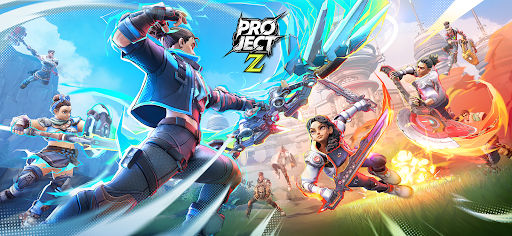
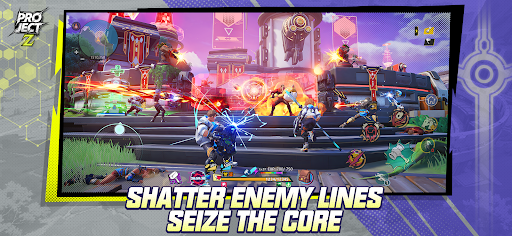
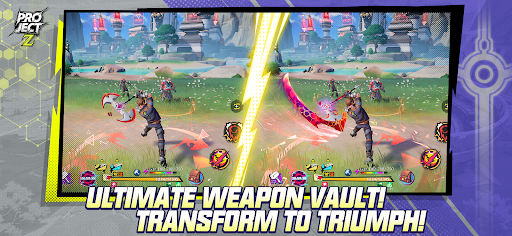
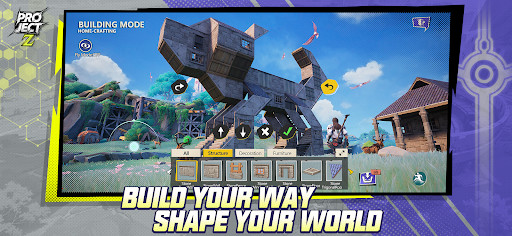
Project Z is an action-packed open-world survival game that combines SLG mechanics with light sci-fi and a humorous, comic-book-inspired art style. The game invites players to explore a world on the brink of restoration after a catastrophic gamma-ray storm, where only the bravest can survive, build, and thrive.
Join the epic struggle as you awaken as a ""bio-enhanced"" human with fragmented memories. Dive into a fractured Earth where you will face fierce battles, form powerful alliances, and uncover the mysteries of humanity's survival. With customizable combat builds, season-based events, and dynamic PvP combat, you'll experience an unforgettable adventure in an ever-changing world.
Key Features:
An Open-World Adventure Like Never Before: Explore a vast, dynamic world filled with diverse environments, ancient ruins, and hidden secrets. Discover new territories, craft vital resources, and build your home in a shattered world.
Survival and Crafting at Its Core: Gather materials, craft powerful weapons, and personalize your character’s skills and abilities. Create a stronghold, defend it against rivals, and grow your influence in a harsh new world.
Dynamic Combat & Customization: Choose from a wide array of weapons, gear, and skills. Mix and match to create a build that suits your playstyle whether it is close combat, ranged attacks, or strategic abilities. All Combat is fluid, fast-paced, and rewarding.
Seasonal Gameplay with Rewards: Experience an ever-evolving world with seasonal events that introduce new challenges, rewards, and stories. Adapt to changing conditions, and rise to the top each season.
Epic PvP, PVE and Large-Scale City Sieges: Join or form guilds with players worldwide for a real-time multiplayer experience. Team up to conquer side quest, bosses, and challenges; then engage in large-scale PvP through brutal city sieges to defend your stronghold or seize others for dominance, glory, and rewards in a shared world where you fight, build, and explore together.
PLEASE NOTE:
Network connection is required.
Project Z is free to download and play.
By downloading this app, you agree to our privacy policy and terms of use.
Privacy Policy: https://soc-game.com/p/soc_ysxy.html
Terms of Service: https://soc-game.com/p/soc_yhxy.html
Customer Support:projectzsoc2025@gmail.com
Follow us on our socials!
Facebook: https://www.facebook.com/projectzglobal/
Discord: https://discord.gg/BhMQsvs7mg
Show more

1. Download MEmu installer and finish the setup

2. Start MEmu then open Google Play on the desktop

3. Search Project Z: 72H Siege Conquest in Google Play
Install
4. Download and Install Project Z: 72H Siege Conquest
5. On install completion click the icon to start

6. Enjoy playing Project Z: 72H Siege Conquest on PC with MEmu
MEmu Play is the best Android emulator and 100 million people already enjoy its superb Android gaming experience. The MEmu virtualization technology empowers you to play thousands of Android games smoothly on your PC, even the most graphic-intensive ones.
Bigger screen with better graphics; Long duration, without limitation of battery or mobile data.
Full Keymapping support for precise control of keyboard and mouse or gamepad.
Multiple game accounts or tasks on single PC at one time with Multi-Instance manager.
Play Project Z: 72H Siege Conquest on PC by following steps: