Rail Fortress : Defense
Updated
Current Version
Offered By

With your passion for Rail Fortress : Defense, you shouldn’t have to limit yourself to the small screen of a phone. Play like a pro and take full control of the game using a keyboard and mouse. MEmu gives you everything you’re looking for. Download and play Rail Fortress : Defense on PC. Play as long as you want — no more worries about battery life, mobile data, or unexpected calls. The all-new MEmu 9 is the best way to play Rail Fortress : Defense on PC. With our expertly designed keymapping system, Rail Fortress : Defense feels just like a real PC game. The MEmu multi-instance manager lets you run two or more accounts on the same device at the same time. Most importantly, our exclusive emulation engine unlocks your PC’s full potential, delivering smooth and seamless performance.
Show more
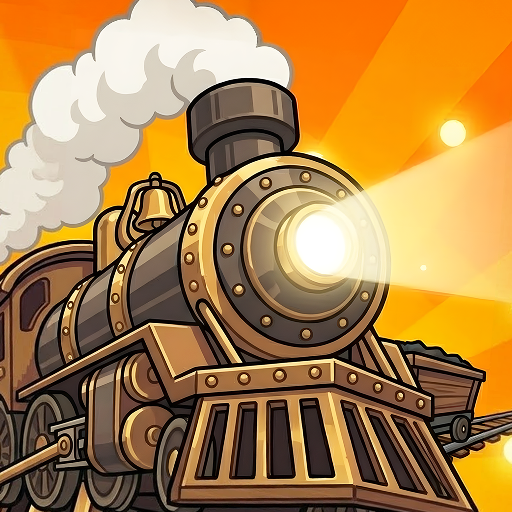
Download Rail Fortress : Defense on PC with MEmu Android Emulator. Enjoy playing on big screen. Stop monsters with a train?

Stop monsters with a train?
Yep. That’s exactly what you do.
You never know what weapon you’ll get,
what combo you’ll build,
or how long you’ll survive
in this luck-based, strategy-packed train defense game!
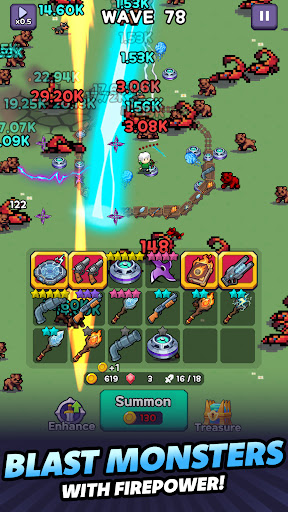
Place powerful weapons on each train car and stop endless waves of monsters rushing down the tracks!
Board now.
There’s no getting off in Rail Fortress!
Game Features
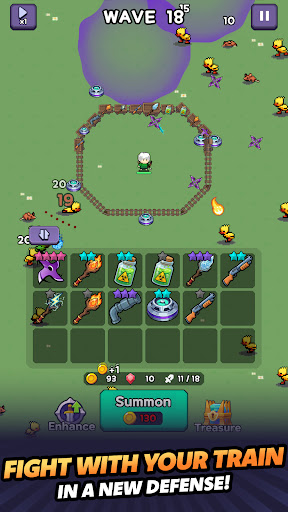
A New Kind of Train Tower Defense
Your train is the battlefield!
Fight off nonstop monster waves on the tracks in a unique tower defense strategy game built around a battle train.
Pull 5-Star Train Weapons in a Single Summon?!
Summon train weapons to boost your firepower!
If luck is on your side, you might score an amazing 5-star train weapon in just one pull.
Merge Matching Weapons to Get Stronger
Merge duplicate weapons to upgrade them into higher grades!
The merge system adds a new layer of fun and strategy to this train defense game.
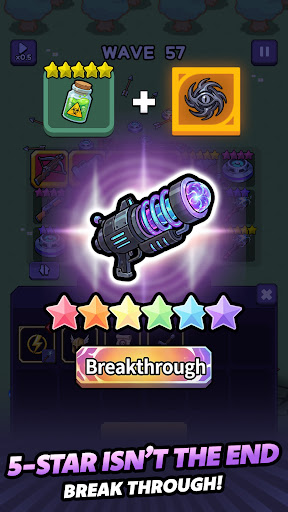
5 Stars Isn’t the End — Break Through for Even More Power
Enhance your 5-star train weapons with treasures and evolve them into breakthrough weapons!
Push back monster waves with even stronger firepower and powerful skills.
Strengthen Your Power with Hero Equipment
It’s not just your train getting stronger.
Summon hero equipment and upgrade it with evolution scrolls all the way to Legendary grade.
Complete Your Strategy with Treasures
Collect treasures with unique effects and build your own battle strategy!
Depending on your weapon and treasure combinations, your firepower, survival, and tactics will change.
Endless Monster Waves That Get Stronger the Longer You Survive
As the waves go on, monsters grow stronger,
your train gets longer,
and every decision matters even more!
Build the best combination and survive the endless invasion.
Simple Controls, Deep Strategy
Easy to play, hard to master!
The weapons you summon, the gear you upgrade, and the treasures you choose will completely change the outcome of every run.
Perfect for Players Who Love:
▶ Tower defense games
▶ Merge / upgrade systems
▶ Luck-based mechanics with strategic depth
▶ Survival wave defense gameplay
▶ Train and strategy games
Warning Before Boarding
This train has no exit.
Once you board, the battle will not stop until the monsters are wiped out.
Jump into Rail Fortress now and experience the thrill of endless growth and nonstop action!
Official Website: https://superboxgo.com
Facebook: https://www.facebook.com/superbox01
Email: help@superboxgo.com
----
Privacy Policy : https://superboxgo.com/privacypolicy_en.php
Terms of Service : https://superboxgo.com/termsofservice_en.php
Show more

1. Download MEmu installer and finish the setup

2. Start MEmu then open Google Play on the desktop

3. Search Rail Fortress : Defense in Google Play
Install
4. Download and Install Rail Fortress : Defense
5. On install completion click the icon to start

6. Enjoy playing Rail Fortress : Defense on PC with MEmu
MEmu Play is the best Android emulator and 100 million people already enjoy its superb Android gaming experience. The MEmu virtualization technology empowers you to play thousands of Android games smoothly on your PC, even the most graphic-intensive ones.
Bigger screen with better graphics; Long duration, without limitation of battery or mobile data.
Full Keymapping support for precise control of keyboard and mouse or gamepad.
Multiple game accounts or tasks on single PC at one time with Multi-Instance manager.
Play Rail Fortress : Defense on PC by following steps: